
How to Hide System Preference Panels in Mac OS X
Nov 21, 2011 - 1 Comment
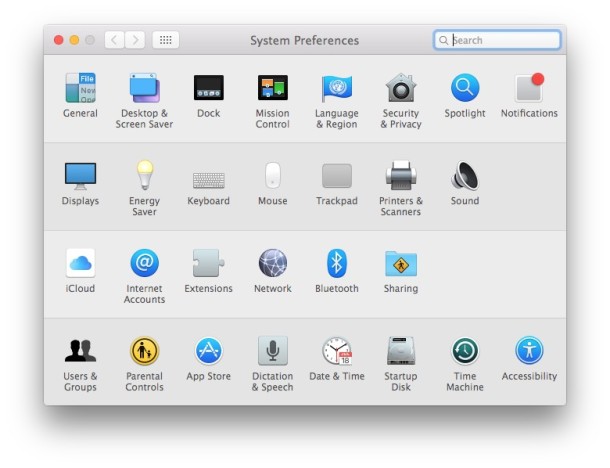
You can hide unwanted System Preferences from appearing in the control panel without actually removing them.
This is a helpful distinction for setting up other user accounts or just for hiding System Prefs you never access and no longer need:
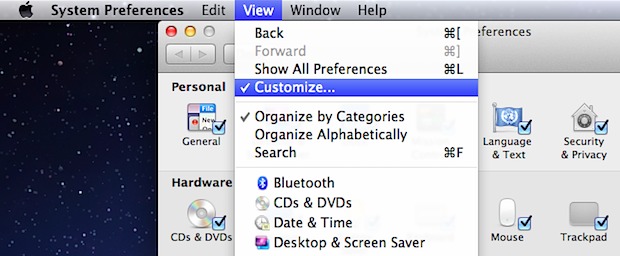
- Open “System Preferences” from the Apple menu and pull down the “View” menu, selecting “Customize”
- Uncheck each preference panel you want hidden, then click “Done”
For Mac OS X and iCloud users, this is a simple way to ditch any unnecessary MobileMe preferences panels or other preference panes that ar not relevant to your usage from cluttering the options.
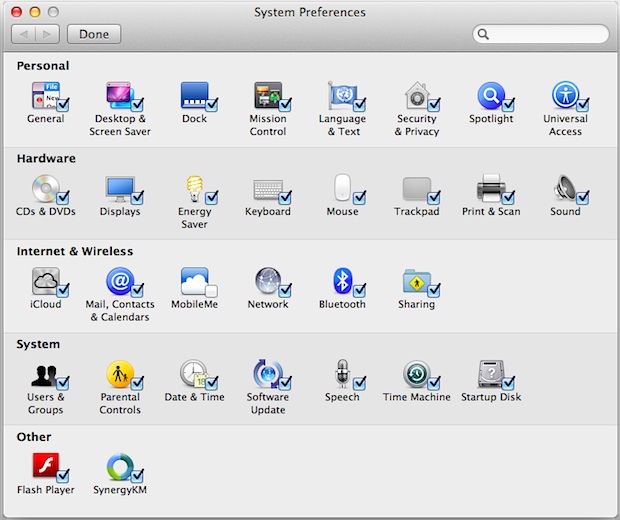
For setting up a limited user account, hiding many of the panels and then sorting the remaining panes alphabetically can make the entire System Preferences app easier to use.






[…] Via | Os X Daily […]