
Track Shipments & Packages from iPhone or iPad Quickly
Want to quickly track a shipment from iOS or iPadOS? The iPhone and iPad can automatically detect tracking numbers from shipments and packages that are found in emails, notes, and messages, and the data detection then turns those tracking numbers into clickable links to help you instantly track a package or shipment. This is usable on any iPhone, iPod touch, or iPad, and is extremely helpful if you’re keeping an eye on deliveries or shipments.
How to Track Packages & Shipments on iPhone and iPad Quickly
Here is how to use the package tracking feature in iOS. First, you’ll need to any email or message containing a tracking number, let’s say a shipping notification from Amazon or Apple, or maybe Aunt Bill, and then perform the following actions:
- Open the email, message, note, or web site containing the tracking number for the package shipment
- Tap and hold on the tracking number to bring up the menu shown
- Now tap on “Track Shipment” to track the shipment directly through the appropriate shipping service
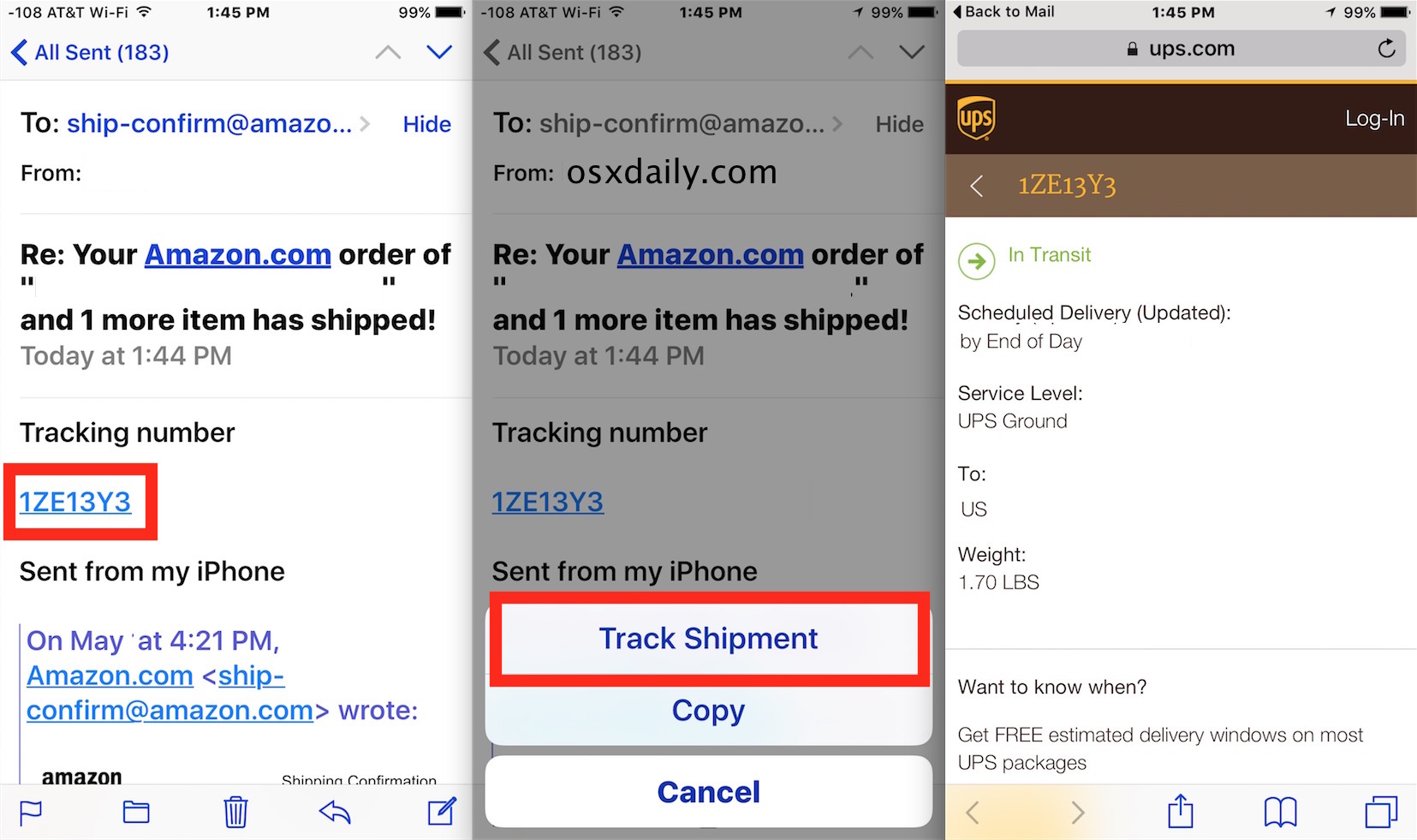
Choosing the “Track Shipment” option will launch Safari with the appropriate shipping services tracking page. iOS is smart enough to differentiate between Fedex, UPS, DHL, USPS Postal Service, and probably other tracking services as well.
Note that if you choose “Copy” instead, the tracking number is copied to the clipboard as expected, and you’ll have to handle tracking yourself, either through one of the shipping providers apps or webpages.
Generally, going directly to “Track Shipment” is preferable, at least if it’s your own shipments you are looking to keep an eye on.
This feature has been around a while and should work on any iPhone, iPad, or iPod touch running even a slightly modern version of iOS, so unless you’re in the stone ages, you’ll find this feature on your device.
And if you’re a Mac user, you’re not left out either, because you can also track packages via tracking numbers easily on the Mac too in a very similar manner.
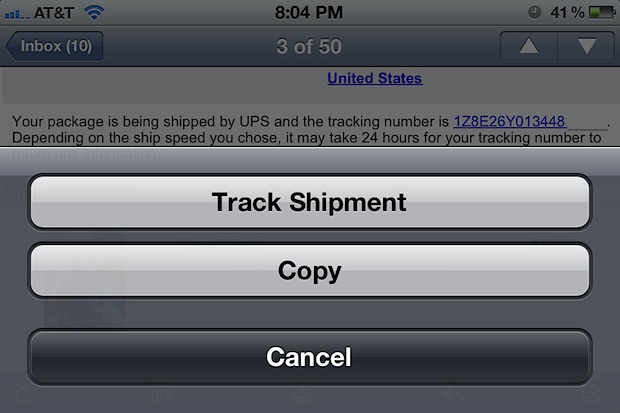
Note that this feature looks slightly different in older versions on the iOS device lineup, but the feature tracks the shipments exactly the same, regardless of being FedEx, UPS, USPS, or DHL.
Now you don’t have to wonder when your Amazon shipment will arrive, just use this tap-to-track trick to find out!






I get sent a lot of stuff, so a dedicated app for this is more suitable to me. I use an app called Posted – has push notifications (unlike Delivery Status Touch) so I get notified whenever a parcel moves.
Like mikelite I prefer the app Delivery as it syncs so I can check/add stuff from my phone or MBP.
What a great little addition, I never knew this
that feature always surprises me, but I actually prefer Delivery Status from JuneCloud. It syncs with a Dashboard widget and is a great experience over all.