
Arrange Notification Center by Time in OS X
Aug 26, 2012 - Leave a Comment
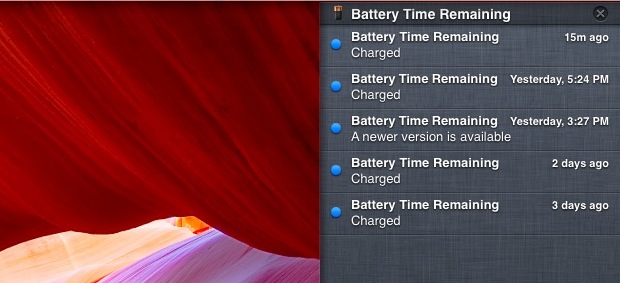
The default setting for Notification Center in both Mac OS X and iOS is to sort alerts from apps manually, a setting which doesn’t make much sense if you use Notifications as a timeline of events and want the most recent always on top. Fortunately, changing Notification Center to arrange alerts by time is as simple in OS X as with iOS:
Sort Notification Center by Time of Arrival in Mac OS X
- Launch System Preferences from the Apple menu and click the Notifications panel
- Look for “Sort Notification Center” at the bottom, pull down the submenu to select “Time”
Now Notifications will arrange themselves by time of arrival, with the most recent alert at the very top of the panel. This is a much more useful sorting method for many of us, give it a try.
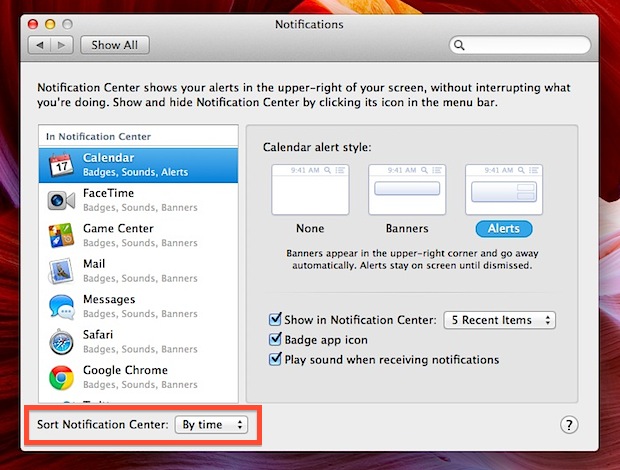
This is the same in all versions of OS X, so whatever release you’re using you can sort notifications this way.





