
Type the Degree Symbol on iPhone with iOS Keyboard 0 Key
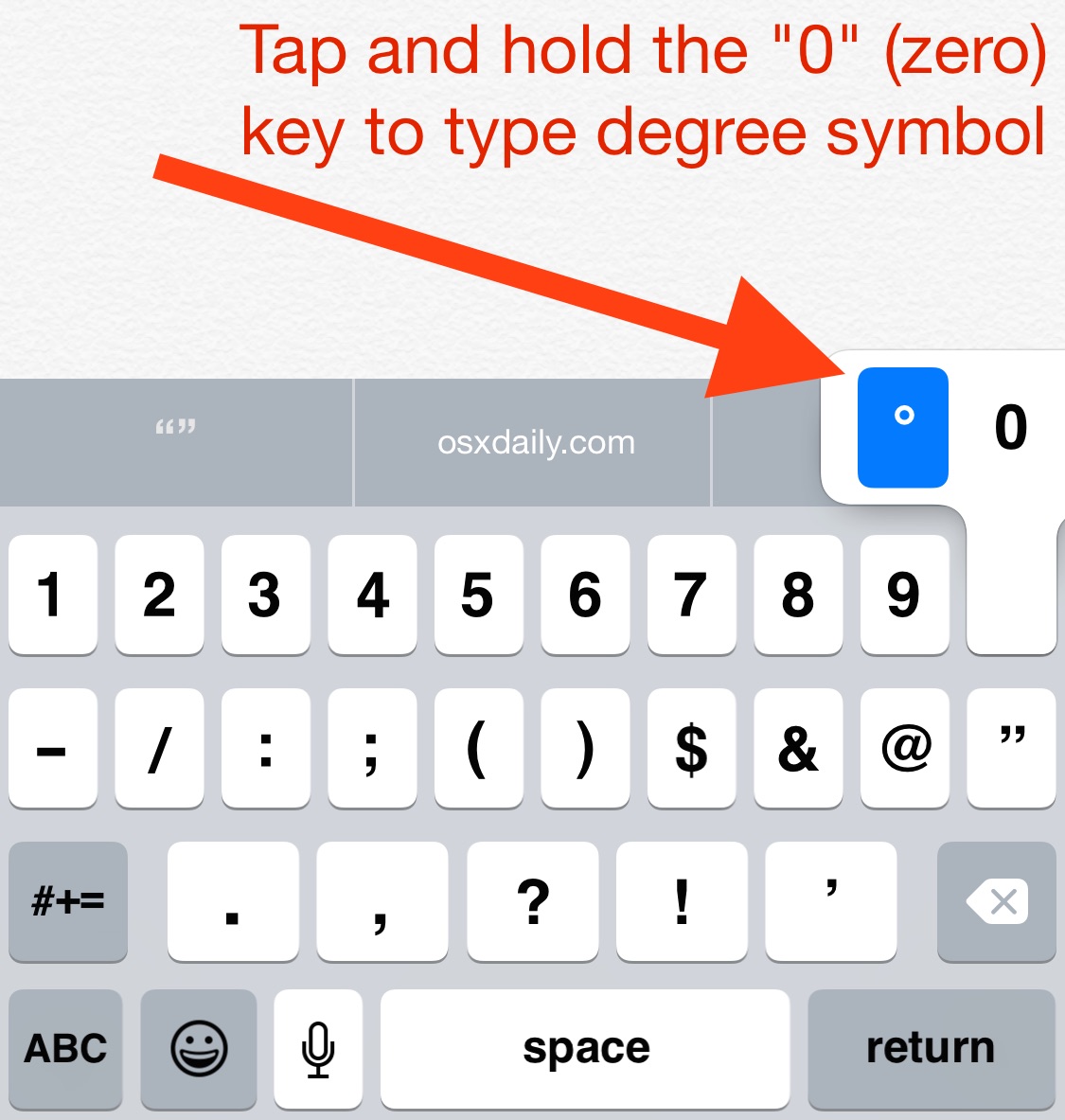
Ever wondered how to type the degree symbol on the iPhone, iPad, or iPod touch virtual keyboard on iOS? I did too, but not to worry, typing the universal symbol for temperature is really quite easy, this article will show you what you need to do to access the degrees symbols on iPhone and iPad.
How to Find and Type the Degree Symbol on iPhone & iPad Keyboard
Be somewhere that you can type so that the the virtual keyboard on your iPhone or iPad is visible, the do the following:
- First hit the “123” button to see the numerical keypad
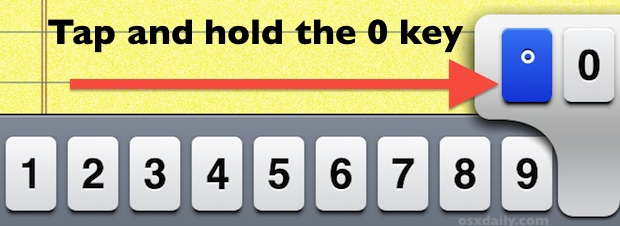
- Now you can access the degree sign with a tap and hold the 0 (zero) key
- This will reveal the degree symbol, this can be selected through a pop-up menu that appears over the key. Just slide your finger over to the ° symbol and it’ll type out the temperature symbol
Let go after you select the ° degree symbol and it will type onto the screen.
This is a piece of cake once you learn how to find the temperature symbol, but it’s not immediately obvious by any means, so many users are confused by this and some may think it’s not available to type on the iPhone or iPad. That’s understandably so given that it’s hidden, but it is a special character after all.
Just remember to tap and hold the Zero key on the keyboard and that’s how you get to the degree symbol, which kind of looks like a tiny zero anyway, right?
Using this trick continues on through all versions of iOS, regardless of what the keyboard looks like in iOS 13, iPadOS 13, iOS 9, or iOS 6 or whatever else you’re running on that iPhone. This is obviously quite unlike typing the same symbol on the Mac with MacOS X and Windows, where you can just hit Option+0 as there is no such Option/ALT key on the virtual keyboards of iPadOS and iOS, instead you must use the tap-and-hold feature to access many of the alternate key options.
You probably know by now that tapping and holding many keys on the iOS keyboard reveals alternatives, ranging from accented letters to special characters and symbols like this one. If you didn’t know that, now you do, and there are quite a few extra special characters available to type this way on iPhone and iPad.
By the way, this may look a tad different if you’re using different keyboards in iOS or even throughout various versions of iOS, and even depending on what language keyboard you’re using in iOS, but the degree symbol is always accessible from the 0 key like this. Tap, hold, and access the degree symbol that way.
If you enjoyed this you may appreciate some other typing tips for the iOS world. Don’t miss our past article on how to improve typing on the iOS keyboard with a variety of tricks.
Do you know of any other tips or tricks for typing the degree or temperature symbols on iPhone or iPad? Share with us in the comments below.






I used this guide to type a degree symbol (°) on Facebook
Thank you! The above comments are fine for O SBut holding down the zero key works in iOS. Such as: 75°.
Yes to type the degree symbol on iPhone or iPad that is exactly what the article says.
When I held the 0 I did get the degrees symbol but the 0 was highlighted. I was unable to use the degree symbol as it kept placing a 0 there. Any ideas? Thank you
Awesome!! i’ve been looking for this!
Shift+option+8 or Option+k for the degree symbol in OS X.
And thanks for helping me find it in iOS! Been hunting high and low for it!
Thank you! The above comments are fine for OSBut holding down the zero key works in iOS. Such as: 68°.
You are right. Option-zero is typographically incorrect as the degree sign. The degree symbol (Shift+Option+8) is a perfect small circle that is baseline shifted and weight balanced. The difference is obvious if you greatly enlarge the two symbols or choose a different font such as Cambria.
Option+zero is not the degree sign. It is the masculine ordinal sign for Portuguese and Spanish; a superscript letter O. In some fonts the O is underlined.
The degree sign is Shift+Option+8.
I found this out the hard way.