
FlipClock is a Beautifully Simple Clock Screen Saver for Mac OS X
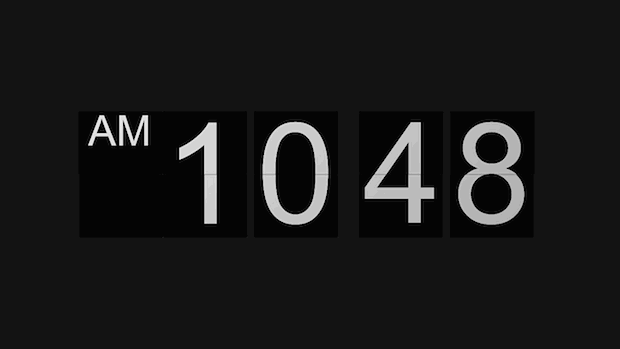
FlipClock is an appropriately named and wonderfully simple screen saver for Mac OS X that does nothing but show you the time in a very nice retro flip clock fashion.
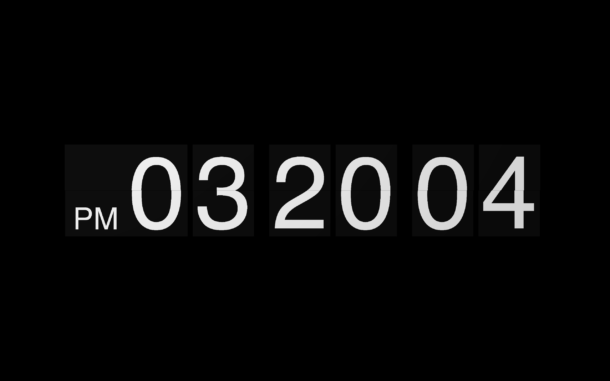
FlipClock is visually pleasing and quite simple, as there are no major frills and no major features to FlipClock, nor do there really need to be, it’s just a simple lightweight clock that shows AM/PM and current time, with the traditional flip animations when the time changes.
Once you download the flip clock.saver screensaver file, you will need to install the screensaver on the Mac just like you would with any other third party screen saver.
Download the free zip file and uncompress it as usual, then you can install it either by dragging and dropping the .saver file right into the Screen Saver preference panel, or by right-clicking on the FlipClock.saver file and choosing “Open” to get around GateKeeper. Install it for just the current user or all users on the Mac, and that’s about it, you’re good to go.
The limited settings for FlipClock allow for 24 hour time and the display of seconds, just enough settings to customize the flip clock screensaver to your Macs liking. That’s about all you should expect as a flip clock is not a particularly complicated thing requiring many toggles and options.
Note that not all Macs will run FlipClock, though if the Mac is fairly new it should be fine, so anything with MacOS Mojave, Sierra, High Sierra, MacOS X El Capitan, etc will be acceptable as the screensaver itself requires OS X 10.8 or later.
If you’ve been looking for an OS X Mountain Lion+ compatible Flash-free alternative to the popular Fliqlo clock screen saver, this very well could be it.






Doesn’t even work for me. Just says “cannot play on this version…”…yet, I am on 10.8.2…confused
Messed up my hot corners and 4 finger swipes with trackpad. Everything went back to normal when I deleted it.. I’m on 10.8.2
Sorry this is not a good replacement for Fliqlo. Fliqlo has style. I wish the developer would update it for Mt. Lion.
The older fliqlo – 1.2 works without a problem on my Mountain Lion (10.8.2)
http://mac.brothersoft.com/fliqlo-flip-style-clock-screensaver.html
Don’t like… the background is a slightly different shade of black than the area around the numbers. Makes it looks kinda doody
I agree, looks pretty slapdick. Apparently, it works pretty slapdick also.
Why call attention to this at all?
If you don’t like the different background color open it up in Quartz Composer and change it with the color picker and then save again.
best one, or which i have as screen saver is this http://ilovecolorz.net/minimalclock/
Thanks man, for some reason the one these guys provided wouldn’t work but the one you gave did
Updates on time for me, running with OS X 10.8.2
@Dan mentioned “Today” and that is what I used before this. https://osxdaily.com/2011/03/05/minimal-date-time-and-day-clock-screen-saver/
Would not update time for me either, just stuck at time saver was activated. Downloaded “Today” instead and it is working great…
Not sure if I screwed this simple thing up, but…it doesn’t change time? Stays on whatever the time was when you activate your screen saver.
It works. Remember it’s completely inactive until the time switches, then it’s just a real quick flip.
This screen saver is MUCH better than the Fliqlo Flash mess and doesn’t send my CPU into high heaven. Huge thanks!