
How to Get Snapchat in Mac OS X (or Windows)

Snapchat is a very popular quirky picture messaging client for Android and iPhone that allows people to share pictures and have conversations that disappear after a very short time interval, after which the shared content is gone forever. The spontaneous and fleeting nature of the messages has given the app an interesting reputation that you can now enjoy on the desktop, despite not having an official client for Mac or Windows. Instead, with the help of Bluestacks (basically an Android app emulator), you can install and run Snapchat on a Mac or PC right now.
Setting this up is quite easy for just about anyone, and if you already have a Snapchat account you’ll instantly have your entire friends list accessible to you from OS X.
- Get Bluestacks (free) and install it on the Mac by dragging it into the Applications folder
- Launch Bluestacks and click the “Search” magnifying glass button, type “Snapchat” and click Find
- Click the “Install” button next to Snapchat (the proper app has a yellow icon with a ghost in it)
- Let BlueStacks search the various Android stores, select to install Snapchat from the store furthest to the right with the little Android guy icon
- Let Snapchat download and install
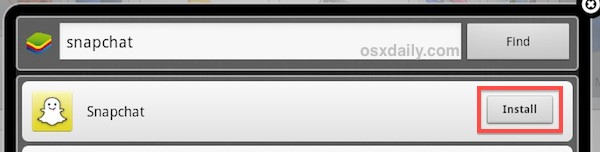
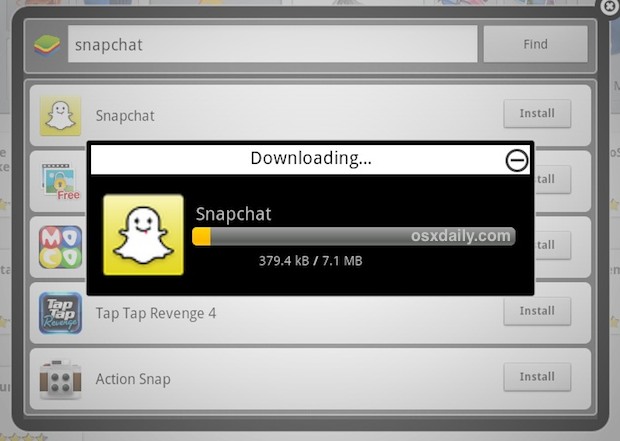
- Return to the Bluestacks home screen, click on “My Apps” and click Snapchat to open the app
- OR: Click Launchpad, find Snapchat and launch it from there (OS X 10.8+ only)
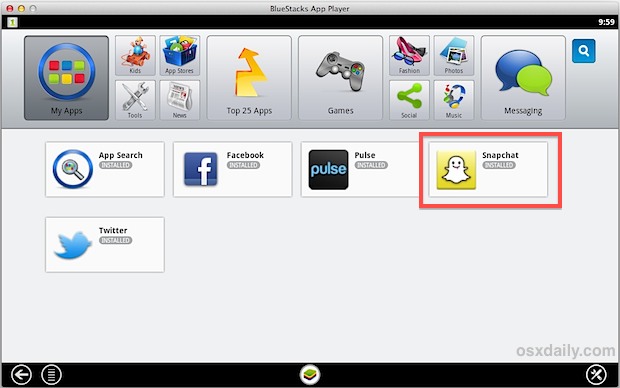
At this point you can either enter an existing Snapchat username and login, or create a new one right from the app. If you already have a Snapchat account and username then the friends list will appear on login, otherwise adding friends is easy.
Snapchat runs within Bluestacks and gives you the exact same app experience that you’d find on Android. Sending and reading messages is the same as if the app was on a smartphone but using a normal keyboard instead, though camera support is shoddy and as a result sending pictures is limited. Nonetheless, you can still view picture messages sent to you as usual. For the best two-way picture messaging with full camera support you’ll probably be better off with the designated smartphone app for either Android or iPhone, but that’s for you to decide.
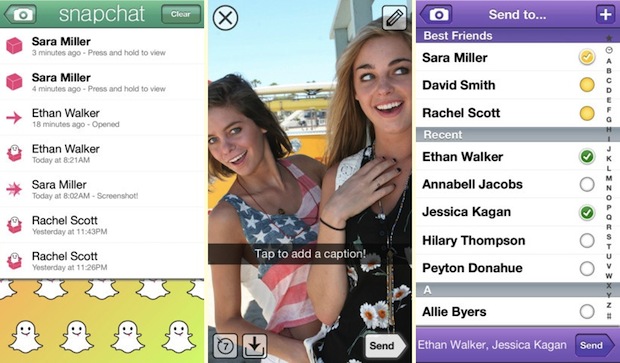
So now you have Snapchat on the desktop, and yes this guide is pretty much identical if you’re on Windows PC rather than a Mac. Have fun!






the blue stack app is not responding
Bluestack turns on my camera even though I had it turned off. I feel this is an invasion of privacy. I now covered my camera, but want to know how it can turn it on when I set in Preferences not to allow it to be turned on.
Is this BlueStack doing it or a malicious 3rd party program?
when I try logging into snapchat it says ‘There was a problem connecting to the server please try again’. Anyone know how to actually login to the app?
it says it needs an administrative password to completely download but when i put it in it says that its wrong but there is nothing else it could be. Is there an other why to get snapchat on a mac?
I just downloaded bluestacks and downloaded snapchat but it won’t let me sign into my snapchat account. How to fix this? I’m on a MAC.
Get a phone
FOAD. You’re NOT helpful.
Use a phone, bant’er bant’er
snapchat released a new terms of service the prevents emulators like blue stacks from running snapchat
Its not working for me either :(
Every time I try to log into snapchat it just exits and goes back to the main menu. What do I do?
same
I have downloaded snapchat on it but it wont let me log it says theres a problem with the server. However i am still able to access my instagram but not my snapchat ?
says cannot connect to server when i try to log in
I don’t need or want the helper for the blue stacks thingy, and i don’t know the password. ugh
i go on the search button but its says channels cant load unable to connect to internet
I found Snapchat but everytime its starts installing, at the end before it is fully downloaded it says “Snapchat can’t be installed, Troubleshooting” Please help
my download was successful but it won’t let me log in… someone please help
same happens to me… dont know what to do.
i think we are all on the same page where if we managed to get it to download none of us can open it
everytime I enter my username and password, it takes a while then say: there was a problem connecting to the server, please try again later. What should I do please help
same with me…
Awesome way to get snapchat on PC.You guys nailed it.
I get the same damn thing. ‘Problem connecting to server, try again.’
Same thing happens to me..
I was able to install everything but when I try to sign into snapchat it says that the server is unable at the moment. I have tried uninstalling and reinstalling and nothing as worked. suggestions?
Does NOT work for snapchat now. So dont bother installing. Ive tried everything and looking at snapchat’s coding, it will never work now. You will always get “error connecting to server”
Meh
When I enter my login details it says ‘Problem connecting to server, try again.’ But I am connected to the internet and I have tried logging in multiple times. Please help!
So, does this take a long time to load for all of you or no?.
so this doesnt work with windows 7?
It wouldn’t even let me download Bluestacks onto my Mac because it said it was for Android and PC only…
All you have to do is just click on the arrow down at the left side (backspace). The error text will disappear, and you can use it ;) take a snap and send it !
when I type snapchat in, and click find, nothing appears
any help please?
Go through google play app store
I can download bluestacks and add account but when I try to 1 click sync with my account it won’t let me? Can anyone help me I am on a mac
MEE 2! HELP!
It says error anyone knows how to fix it?
it says I need to install ‘google play services’ but when I do it says ERROR.
please give advice!
just hit ‘esc’ on your computer and it will disappear, then you can use it normally. This worked for me, was able to send and recieve, and add contacts.
send recieve snaps*
If you can’t find the app just download the .APK file and open it using bluestacks.
It installed and everything, but when I go to open it, it says it cannot run without Google Play Services. When I tried to download that, it says it wouldn’t work. Is there a way around that or no?
That happens to me to I think it may be something on windows not Blusestack because Mac OS X users seem to be fine
I have the same problem but from a mac.
when the pop-up for Google play Services comes up, hit esc and it should disappear and you should be able to use snapchat no problem
When I try, It says that it needs Google Play Services, and when I install it, it says “Incompatible with other applications using shared user IDs.”
I had the same issue and still can’t find the solution I’ve looked everywhere. If you have found one please let me know. Thanks in advance.
I’ve also had this problem, and still not able to find a solution! Let me know if you have one? Many thanks! :)
Every time I search snap chat in Bluestacks, nothing will show up? Mac OS X user?
I installed it, then it says: setup 1 click-sync I tried to set it up but it dosent work, someone can help? I’m on a MacBook
same thing happens to me, maybe make gmail account then just sign in?
Anyone that can’t find snapchat in the search, try installing one of the top apps. Bluestacks will ask you to sign in with your google account to enable to app store.
when I search for snapchat it doesnt come up.
i can download snapchat but i can’t take pictures.. is this ‘limited’ picture sending only 2 photos? i sent 2 photos and now i can’t send anymore. everytime i open the camera on snapchat the whole screen is black. please help asap
that’s the same for me, camera’s way too zoomed in!!
The camera is way too zoomed for me too whenever I click the button. What do I do?
The setup was fine though the camera is way too zoomed in like to get a whole body shot I cant even reach the mouse to click. Any solutions ?
When installed on bluestacks it does not allow you to add friends?
When u get to the screen to add friends it has no options?
Can’t take photos..No camera recognized, please fix.
I cant log in for some reason; anyone have solutions?
Try quitting it and reloading it. It always works for me. (apple products- go to home and double click the home button, then slide snapchat up)
every time i try to log in it closes off! what do i do? i cant use it
I can open up the videos that are sent to me from other users, but i cannot send a video myself. why is that?
The update is out now, however, the videos send black and the pictures are magnified.
bluestack stiil unstable,
This app has a major floor. Lets say I wanted to send a funny picture of myself to a friend but not wanting it to appear anywhere else ensure it disappears after a few seconds. Well what about when the person opens the picture and wants to keep it… EASY Home + Power button = screen shot.. Thankyou now I have it…… takes ab=round 2 secs to hit those buttons..
This app has a major floor. Lets say I wanted to send a funny picture of myself to a friend but not wanting it to appear anywhere else ensure it disappears after a few seconds. Well what about when the person opens the picture and wants to keep it… EASY Home + Power button = screen shot.. Thankyou now I have it…… takes ab=round 2 secs to hit those buttons…
But in a recent update, a notification was sent to the sender of the pic, notifying them that their snap was screen shot’d.
I am able to find the snapchat app on bluestacks, but when it shows the four different app stores and I click on the android market one (all the way to the right) a message pops up saying “market not found. Search web for installation recipe?”… any ideas on how to solve this?
Much appreciated.
Try the store on the far left instead with the [1] icon, that worked for me and it installed instantly.
can’t find the snapchat on bluestack
you have to download it off google play, which pops up when you search snapchat on the store
won’t let me sign in