Subscribe to OSXDaily

Subscribe to RSS Subscribe to Twitter Feed Follow on Facebook Subscribe to eMail Updates

OSXDaily on Facebook

OSXDaily on Google+

Shop at Amazon

Ad

Shared on Facebook

Search menu bar item

menu bar item

4 Essential Menu Bar Utilities for Mac OS X

Mar 17, 2013 - 38 Comments

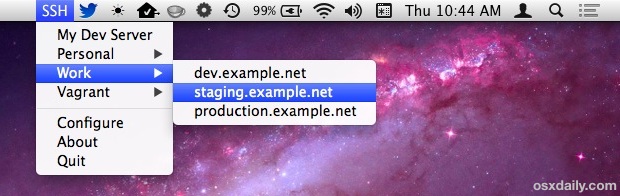
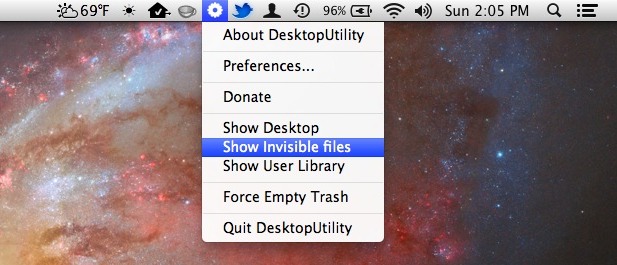
Mac OS X includes a few system-level menu bar items that are incredibly useful, but if you’ve ever wanted to have a few extras to your menu bar consider these four essentials. All free, they’ll bring a wide variety of function to the menu bar, where you’ll be able to quickly see the weather, make … Read More

Stop a Mac Sleeping Only When Specific Apps Are Running

Mar 7, 2013 - 8 Comments

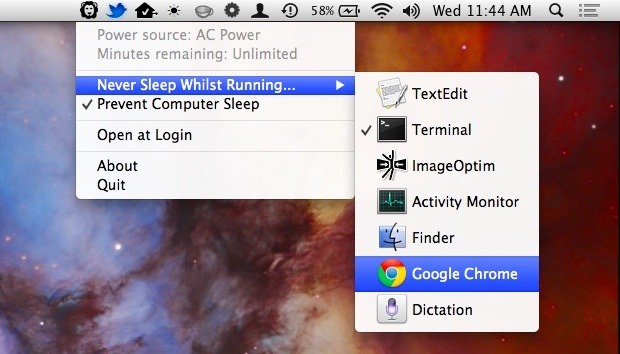
There are plenty of ways to prevent sleep, whether it’s the caffeinate command, the Caffeine menubar item, pmset, or hot corners, but each of those is all encompassing, meaning being active prevents sleep regardless of what is running. If you’ve ever thought it’d be nice to selectively prevent sleep based on specific applications instead, that’s … Read More

Manage & Switch Between Default Web Browsers Quickly with Objektiv for OS X

Feb 7, 2013 - 2 Comments

Between Chrome, Safari, Firefox, Canary builds, Opera, and the myriad of other apps, juggling between web browsers can be a pain. This is even more exaggerated since every browser wants to set itself as the default, and then, to go about changing the default web browser after the fact, you have to open Safari and … Read More

Enable an Emoji & Special Character Menu Item for Fast Access in Mac OS X

Jan 9, 2013 - 3 Comments

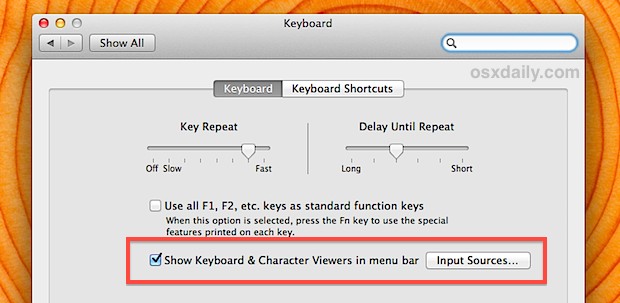
Emoji icons are a lot of fun and special characters can be extremely useful, but the standard way of opening the character viewer panel isn’t the smoothest in the world. Fortunately, OS X has an excellent bundled menu bar option that can be enabled to allow for extremely fast Emoji and character access, letting you … Read More

Record Audio Output from a Mac the Easy Way with WavTap

Nov 16, 2012 - 10 Comments

Recording audio playing out from a Mac isn’t the easiest thing in the world, but that’s exactly what WavTap aims to resolve with a remarkably simple menu bar item. With WavTap, just pull down the menu, select “Start Recording”, and you’ll capture a .wav file of whatever audio is being played on the Mac, whether … Read More

Change the Display Resolution from the Menu Bar Again in OS X Mountain Lion

Oct 22, 2012 - 4 Comments

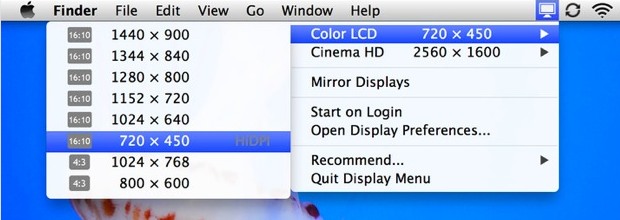
As some of you undoubtedly noticed, OS X Mountain Lion removed the Displays menu bar item, which let you quickly change screen resolutions from a pull down menu available system wide in OS X. If you miss that function, you’ll be pleased to discover a freely available app is on the Mac App Store to … Read More

Get RSS Feeds in OS X Notification Center with RSS.app

Oct 16, 2012 - 18 Comments

Mac OS X no longer includes a native RSS reader in Mail or Safari, something that just about no one is particularly pleased about, but a new free app brings RSS functionality back to OS X in perhaps the most logical new way: by embedding feeds into Notification Center. Aptly named “RSS.app”, it’s a lightweight … Read More

Change Color Profiles Instantly from the Mac OS X Menu Bar with ProfileMenu

Jun 1, 2012 - Leave a Comment

Whether you’re a designer, gamer, or you just frequently switch color profiles to use different external displays, you’ll find ProfileMenu useful. As the name implies, ProfileMenu stores all color profiles in an OS X menu bar item that can be accessed from anywhere, allowing you to instantly switch from one profile to the next on … Read More

Switch Sends All Tabs & Windows to a Different Web Browser in Mac OS X

Apr 3, 2012 - 5 Comments

If you spend a lot of time switching between web browsers for development or for whatever other reason, you’ll find Switch useful. Switch is a handy free menu bar utility that transfers all browser tabs and windows between web browsers in Mac OS X. Whether you use Safari, Chrome, or Firefox, you can easily send … Read More

Remove the User Name from the Menu Bar in OS X Lion

Jan 10, 2012 - 9 Comments

On some fresh OS X Lion installations, you’ll find the user name or login appears in the upper right corner of the menu bar, even if there is only one user account on the Mac. This is actually a feature called Fast User Switching, and the name likely appears in the menu bar due to … Read More