Want to Pre-Order the iPad Mini? Use the Apple Store iOS App Tonight at 12:00 PST

Oct 25, 2012 - 3 Comments
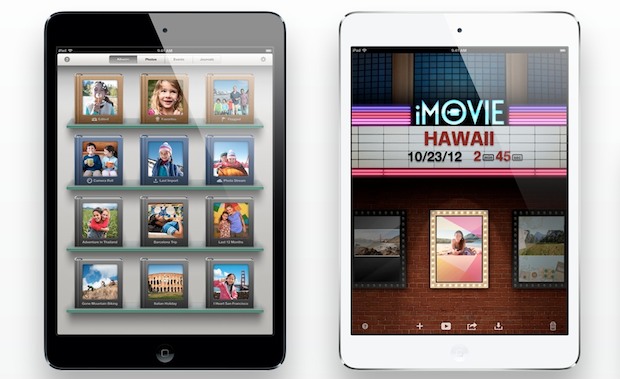
iPad Mini, side by side in black and white

If you’ve already made up your mind about buying an iPad Mini and you want one sooner than later, you’ll probably want to pre-order it tonight (October 26) at midnight* Pacific Standard Time. Grabbing a pre-order insures that you’ll get the device on it’s official release date of November 2nd and won’t have to wait … Read More
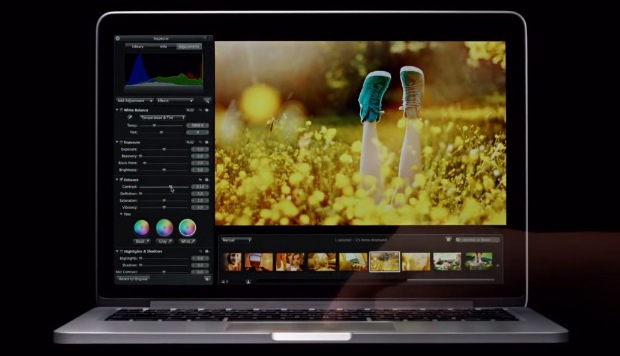
New Retina 13″ MacBook Pro Commercial Debuts: “Colors”

Oct 24, 2012 - 4 Comments
Retina MacBook Pro 13"

Apple has started to run a new TV commercial for the new Retina 13″ MacBook Pro titled “Colors”, embedded below. The ad follows the same theme set by the original Retina 15″ MacBook Pro commercial aired earlier in the year, and says the following: Introducing the new thirteen inch MacBook Pro, with the stunning Retina … Read More

Find Nearby Wi-Fi Hotspots Easily with Siri

Oct 24, 2012 - 2 Comments
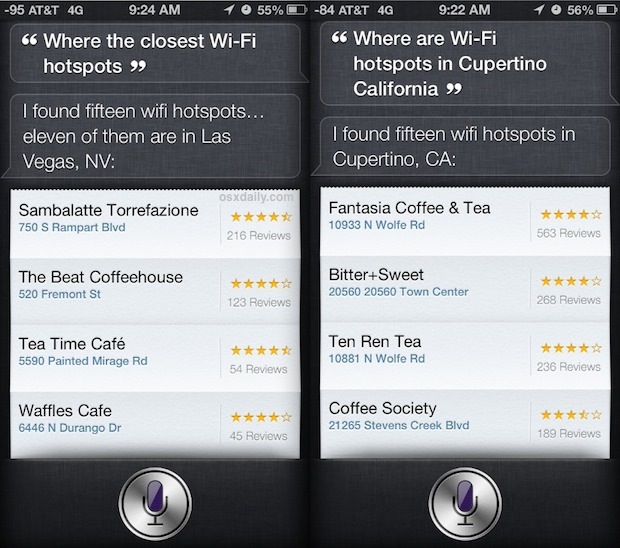
Find Wi-Fi Hotspots with Siri

The next time you need to quickly find a nearby hotspot with wireless internet access, grab your iPhone (or iPad) and just ask Siri. Try phrasing questions like the following: “Where are the closest Wi-Fi hotspots” – finds locations with wireless internet nearest to current location “Where are wi-fi hotspots in City Name, State” – … Read More

Watch the Official iPad Mini Intro Video

Oct 23, 2012 - 3 Comments
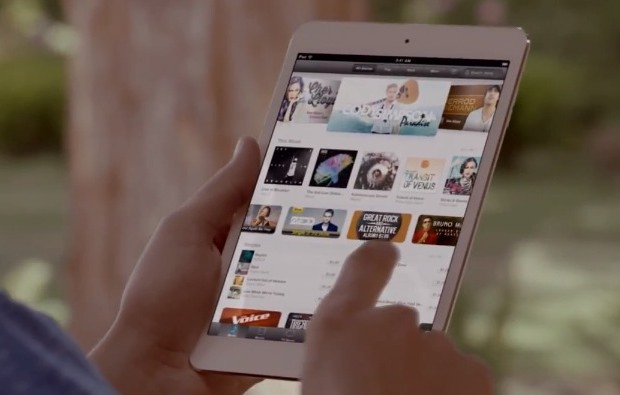
iPad mini in hand from official intro video

Interested in the iPad Mini? Don’t miss Apple’s official “Introducing iPad Mini” video embedded below, which is nearly 5 minutes long and covers all aspects of the all new smaller iPad model. Apple also has posted a much shorter 30 second video showing off the iPad Mini with the new smaller smart cover, this may … Read More

Watch the Apple iPad Mini Event [Video]

Oct 23, 2012 - 2 Comments
Tim Cook at the iPad Mini event

If you missed the livestream of the iPad Mini Event today, Apple has placed the full video online for anyone to watch. There is much more to the keynote than just the iPad Mini, as Apple unleashed a barrage of new products and updates, including an all new beautiful iMac, new Retina 13″ MacBook Pro, … Read More

Set Up “Do Not Disturb” Mode on iPhone & iPad with Schedules

Oct 22, 2012 - 20 Comments
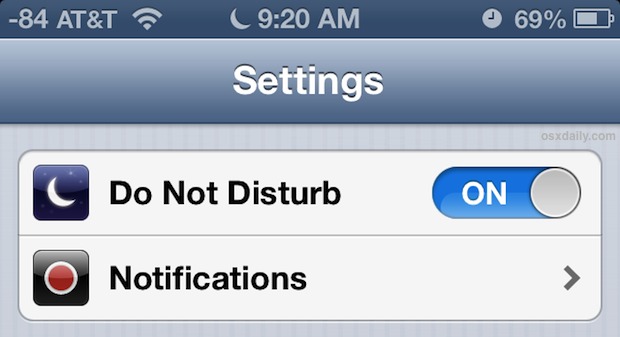
Do Not Disturb mode on the iPhone

Do Not Disturb is one of the best features that came with modern versions of iOS, particularly for iPhone users. If you haven’t heard of it, basically it lets you put your iPhone (or iPad or iPod touch) into Do Not Disturb mode, which effectively mutes the device for all incoming calls, messages, and alerts, … Read More

Change the Display Resolution from the Menu Bar Again in OS X Mountain Lion

Oct 22, 2012 - 5 Comments
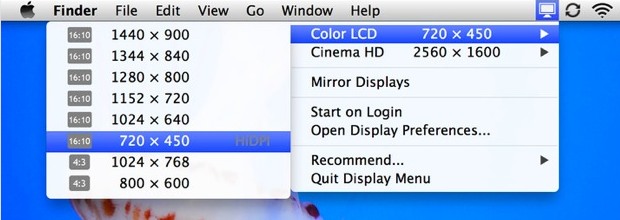
Change the display resolution from the menu bar in Mac OS X again

As some of you undoubtedly noticed, OS X Mountain Lion removed the Displays menu bar item, which let you quickly change screen resolutions from a pull down menu available system wide in OS X. If you miss that function, you’ll be pleased to discover a freely available app is on the Mac App Store to … Read More

Watch Steve Jobs Work His Magic at NeXT in 1987 [Video]

Oct 22, 2012 - 2 Comments
Steve Jobs at NeXT

A recently discovered video of Steve Jobs at the early days of NeXT is making the rounds, it’s a great video and provides an interesting portrait of Jobs in 1987 as he was in between leading Apple. Whether you’re a fan of Jobs, interested in Apple history, or just a student of Jobs legendary thinking, … Read More

Customize the Screen Saver Text with a Message in Mac OS X

Oct 21, 2012 - 4 Comments
Custom screen saver text in Mac OS X

The most simple screen saver in Mac OS X is just a floating grey Apple logo  against a black background, but you can make that screen saver significantly better by attaching a customized message to it, which will be added along with the logo and move about the screen of the Mac. You can … Read More

Spice Up Conversations and Have Fun with New Emoji Icons in iOS 6

Oct 21, 2012 - 7 Comments
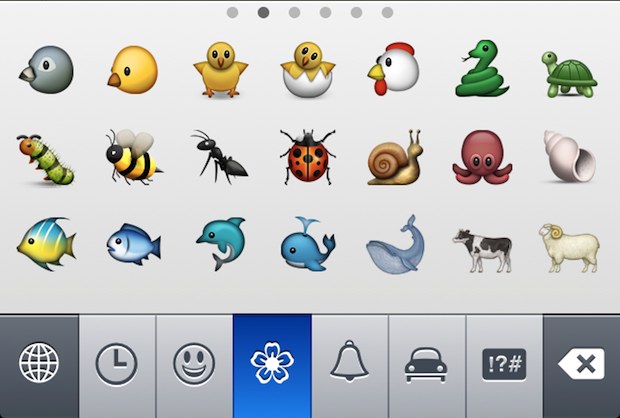
New Emoji in iOS 6

One fun but easily overlooked feature of iOS are Emoji icons, and iOS 6 has added a ton of new incredibly detailed and often hilarious Emoji into the mix. To access the extra Emoji characters, you’ll need the Emoji keyboard enabled first if you haven’t done so yet. Once it’s on, you’ll be able to … Read More

Create a New Email with Attachments Quickly by Keyboard Shortcut in Mac OS X

Oct 20, 2012 - 13 Comments
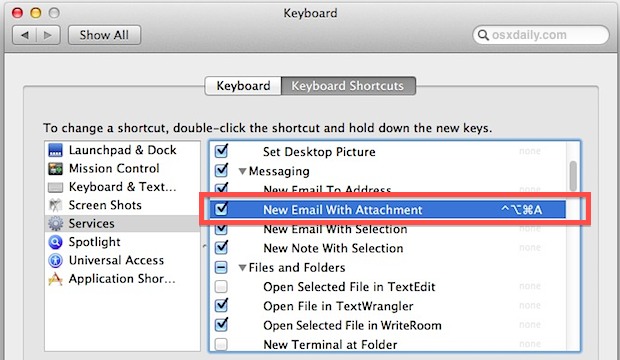
Set keyboard shortcut for creating a new mail with attachment

Dragging files into the Mail Dock icon is a quick way to send out email attachments, but if you’re faster with the keyboard, try setting up a keyboard shortcut to perform the same task instead. This makes any selected file(s) from the Finder just a speedy keystroke away from being sent off in an email:

New Java Update 2012-006 for OS X Removes Java

Oct 19, 2012 - 26 Comments
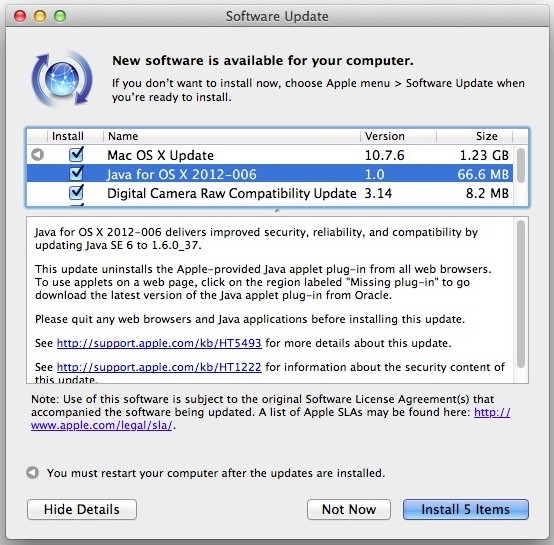
Java for OS X Update 2012-006 removes Java from browsers

A new update labeled Java for OS X 2012-006 has been released for all versions of Mac OS X. The updates name is somewhat misleading however, in that instead of updating Java it actually uninstalls the Java applet plugin from all web browsers on the Mac. This is done as a security precaution to protect … Read More

Share Reminders from Mac OS X or iCloud.com

Oct 19, 2012 - 3 Comments
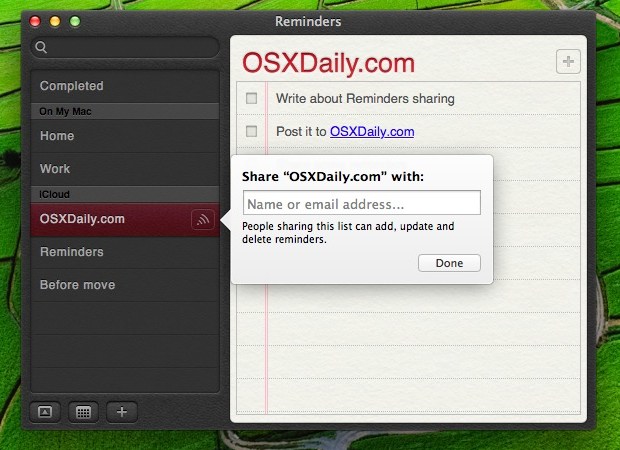
Share Reminders from OS X or iCloud.com

Want to share a grocery list with someone? Maybe you have an important to-do list that you need to give a co-worker, or to anyone else with an iOS device or Mac? You can now share any such list right from the Reminders app in Mac OS X, or you can even share the lists … Read More

Upload Images Directly from Safari in iOS 6

Oct 18, 2012 - 5 Comments
Upload an image from Safari in iOS to the web

iOS now lets you upload images directly from Safari using standard web-based upload forms. Not only can you upload directly from the Photos library and Camera Roll now, but you can also upload an image directly from the camera after taking a picture. There’s nothing fancy that you’ll need to do, just tap any normal … Read More

2 Ways to Listen to Podcasts with Music App Again in iOS 6

Oct 17, 2012 - 12 Comments
Delete Podcasts app to listen to them in Music app instead

Podcasts are great for entertainment and learning, but let’s face it, the new iOS Podcasts app is not so great for many users. Unless you’re running the app on an iPhone 5, it’s slow and frustrating to use on just about every other device, making it a major step backwards for iOS 6 users from … Read More

Compose a New Mail Message with an Attachment by Drag & Drop in Mac OS X

Oct 17, 2012 - 5 Comments
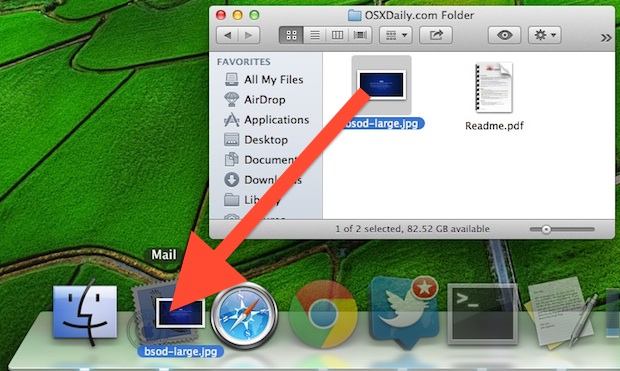
Drag and drop a file into Mail for instant mail attachment

Surely every Mac user knows by now that you can drag and drop files directly into Mail messages to attach those files to an email, but did you know you can instantly create a new email with an attachment by dragging the file in question to Mail’s Dock icon instead?

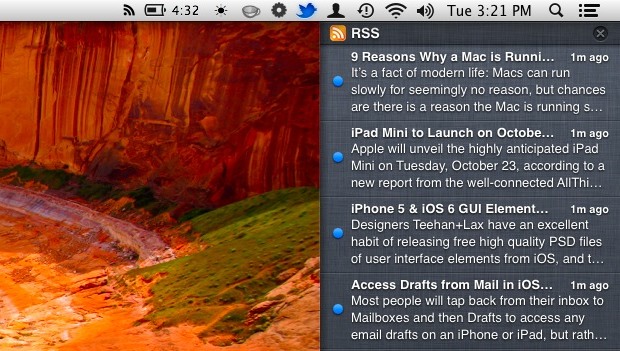
Get RSS Feeds in OS X Notification Center with RSS.app

Oct 16, 2012 - 18 Comments
RSS feeds in Notification Center of Mac OS X

Mac OS X no longer includes a native RSS reader in Mail or Safari, something that just about no one is particularly pleased about, but a new free app brings RSS functionality back to OS X in perhaps the most logical new way: by embedding feeds into Notification Center. Aptly named “RSS.app”, it’s a lightweight … Read More

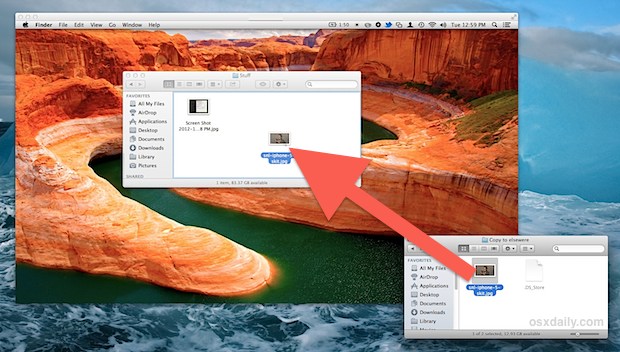
Transfer Files Between Remote Macs with Screen Sharing

Oct 16, 2012 - 9 Comments
Copy files between Macs with Screen Sharing in OS X

Screen Sharing supports drag and drop file copying to and from remote Macs, an excellent feature that was briefly covered in our recent guide to using Screen Sharing in Mac OS X. This offers a really simple way to move files around Macs that are not nearby, and it’s one of those tricks that you’ll … Read More

Subscribe to OSXDaily

Subscribe to RSS Subscribe to Twitter Feed Follow on Facebook Subscribe to eMail Updates

Tips & Tricks

News

iPhone / iPad

Mac

Troubleshooting

Shop on Amazon to help support this site