iPhone

The iPhone is a smartphone from Apple that runs the iOS mobile operating system. Between its apps, communication features, the camera, mobile internet access, and other functionalities, the iPhone has quickly become an integral part of many peoples tech lives.

Search iPhone

Google adds the ability to search for apps

Jun 4, 2010 - Leave a Comment

One the gripes I’ve had with the Apple “App” store is that it can be hard to search such a large index of applications to find what you’re looking for. Looks like it’s Google to the rescue as they seem to be adding (it’s still not perfect!) the ability to search the iPhone/iPad store as … Read More

5 Reasons I’m excited about iPhone OS 4

Jun 3, 2010 - 1 Comment

As the release of iPhone OS 4 nears I thought it would be an opportune time to talk about why I’m personally excited for iPhone OS 4. As an amateur (up and coming!) developer and an avid user of the platform, I am more than ready for the unveiling of the latest incarnation of iPhone/iPad … Read More

Check iPhone Data Usage on AT&T

Jun 2, 2010 - 14 Comments

You can now check your iPhone’s data usage on the AT&T network, but the ability to do so is aimed at helping users select a reduced data consumption plan rather than just providing an interesting service to subscribers. Checking your iPhone or iPad data usage To quickly check iPhone data use, dial *3282# (translates to … Read More

Why the iPhone is awesome

May 30, 2010 - 13 Comments

I came across this quote which I think summarizes quite well why the iPhone is such a great device: “If there’s a single feature that elevates the iPhone from the rest of the pack, it’s the way that it urges and enables me to maximize the amount of time I spend thinking and doing and … Read More

iPad & iPhone GUI PSD files

May 26, 2010 - 5 Comments

Whether you’re an active or aspiring iPhone or iPad developer, you’ll really appreciate these nice PSD files from design agency Teehan+Lax. They contain well organized layered images of essential GUI elements of the iPhone OS, sized accordingly to the iPad and iPhone (depending on which PSD file you get, of course). Using these documents with … Read More

How to remove scratches from an iPhone

May 19, 2010 - 20 Comments

You can remove the surface scratches on the back of an iPhone case by using a mildly abrasive rub or fine sandpaper. The anti-scratch coating is actually where many of the smaller finer scratches on iPhones are shown, which makes them relatively easy to buff out with some care. Whether you are using the toothpaste … Read More

How to Password Protect iPhone and iPad Backups

May 18, 2010 - 1 Comment

If you’re like me, you store a lot of information on your iPhone that you want to keep private. Accordingly, you might be interested to know that, by default, the backups made from an iOS device to iTunes are not encrypted, and can be dug through rather freely if someone was interested in doing so. … Read More

Download and install iPhone/iPad SDK

May 14, 2010 - 4 Comments

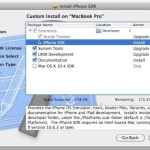
If you want to start developing for the iPhone, iPod Touch, or iPad, the first thing you’ll need to do is download and install the iPhone SDK. Yes, the iPhone SDK is what you will want to download even if you have no intention on developing for the iPhone itself and only the iPad, they … Read More

How to set custom equalizer settings on the iPhone and iPod Touch

May 13, 2010 - 41 Comments

The iPhone & iPod Touch have a bunch of built-in preset equalizer settings, which are nice and all but they don’t work for everyone. The preset EQ settings are particularly weak when you compare them to the control you have with the iTunes Equalizer. So what’s an iPhone or iPod touch user to do? Well, … Read More

Stop iTunes from Automatically Opening When iPhone, iPad, or iPod is Connected

May 6, 2010 - 39 Comments

Updated 5/31/2015: By default, iTunes will automatically launch when any compatible device is connected, be it an iPhone, iPad, iPod Touch, Nano, whatever. Having iTunes open itself automatically can be helpful but it can also be annoying, it really depends on your user preferences. If you don’t want this to happen, you can easily turn … Read More

Jailbreak for iPad released

May 3, 2010 - 3 Comments

The Spirit Jailbreak for iPad has been released, it’s an untethered Jailbreak for any of the current iPhone OS devices, so the iPad as well as iPhone and iPod touch are supported. It’s still in beta so it’s definitely a good idea to sync and backup all your data before trying this out. Many of … Read More

Convert Video to iPad, iPod, and iPhone Compatible Formats with VideoMonkey on Mac

Apr 15, 2010 - 10 Comments

If you need to convert a video to a file format compatible with iPhone, iPad, or ipOd, the VideoMonkey application for Mac can do the job for you. VideoMonkey is a free tool that lets you convert various video types to iPhone, iPad, iPod, and AppleTV compatible formats.

Stop the iPhone from Skipping Songs When Running / Walking

Apr 9, 2010 - 50 Comments

The iPhone and iPod Touch have a built in motion sensor that lets you shake the device to shuffle music, which is a really cool feature… unless you’re running. There are two solutions to this problem, the immediate one is to simply hit the sleep button on the top of the iPhone after you have … Read More

The Best iPhone Speakers Dock

Apr 6, 2010 - 4 Comments

“What are the best speakers for the iPhone?” My sister just got an iPhone and called me from Best Buy asking me about an iPhone speaker dock to plug it into… working with a budget of about $200 I told her to skip the model she was looking at, and save some money by going … Read More

How to Access the iPhone Equalizer

Mar 10, 2010 - 15 Comments

The iPhone default audio settings are a little flat for some types of music, and if you’re not thrilled with the way it sounds you will find it remarkably easy to adjust thanks to the iPhone’s built-in equalizer option. Technically the iPhone equalizer is part of the Music app, it’s not an equalizer in the … Read More

How to Pause App Downloads & Updates on iPhone, iPad, iPod Touch

Mar 5, 2010 - 3 Comments

Did you know you can pause any application download or update on the iPhone, iPad, and iPod Touch? This is great when you’re in a bandwidth bind or have low bars of reception and want to pause an app download so that you can resume it again later. This pausing app download trick is also … Read More

Use your iPhone as a USB flash drive

Feb 28, 2010 - 4 Comments

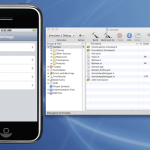
You can use your iPhone as an external USB flash drive using this (currently) free software from myPodApps. Called iPhone Explorer, it’s a simple and lightweight program that lets you browse through your iPhone through it’s interface which works pretty well as a file manager. You can rename, create, delete, drag and drop, both files … Read More

iTunes could not connect to this iPhone because an unknown error occurred (0xE8000065)

Feb 27, 2010 - 86 Comments

“iTunes could not connect to this iPhone because an unknown error occurred (0xE8000065)” Ahhh! That’s the message I got earlier when trying to connect my iPhone to my iMac, something I haven’t seen before. I searched around a bit online and found out that this is not a Mac OS X specific problem, many people … Read More

Subscribe to OSXDaily

Subscribe to RSS Subscribe to Twitter Feed Follow on Facebook Subscribe to eMail Updates

Tips & Tricks

News

iPhone / iPad

Mac

Troubleshooting

Shop on Amazon to help support this site