Hide the iPhone X Notch with a Wallpaper Trick
Nov 6, 2017 - 10 Comments

Don’t like the prominent black Notch across the top of the iPhone X screen? You can hide it with a little wallpaper trick.

The iPhone is a smartphone from Apple that runs the iOS mobile operating system. Between its apps, communication features, the camera, mobile internet access, and other functionalities, the iPhone has quickly become an integral part of many peoples tech lives.
Don’t like the prominent black Notch across the top of the iPhone X screen? You can hide it with a little wallpaper trick.

Have you been trying to type “i” but it’s replacing itself with “A [?]” constantly on your iPhone or iPad? This is because iOS 11.1 introduced a curious bug for many iPhone, iPad, and iPod touch users that causes the letter “i” to autocorrect to the letter “A” usually followed by a square symbol with … Read More
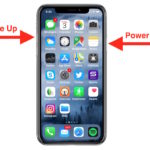
Want to take a screenshot of iPhone X, iPhone XR, iPhone XS, or iPhone XS Max? Of course you can snap screenshots of iPhone X-series, but you’ve undoubtedly noticed by now that iPhone X line has no Home button, and thus the familiar screenshot method pressing the Home Button and the Power Button no longer … Read More

Do Not Disturb While Driving is an iPhone specific safety feature available in modern iOS releases. As the name implies, when Do Not Disturb While Driving is activated on iPhone, no calls, messages, notifications, or alerts will come through to the iPhone, much like when the general Do Not Disturb mode feature is enabled. You … Read More

If you like to print out articles from the web via an iPhone or iPad you may appreciate this tip, which allows you to strip down a webpage or any web article so that the primary focus is on the article text content and photos. Essentially this lets you print out webpage articles without any … Read More

Apple has released iOS 11.1 to the general public. The new version of iOS includes a variety of bug fixes, feature enhancements, security improvements, and other additions to the mobile operating system, making iOS 11.1 a recommended update for iPhone and iPad users running a prior version of iOS 11.
Most iPhone users setup Apple Pay once with a single card, but you can add multiple credit cards and debit cards to the iPhone for use with Apple Pay if desired. This is nice if you want both a credit and debit card on the iPhone, or if you have multiple rewards cards you use … Read More

The latest iPhone models include a feature called True Tone, which automatically adjusts the iPhone display white balance to better match the ambient lighting surrounding you. In practice this means the screen gets warmer in warm lighting, and cooler in cool lighting, sort of like how Night Shift works but not quite as dramatic and … Read More

The new Portrait Lighting mode feature on iPhone 8 Plus and iPhone X cameras aim to bring studio lighting effects to iPhone Portrait mode. Apple wants to show off the new camera feature by demonstrating the effects in recent commercials, and now they have posted a few promotional videos of simple to follow video tutorials … Read More

Now that iPhone and iPad users can delete default apps from their iOS devices, you may find it important to know how to re-download those stock apps to reinstall them back onto your iOS device. This is possible with any of the default apps bundle with iOS that can be deleted and then restored, including … Read More

The Files app for iPhone and iPad provides access to iCloud Drive and every file or folder contained within it, whether for individual apps or things you have uploaded yourself to iCloud Drive. If you want to better organize your files in the iOS Files app, you can easily create new folders in Files app.

You can easily change the Weather app on iPhone to display the temperature degrees in fahrenheit or celsius, regardless of what country or region you’re. Yes that means if you’re in the USA you can set weather to Celsius or if you’re in Europe you can set weather to display in Fahrenheit, or whatever other … Read More

An unusual error can happen sometimes on the iPhone and iPad where iOS app names are replaced with “com.apple.mobileinstallation”, and when attempting to launch the apps with such a name, the app instantly crashes. Furthermore, attempting to delete the app with the name “com.apple.mobileinstallation” via the the traditional Home Screen approach usually fails, leaving the … Read More

Some iOS apps are for iPhone only, but that doesn’t mean you can’t download iPhone apps onto an iPad and use them on iPad too. Many iPad users would rather use the scaled up iPhone version of an app that is intended for a different screen device than no version of the app at all. … Read More

After you take a screenshot of an iPhone or iPad in iOS 11 or later, a little thumbnail preview of the screenshot appears in the bottom left corner. Tapping on that screenshot preview opens Markup where you can draw on the screenshot or quickly share it, but if you’re not going to markup your screenshot … Read More
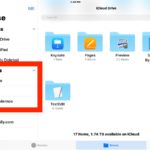
The Files app on iPhone and iPad is a bit like a light version of Finder on Mac, offering direct access to files and folders in iOS 11. If you find yourself accessing a particular folder often within Files app, you can make it quicker to access by adding it to your Favorites list. Once … Read More

If you use the iOS Notes app often and juggle a myriad of individual notes lists, you may find the new notes pinning feature to be helpful. By pinning a note to the top of the Notes list, you can access any particular note easier and faster than ever before, without having to scroll through … Read More

Apple has released iOS 11.0.3 for iPhone, iPad, and iPod touch users running iOS 11. The latest small software update includes bug fixes to iOS and is therefore recommended to all users running iOS 11 on their devices. Release notes accompanying the iOS 11.0.3 download mention the update fixes an issue here audio and haptic … Read More




