Tips & Tricks

Tips and tricks for all things Apple! Whether you want to learn tips for a Mac, iPhone, iPad, Apple Watch, or much more, you will find many tricks, tips, tutorials, and excellent walkthroughs for Apple devices and software here.

Search Tips & Tricks

How to Merge All Open Windows Into Tabs in Safari for Mac Instantly

Sep 15, 2010 - 4 Comments

It’s easy to wind up with an overwhelming number of Safari web browser windows open on a Mac (or Windows too). If you’re like me you tend to have a million browser windows open at the same time, as you read, browse, and research things around the web. This can make it really difficult to … Read More

Reskin iTunes 10 with High Constrast Mode

Sep 14, 2010 - 2 Comments

You can completely change the appearance of iTunes 10 by running the application in something called High Contrast Mode, which effectively inverts the list display so that the text is white on black (see the screenshot, it’s a very pronounced change). To enable High Contrast Mode, enter the following command into the Terminal: defaults write … Read More

Disable “application downloaded from the internet” Message on a Per-App Basis in Mac OS X

Sep 12, 2010 - 16 Comments

Mac OS X warns users in a variety of different ways if they have downloaded a file from the internet to their Mac, with a popup message that says something along the lines of “[NAME] is an application downloaded from the internet. Are you sure you want to open it?”, or even “this application can’t … Read More

Access Mac Special Characters with the Character Viewer

Sep 10, 2010 - 13 Comments

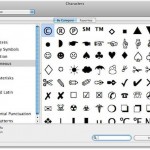
Special characters can be accessed easily in Mac OS X through a special floating window called the “Character Viewer”. From within this characters menu, you’ll find a list of various dingbats, arrows, parenthesis, foreign currency symbols, pictographs, bullets and stars, math symbols, letterlike symbols, Emoji, and latin characters, plus a helpful “Recently Used” option which … Read More

Test iPhone Signal Strength and Antenna Reception

Sep 9, 2010 - 14 Comments

You can test your iPhone signal strength and antenna reception easily again, it requires the iOS 4.1 update or later, but will work on any iPhone 3G, 3GS, 4, 4S, or later. Here’s how: Activate the antenna strength test by dialing the following: *3001#12345#* Hit Call You’ll then see the signal bars be replaced with … Read More

Import your iPhone Address Book into Gmail & Google Voice

Sep 9, 2010 - 2 Comments

If you want to make a copy or migrate an iPhone address book into Gmail or Google Voice, you can do so rather easily with a two-step process using a Mac or iCloud. First, you’ll export the address book information, then you’ll open Gmail and import the address book.

Go to a Directory from Open / Save Window in Mac OS X

Sep 9, 2010 - 8 Comments

Did you know that you can immediately open any directory from within the Open & Save dialog windows found throughout Mac OS X? Say you want to open a file contained in a folder which is buried deep in the file system and you know the path, or that you want to save a file … Read More

Start, Stop, and Restart Windows Services from Mac OS X

Sep 8, 2010 - Leave a Comment

Mac OS X includes Samba support by default, which allows for communication between OS X and Windows PC hardware. SMB is what enables simple Mac to Windows file sharing, but you can also go further and utilize the command line of OS X or Linux to remotely monitor, start, and stop services running on Windows … Read More

Make the iTunes arrow buttons go to your iTunes Library instead of the iTunes Store

Sep 8, 2010 - 3 Comments

You can switch the functionality of the iTunes store arrows so that if they are clicked they will take you to the iTunes library instead. Launch the Terminal and use the following command: defaults write com.apple.iTunes invertStoreLinks -bool YES You can reverse this and go back to the iTunes Store links with: defaults write com.apple.iTunes … Read More

Disable the iTunes arrow store button within iTunes

Sep 7, 2010 - 11 Comments

You may have noticed that when you select a song in iTunes a little arrow will appear next to the song name, the artist, album, genre, and every other sort category. If you happen to click on that little arrow, you’ll be directed to the iTunes Store for that album or artist. I’m really not … Read More

Using the iTunes 10 Album Art Mini-Player

Sep 6, 2010 - 14 Comments

iTunes 10 has a cool feature where you can use album art as a HUD mini-player on your desktop, it looks pretty great and reminds me of the iPod music player on the iPod touch and iPhone where it’s centered around the album art, being totally barebones except for when you hover over and click … Read More

Change your Mac Hostname via Terminal

Sep 6, 2010 - 31 Comments

Need to change the hostname of a Mac? For most people if you want to change your Mac computer name you just do it through the Sharing system preference, it’s quick and very easy. For those of us that are more geekishly inclined, we like to do things through the Terminal. This tutorial will show … Read More

How to Quit Multitask Apps on the iPhone in iOS 6

Sep 5, 2010 - 6 Comments

With the release of iOS 4 continuing on through iOS 6, a new multitasking ability was brought to iOS and the iPhone, iPad, and iPod touch. Basically, multitasking means you can run multiple applications at the same time, which is a standard feature of modern desktop operating systems, and that feature is now ubiquitous in … Read More

Make Free iPhone Ringtones in iTunes

Sep 4, 2010 - 303 Comments

Apple took the functionality to buy a ringtone out of iTunes 10 for some reason, but that doesn’t mean you can’t have custom ringtones. You can make your own free iPhone ringtones directly within iTunes 10, iTunes 11, and iTunes 12 this is the best way to go since you don’t have to get any … Read More

Get color icons back in the iTunes 10 sidebar

Sep 3, 2010 - 47 Comments

Along with new iTunes 10 download came a number of interface changes, ranging from a new icon, vertical window control bars, album art displays, and the greyscale conversion of the sidebar icons. If you preferred the colorful sidebar icons of iTunes 9 and prior, you can swap out a rsrc file within iTunes 10 and … Read More

Change the iTunes 10 close/minimize/maximize buttons back to horizontal

Sep 2, 2010 - 26 Comments

I’m liking iTunes 10 but I can’t say I’m a fan of the vertical control buttons, which some are calling ‘traffic lights’ since well, it resembles traffic lights. Sure it saves space but it breaks away from the standardized UI convention. Thankfully we can change back to the classic horizontal buttons without much effort. If … Read More

Replace the iTunes 10 icon with the older iTunes 9 icon

Sep 2, 2010 - 44 Comments

It seems like it was just moments ago that iTunes 10 became available to download, but already there are some complaints about the new blue button icon. 6ix Passions points out that it looks awkward in their Dock and offers a simple solution; revert back to the old iTunes 9 icon. Here’s how to get … Read More

Use Quick Look within Expose to see full sized window previews

Sep 1, 2010 - 2 Comments

Did you know that you can use Quick Look to zoom in on items within Expose? This is an awesome trick sent in by one of our readers: “While in Exposé in Snow Leopard, press the space bar while mousing over a window. You’ll get an actual-size preview of the window. You can read all … Read More

Subscribe to OSXDaily

Subscribe to RSS Subscribe to Twitter Feed Follow on Facebook Subscribe to eMail Updates

Tips & Tricks

News

iPhone / iPad

Mac

Troubleshooting

Shop on Amazon to help support this site