Tips & Tricks

Tips and tricks for all things Apple! Whether you want to learn tips for a Mac, iPhone, iPad, Apple Watch, or much more, you will find many tricks, tips, tutorials, and excellent walkthroughs for Apple devices and software here.

Search Tips & Tricks

Remove or Disable “Sent from my iPhone” Email Signature

Jun 15, 2010 - 14 Comments

You can easily stop the “Sent from my iPhone” text from appearing on your outbound iPhone emails, or change it to be something else. Removing or customizing the signature applies to emails that are sent as replies or as new messages from the iPhone, and you can set it to whatever you want, or to … Read More

Use Mail to Track Flights in Mac OS X

Jun 11, 2010 - 1 Comment

One of the Mac Mail apps many talents is the ability to automatically detect when a flight number is present in an email, and then give you the option to view the flights status by using the flight tracking Dashboard widget in OS X. Yes seriously, the Mac eMail app can track flights! This doesn’t … Read More

Bring Back the Classic Safari Refresh Button in OS X

Jun 10, 2010 - 4 Comments

As many loyal Safari users already know, the dedicated “refresh” button was removed from the browser’s toolbar starting with the release of Safari 4. It seems that Apple decided it would be better placed at the end of the location bar. The “new” format also includes a much smaller button which quite frankly is much … Read More

Trim your Music Files with QuickTime X

Jun 10, 2010 - 2 Comments

We have discussed in the past, some of QuickTime X’s hidden talents. Using a yellow slider control (iPhone Movie Editing anyone?), you can trim audio files from directly inside of QuickTime Player. The next time you need to MacGuyver yourself a ringtone, try this simple process: Open an audio file in Quicktime X (X just … Read More

Stop iTunes & App Store Links from Launching iTunes with Safari Extension NoMoreiTunes

Jun 10, 2010 - 2 Comments

Hate it when you click on an iTunes link or an App Store link and the iTunes application launches, forcing you out of your browser and into the cludgy music / everything media app? You’re not alone! Fortunately with a little free extension, you can completely stop iTunes and App Store links from opening iTunes … Read More

Open a Containing Folder in Spotlight on Mac by Hold Down Command Key

Jun 10, 2010 - 4 Comments

Spotlight is amazing at finding files buried deep within your Mac, but what if you found the file you wanted, and you don’t know what folder it’s contained within on the Mac, or if it’s buried deep somewhere in Mac OS X? The answer is as easy as a keystroke, because with a simple key … Read More

Screen Capture in Mac OS X

Jun 9, 2010 - 12 Comments

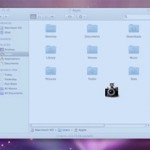
I use screenshots constantly to share bits of information with people, and they can be really helpful when troubleshooting as well. Here’s all you’ll need to know about taking screenshots in Mac OS X, from capturing the screen in Mac OS X Finder and within applications, to changing the default screenshot file type, to taking … Read More

Check AT&T iPhone Upgrade Eligibility

Jun 7, 2010 - 54 Comments

Have you ever wanted to know how you can check to see if your AT&T account is eligible for an iPhone upgrade? You can instantly check your AT&T iPhone upgrade eligibility by dialing a simple short code on your phone. This is super easy, here is how you can check your iPhone upgrade eligibility with … Read More

Enable Single Application Mode in Mac OS X

Jun 7, 2010 - 1 Comment
Single Application Mode in Mac OS X

Single Application Mode is an interesting feature of MacOS and Mac OS X that is often misunderstood, we’ll discuss what the feature is, how it works, and how to enable it on your Mac running nearly any version of Mac OS still in use, whether that’s macOS 12, 11, 10.6, 10.7, 10.8, or newer.

Quickly Quit Programs Using the Application Switcher in OS X

Jun 4, 2010 - 2 Comments

The Mac OS X Application Switcher is a handy way to quickly cycle through open applications, but did you know you can quickly quit programs you aren’t using with the Application Switcher as well?

How to Change the Background Picture of Google

Jun 3, 2010 - 24 Comments

Google is rolling out a feature that allows you to change the background picture of Google.com to a user defined image. Here’s how to customize your Google.com landing page background image.

How to Use a Bluetooth Keyboard with iPad

Jun 3, 2010 - 18 Comments

Want to use an external Bluetooth keyboard with the iPad? You don’t have to use Apple’s official iPad keyboards, instead if you already own a Bluetooth keyboard the chances are good that it will be compatible with the iPad. If you’re looking to do a lot of typing on the iPad then it’s hard to … Read More

Fix Audio Syncing Problems When Playing Video with VLC

Jun 3, 2010 - 4 Comments

Every once in a while you’ll come across a video that has audio syncing problems. Sometimes it’s minor where the sound track and dialogue is off by a few milliseconds and it’s barely noticeable, other times it can be off by as much as a few seconds and this makes watching the video almost impossible. … Read More

Compare images side-by-side directly within the Mac Finder

Jun 3, 2010 - 2 Comments

You can quickly compare any two images side-by-side by using Mac OS X’s QuickLook feature. * Select the two pictures within the Finder that you want to see side-by-side * Hit the Spacebar to enter into QuickLook mode * Click on “Index Sheet” at the bottom of the Quick Look window (it’s the icon with … Read More

Kill Mac OS X Mouse Acceleration from the command line

Jun 2, 2010 - 55 Comments

You might be asking yourself, what’s mouse acceleration? Essentially mouse acceleration is an algorithm that is deployed in an attempt to make mouse movements feel “natural”. For many PC users, when you first use a Mac, it becomes quite obvious that the mouse is behaving very differently. It will feel sluggish, unpredictable and unresponsive (to varying degrees depending … Read More

Broadcast Notification Style Messages in Messages & iChat on Mac

Jun 2, 2010 - 4 Comments

Did you know you can broadcast IRC-style notification commands in Messages for Mac? Indeed you can, even with Messages in modern MacOS releases. This fun trick was originally discovered with iChat (back when Messages was known as iChat, remember that?) and it’s fair to say that many people never knew about the uses of an … Read More

How to Find a Websites IP Address

Jun 1, 2010 - 9 Comments
Get the IP Address of a Domain or Website

Finding the numerical IP address of a website or domain URL is pretty easy. We’ll use a terminal utility called nslookup, the command can be used to discover whatever domain resolves to a specific IP. This works for Macs with OS X but also in other unix varieties and even Windows DOS prompt too.

Prevent Disk Space Size Info Truncation on the Finder Desktop of Mac OS X

May 31, 2010 - 14 Comments
Finder icon on the Mac

When you have extended information displayed under icons with the Finder from the ‘show item info’ Finder preference, you’ll occasionally run into an annoying truncation with used and available disk space. While one easy solution to this is to expand the spacing to show the full file names of Mac desktop items (the recommended method), … Read More

Subscribe to OSXDaily

Subscribe to RSS Subscribe to Twitter Feed Follow on Facebook Subscribe to eMail Updates

Tips & Tricks

News

iPhone / iPad

Mac

Troubleshooting

Shop on Amazon to help support this site