Tips & Tricks

Tips and tricks for all things Apple! Whether you want to learn tips for a Mac, iPhone, iPad, Apple Watch, or much more, you will find many tricks, tips, tutorials, and excellent walkthroughs for Apple devices and software here.

Search Tips & Tricks

Create an Instant Photo Slideshow with Quick Look

Oct 1, 2009 - 2 Comments

Quick Look is one of the many Mac OS X features that make my OS choice cemented, I use it so often that I simply can’t live without it, and here’s a tip that I’ve been using a lot lately. If you want to create an instant slideshow of images, simply select multiple images in … Read More

iTunes Equalizer – the Best iTunes Equalizer settings

Sep 30, 2009 - 123 Comments

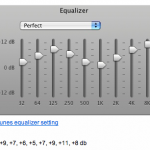
In what may be the boldest claim ever to hit iTunes users, what is said to be the best iTunes equalizer settings have surfaced on the internet. Now that is quite a proclamation obviously, but after seeing the bold statement, I gave the suggested settings a try with the iTunes equalizer, played some music, and … Read More

How to Enable a Hidden Stacks List View in OS X

Sep 30, 2009 - 9 Comments

Stacks are what list items and folders turn into when pulled into the Dock of OS X. There are several views for Stacks, like a grid, or a fan, or a list in modern OS X versions. But with a little secret defaults string, a list view can be enabled in prior releases of OS … Read More

List all Open Internet Connections on a Mac from Terminal to Track Down Bandwidth Issues

Sep 29, 2009 - 5 Comments
Network Utility in Mac OS

Recently the LAN at my office had been running slower than usual, and I couldn’t pinpoint what was using up all the extra bandwidth. I had a suspicion that P2P traffic was to blame but I just couldn’t see anything obvious on the offending machine. So the question of course, is how do you see … Read More

Enable root User in Mac OS X 10.6 Snow Leopard

Sep 28, 2009 - 4 Comments

There are two ways to enable the root super user account in Snow Leopard, the first is probably the quickest. Launch the Terminal and type the following command: sudo passwd root You’ll be asked for the admin password, then you’ll have to set a password for the root account. When you’re finished, the root account … Read More

Change Sound Input Source on Mac with Option-Click on Sound Menu

Sep 28, 2009 - 3 Comments
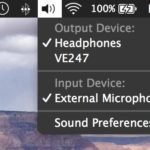
Changing the sound input source on a Mac the easy way

If you want to quickly change your sound input device on a Mac, by far the fastest and simplest way to do so is to Option-Click the Sound menu icon at the top of your screen. Option-clicking the sound icon menu bar item enables an alternate pull-down menu including a list of clearly labeled and … Read More

Backup iPhone Text Messages with Syphone

Sep 27, 2009 - 12 Comments

Backing up your iPhone text messages is made extremely easy thanks to a freeware utility called Syphone. Since the iPhone has a limited number of text messages it can store at any one time, Syphone allows you to backup all the text messages and read through the archived text messages yourself on your Mac in … Read More

Quickly Sleep Your Mac from an External Keyboard

Sep 26, 2009 - Leave a Comment
Quick sleep a Mac

Want to almost instantaneously put a Mac to sleep from your external keyboard? It’s much easier than you’d think, and you don’t need to pull down the  Apple menu to accomplish this task. Instead, to quickly sleep your Mac just hold down Command + Option + Eject for about two seconds, and the computer … Read More

Convert a Nero Image File to ISO

Sep 25, 2009 - 8 Comments

Someone recently sent me a Nero Image File and I had no idea what to do with it, but after some looking around I discovered you can easily convert a Nero image File to ISO format. Apparently the only difference between a Nero Image File and a typical ISO is that Nero adds a 300k … Read More

Stop Flash from Automatically Loading in Safari with ClickToFlash

Sep 24, 2009 - 8 Comments

I love the web, I hate Flash. I know this isn’t always a popular opinion, but for me it causes a lot of problems. It’s a slow bloated resource hog that makes browsing the web painful, loud, and obnoxious. Really the only time I actually want to use it is on video sharing sites like … Read More

Access and Mount an SMB Share via Command Line

Sep 24, 2009 - 4 Comments
Mac Terminal icon

Do you need to access and mount an SMB share from the command line on a Mac? You may be used to connecting to Windows PC from the Mac networking features to mount a Windows share on Mac, but you can also connect to Samba shares from the Terminal too. This article will show several … Read More

How to Hide All Desktop Icons in Mac OS X

Sep 23, 2009 - 58 Comments
Desktop icons disabled in OS X

Want to hide all desktop icons on a Mac? Desktop icon clutter can really impact workflow by overwhelming you with files and just too much stuff to look at. Inevitably, it can be hard to avoid since a lot of apps download things to the Desktop by default, we save things there, screenshots go there, … Read More

Get Gmail Push Notifications on the iPhone

Sep 22, 2009 - 3 Comments

Want Gmail Push Notifications on your iPhone? In a crafty workaround, you can get Gmail to push notifications to your iPhone by setting up Gmail as a Microsoft Exchange account. The downside to this method is that you can only have one Microsoft Exchange account setup on your iPhone at a time, so if you … Read More

Check a Macs Uptime and Reboot History

Sep 22, 2009 - 19 Comments

The “uptime” of a computer is how long it has been since it was last rebooted or started up. Since Macs are very stable and generally OS X users rarely have to reboot their machines, the uptime of Macs can reach impressive numbers. You can check the uptime and reboot history of any Mac if … Read More

Disable Spotlight in Mac OS X 10.6 Snow Leopard

Sep 20, 2009 - 42 Comments

Disabling Spotlight in Snow Leopard is pretty easy, launch the Terminal and type the following command: sudo mdutil -a -i off This tells the Spotlight manager to disable all indexing on all volumes, the command will require your administrative password to execute. Re-enabling Spotlight in Mac OS X 10.6 Snow Leopard is just as easy, … Read More

Force Quit a Stuck Application on iPhone, iPad, iPod Touch

Sep 17, 2009 - 7 Comments

The iPhone and iPad are amazingly stable, but every once in a while you may run into an app that misbehaves itself and seems to become stuck in some infinite loop of iPhone-frozen madness. Thankfully, if you find yourself in that situation you can force quit a frozen application on your iPhone, iPad, or iPod … Read More

Use a Quick and Dirty Stopwatch via the Mac Terminal

Sep 12, 2009 - 2 Comments
terminal

Need a super easy and simple Stopwatch on the Mac, but don’t want to download anything like a third party app or utility? Look no further than the command line. You can create an instant quick and dirty stopwatch via the Mac OS X (or linux) command line by launching the Terminal app and typing … Read More

How to Burn an ISO on your Mac

Sep 11, 2009 - 8 Comments

Burning an ISO in Mac OS X is very easy thanks to the built-in Disk Utility application that is included from Apple on every Mac. With Disk Utility being bundled with Macs directly from Apple, it also has the huge added bonus of being free, and although there are plenty of paid options out there, … Read More

Subscribe to OSXDaily

Subscribe to RSS Subscribe to Twitter Feed Follow on Facebook Subscribe to eMail Updates

Tips & Tricks

News

iPhone / iPad

Mac

Troubleshooting

Shop on Amazon to help support this site