Tips & Tricks

Tips and tricks for all things Apple! Whether you want to learn tips for a Mac, iPhone, iPad, Apple Watch, or much more, you will find many tricks, tips, tutorials, and excellent walkthroughs for Apple devices and software here.

Search Tips & Tricks

iTunesHelper – What does iTunes Helper do?

Sep 10, 2009 - 16 Comments

iTunesHelper or iTunes Helper, is a program from Apple that runs in the background and monitors for the connection of any iPod or iPhone to the computer, if an iPod or iPhone is detected it will automatically launch the iTunes application. The functionality is the same on both Mac OS X and Windows PC’s, and … Read More

How to Convert a DMG to ISO on Mac, & Convert ISO to DMG on Mac

Sep 9, 2009 - 20 Comments

Have you ever needed to convert a DMG file to ISO in Mac OS, or wanted to convert an ISO file to DMG on your Mac? Converting image files on your Mac is easy thanks to a command line utility included in Mac OS X called hdiutil.

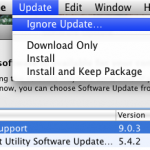
How to Ignore Mac Software Update Packages in Snow Leopard

Sep 8, 2009 - 5 Comments

Apple certainly means well with the Software Updates, but sometimes I get update notifications I just don’t care about, or just don’t want to install for whatever reason. If you’re in this situation and you have a version of OS X before the App Store that ran exclusively in a native Software Update window, like … Read More

AutoPlay QuickTime Movies on Open and 5 Other Useful QuickTime X Hacks

Sep 3, 2009 - 5 Comments

QuickTime X is really cool and one of the many great improvements in Snow Leopard, but I was really surprised to find out that QuickTime X no longer automatically plays movie files on open, you’d think since I just opened the file I’d want to watch the movie! Thankfully resolving this is just a matter … Read More

Install Snow Leopard from External Firewire or USB Hard Drive: How to Upgrade to Mac OS X 10.6 Without a DVD Drive

Sep 2, 2009 - 81 Comments

If you have a Mac without a functioning DVD drive (or a MacBook Air), you’ll need to find another way to upgrade to Snow Leopard, thankfully this is very easy, all you’ll need is an external firewire or USB hard drive. You’ll need access to a DVD drive *somewhere* so that you can make a … Read More

How I fixed my dropping wireless Airport connection problem in Snow Leopard

Sep 1, 2009 - 141 Comments

I don’t know why but when I upgraded to Snow Leopard my wireless internet got all wonky, connections were dropping left and right and I couldn’t maintain any worthwhile airport connection for longer than a few minutes. DHCP was behaving particularly strange and the automatic settings pulled from my router were dropping every few seconds. … Read More

How to get around Pandora’s 40 hour music limit

Aug 30, 2009 - 175 Comments

I love Pandora and use it all the time, so I was pretty frustrated when I discovered that I had hit the 40 hour limit and was being asked to pay for the service. Well, like any good Mac geek I poked around and figured out a way to reset the 40 hour limit (Windows … Read More

Watch Snow Leopard Installation Details with the Installer Log

Aug 29, 2009 - Leave a Comment

If you’ve ever wanted to know what’s being executed, which packages are being installed, and the installation directories and file locations of a Mac OS X system install, then you’ll enjoy this tip sent to us on Twitter by Murtika Laksmi: While installing Snow Leopard do the following: * At the “Mac OS X Installer” … Read More

Eject a Stuck Disk from your Mac DVD Super Drive

Aug 28, 2009 - 78 Comments

A friend of mine that is new to Macs couldn’t figure out how to get a CD to eject, after some frustration he then complained that his MacBook doesn’t have the paperclip hole to forcibly eject a disc from the superdrive. After some discussion I realized he’s probably not alone in his confusion of how … Read More

Mount a partition or volume on command

Aug 25, 2009 - Leave a Comment

I have an external drive partitioned in various ways, one of the partitions is formatted to FAT32 and I don’t need access to all the time. So how do I keep that from showing up needlessly when I plug the drive in? Using the command line to create an /etc/fstab entry and a bash script, … Read More

15 Useful Keyboard Shortcuts for QuickTime

Aug 23, 2009 - 11 Comments

Apple’s QuickTime is the go-to Mac OS X app for video playback, but there’s more to QuickTime Player than meets the eye. You can rewind and fast-forward movies, increase the audio level beyond the slider limit, and even scrub frame by frame through the movie like you can in Final Cut Pro! Check out these … Read More

The Fastest Way to Email a Picture in Mac OS X

Aug 22, 2009 - 1 Comment
Quickly email a picture from Mac OS X

The fastest way to email a picture to someone in Mac OS X is also one of the easiest, and it should be very familiar to most Mac users in that it’s action is remarkably simple.

No Undo Button on the iPhone & iPod Touch? Instead, Use Shaking Motions

Aug 21, 2009 - 2 Comments

The iPhone doesn’t have an Undo button, which is something that many of us have wondered about and wished for for quite some time. But that doesn’t mean you can’t perform an undo or redo task on your iPhone, but what you do is perform a shaking motion with the iPhone or iPod touch in … Read More

Move Windows around in the Background by holding down Command key

Aug 17, 2009 - 6 Comments

If you’re like me you tend to have 10,000 windows open at once on your Mac while you work and multitask, thanks to Expose this is not a particular problem in Mac OS X. But, there comes a time when you don’t want to use Expose to either clear the screen or select a specific … Read More

Preview Not Saving JPG Rotation? Use Exif Data to Fix Rotated Image Display

Aug 14, 2009 - 4 Comments

I was driving myself up the wall recently trying to figure out why the Mac Preview.app would not save my image rotations when I exported a picture from Preview in OS X, so in looking for a solution I stumbled onto our friend MurphyMac‘s site and found a solution! Basically after you have rotated the … Read More

Disable Spotlight in Mac OS X 10.5

Aug 12, 2009 - 6 Comments

It seems like people either love or hate Spotlight, if you love it then ignore this tip, but if you hate Spotlight and want to turn Spotlight off in 10.5 here’s your new favorite post. You can completely disable Spotlight in OS X 10.5 by moving a few system files (or you could delete them … Read More

Hide any File or Folder by Making it Invisible to the Mac OS X Finder with setfile

Aug 11, 2009 - 18 Comments

If you ever want to hide a file or folder, you can quickly make it invisible with a command line utility called setfile. This is a really cool tip that should be particularly useful to those who share their mac with other people.

How to Rearrange the Menu Bar Icons in the Mac OS X Menu Bar

Aug 11, 2009 - 7 Comments
Finder

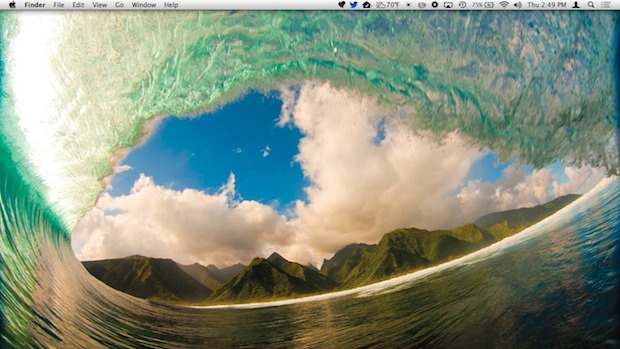
The Mac menu bar contains icons for things like the status indicators and toggles of various apps, including a clock, date, time, battery, wi-fi status, sound and volume levels, displays, Time Machine backup status, user account, Spotlight, a Notifications toggle, and much more. There’s a lot of data and status details in those menu bar … Read More

Subscribe to OSXDaily

Subscribe to RSS Subscribe to Twitter Feed Follow on Facebook Subscribe to eMail Updates

Tips & Tricks

News

iPhone / iPad

Mac

Troubleshooting

Shop on Amazon to help support this site