Tips & Tricks

Tips and tricks for all things Apple! Whether you want to learn tips for a Mac, iPhone, iPad, Apple Watch, or much more, you will find many tricks, tips, tutorials, and excellent walkthroughs for Apple devices and software here.

Search Tips & Tricks

Easily Determine Architecture Type of Mac OS X Apps – Universal, Intel, or PowerPC

Jan 24, 2007 - 1 Comment

Regardless of your thoughts on Apple’s switch to the Intel architecture, we are now in a transition period where many apps are either PowerPC, Universal, or Intel only. While most new applications are at least Universal binaries, some are PowerPC, and running these through Rosetta on your Intel Mac can cause a performance decrease. So … Read More

Easily Change the Short Username in Mac OS X

Jan 22, 2007 - 1 Comment

Have you ever wanted to change the short username in Mac OS X? Dig around in the System Preferences and you’ll soon find it’s not as easy as just typing in a new name. Apple has some directions on how to do it, but the instructional document is painful just to look at, let alone … Read More

airport – the Little Known Command Line Wireless Utility for Mac

Jan 18, 2007 - 95 Comments
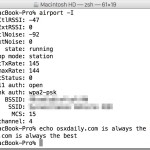
airport wi-fi network command in Mac OS X

Hidden from the casual Mac user is a spiffy command line utility that allows you to view, configure, and troubleshoot your Mac’s wireless connection, entirely from the Terminal of MacOS and Mac OS X. This command has a help file but is otherwise but not much documentation, and judging by the obscure location of the … Read More

Six Simple Must-know Keystrokes for Safari Users

Jan 18, 2007 - 13 Comments

Safari is my browser of choice in Mac OS X, I like Chrome and FireFox a lot but it doesn’t have the same Apple polish to it, and page rendering seems speedier in Safari (my opinion, no intention on sparking a browser war here). If you’re a Safari user, here are some key strokes that … Read More

10 Must-Know Startup Commands for Older Macs

Jan 12, 2007 - 4 Comments
Finder logo

A variety of keyboard shortcuts and commands can be used during a Mac system startup to access various features, systems administration utilities, and troubleshooting tricks. Some of these startup keys may be slightly different on PPC and Intel Macs, but many of the features remain the same, whether it’s accessing safe-boot mode, hardware tests, single-user … Read More

7 Useful Dock Shortcuts & Key Commands for Mac

Jan 6, 2007 - 2 Comments
The Mac Dock

The Dock is a major part of most Mac OS users daily lives, used for everything from application launching, to storing of minimized windows and apps, where the Trash is located, and more. But the Mac Dock has more tricks up its sleeve than what is readily visible, and with the help of key command … Read More

Twenty Steps to Help Diagnose and Fix System Problems

Dec 20, 2006 - 3 Comments

Mac ownership is largely troublefree, but sooner or later you’ll probably run into some kind of problem with your systems performance. MacOSXHints.com is one of the best sites out there for tips and helpful information for the Mac, and although this article is dated (almost three years now!) it is just as useful as ever. … Read More

12 Command Line Keyboard Shortcuts for Mac OS X Terminal

Dec 19, 2006 - 20 Comments
Terminal in Mac OS X

The command line in Mac OS X can be a very powerful and fun tool, so it’s good to know how to maneuver around if you find yourself in it. By default, the Mac OS X Terminal uses the Bash shell, which is what these keyboard shortcuts are intended for. So if you’re ready to … Read More

Take iSight Snapshots When Invalid Login is Detected

Dec 14, 2006 - 6 Comments
Mac Terminal icon

Now here’s a cool trick: you can take iSight camera captures when an invalid login is detected on a Mac! This is so cool. Posted verbatim from Mac OS X Hints: “With the new MacBook Pro’s including built-in iSight cameras, I thought it would be useful to take an iSight snapshot of anyone trying to … Read More

Taking Screenshots in Mac OS X and Changing the Default Filetype to JPG from PNG to Whatever

Dec 8, 2006 - 23 Comments
Finder icon on the Mac

Many Mac users take screenshots of their desktop for various reasons, be it showing off their setups, post to their blog or flickr, development, whatever. Most of us just use command-shift-3 and command-shift-4, but did you know there’s more options than just those two keyboard shortcuts? I’m not talking about third party apps, but options … Read More

Using the Unix command line in Mac OS X to manipulate images

Dec 1, 2006 - 4 Comments

Anytime I find myself doing a repetitive task, it is crucial that I discover small tricks and workarounds to make my daily routine as efficient as possible. I have long been a Linux user, so naturally I lean towards opening up the Terminal and using the familiar bash shell environment that I have mastered on … Read More

How to Launch Application on System Start in Mac OS X

Nov 29, 2006 - 40 Comments
Login items in Mac OS X

Mac users may find it helpful to automatically launch an application upon system start of Mac OS X. Basically this means as soon as the Mac is done booting, the approved auto-launch apps will open themselves once the user has logged into the Mac and the Mac OS desktop has displayed. You can add as … Read More

Front Row Enabler – Run Front Row on Unsupported Macs

Nov 29, 2006 - 4 Comments

Does your Mac not support Front Row? Have you been drooling green in envy as your friends flip through their media collections? Drool no more, there is a solution to get Front Row running on your Mac! Front Row Enabler is a simple app that patches Mac OS X and allows the installation of Front … Read More

Instant Dictionary Keystroke in Safari for Mac: Control-Command-D

Nov 27, 2006 - 5 Comments

Here’s a very useful key combination that allows you to instantly summon a dictionary from the web browsers in Mac OS X. If you’re in Safari (and many other Mac OS X apps and browsers), hit control-command-D keystroke together while you hover over a word, a dictionary will pop up with that words definition!

Ten OS X Command Line Utilities You Might Not Know About

Nov 22, 2006 - 86 Comments

The Mac OS X command line interface is home to thousands of programs that the average user doesn’t know exists. Leveraging years of hard work by the GNU foundation and others in the open source community, Apple designed a wonderful OS that doesn’t “need” any use of the command line. While using the command line … Read More

Subscribe to OSXDaily

Subscribe to RSS Subscribe to Twitter Feed Follow on Facebook Subscribe to eMail Updates

Tips & Tricks

News

iPhone / iPad

Mac

Troubleshooting

Shop on Amazon to help support this site