How to Set Apple Watch to Notify High Heart Rate

Did you know that Apple Watch can notify you if you’re having an abnormally high heart rate? This is a health feature that’s not enabled by default, but it’s pretty easy to set up and use.

Did you know that Apple Watch can notify you if you’re having an abnormally high heart rate? This is a health feature that’s not enabled by default, but it’s pretty easy to set up and use.

Want to try out Oh My Zsh in your Terminal? Oh My Zsh is a popular zsh configuration manager, offering tons of themes, functions, helpers, plugins, and other handy features for command line users. It’s used heavily by many who spend a lot of time in the command line, whether for development, administration, or just geeking around, so if you’re in those categories you may find it worth checking out.
While zsh is now the default shell in Terminal app for modern macOS releases, Oh My Zsh is separate, and therefore must be installed and configured separately.

If you have a new MacBook Pro 14″ or 16″ with a display notch, and find an apps menu bar items are hiding behind that display notch, which is a fairly common occurrence for many Mac apps, you can use a workaround to shrink the display so the entire screen scales down to fit below the notch and inward.
This basically mimics screen bezels through software, allowing the full menubar to show, hiding the notch, but at a cost of reducing screen real estate and display resolution.

Do you want to switch regions on your primary Apple ID account used on a Mac or PC? Users who’re moving to a different country would want to do this to unlock iTunes and App Store content in that specific region. Some people tend to just make a new Apple account when presented with this situation, but that’s not necessary when Apple gives you the option to change the account’s country or region settings, right from a Mac or PC.

Many iPhone and iPad users have discovered Screen Time is reporting incorrect time estimates for apps and webpages, sometimes showing numbers that are considerably wrong.
Often the incorrect Screen Time reports will be calculated as many hours for websites or web pages that may be opened as a tab in Safari or from another app, or apps that are in the background and not active. Screen Time then erroneously reports the time on screen of the apps or webpages as the iPhone or iPad as being wildly inaccurate, muddying the Screen Time data and making it largely useless.

A lot of people use Apple Music while on the go from an iPhone, and this typically requires using cellular data. Since cellular bandwidth is often limited, you may be interested in preserving your cellular data and using Low Data Mode for Apple Music.

Some Mac users are finding an App Store error when attempting to download apps or update apps from the Mac App Store.
The error message says: “We could not complete your purchase. An SSL error has occurred and a secure connection to the server cannot be made.”

Have you ever tried to open a PDF in Safari on the Mac, only to be hit with a “Blocked Plug-In” message in the browser, rather than the PDF?
While sometimes this can relate to having the Adobe Acrobat plugin installed on the Mac, it can also be an issue with Safari and loading some PDF files in general. Perhaps it’s just a bug, or an overzealous security measure, but if you find the “Blocked Plug-in” message in Safari on the Mac when attempting to load a PDF, and you need to have access to that PDF, here’s one way to get around the error message and open the PDF file.

Looking to use a different two-factor authentication app instead of Google Authenticator? You can try out Authy, a similar app which in certain ways may even be better than Google’s offering. You may be wondering how you can add your 2FA accounts to Authy on your iPhone, and that’s what we’ll be discussing here.

Some iPhone and iPad users have discovered that their devices touch screens are having random problems with response to touch input, particularly since updating to iOS 15 or iPadOS 15 or later, including iOS 15.1 and iPadOS 15.1.
The touch screen issue can be everything unregistered taps, unresponsive to touch input, a seeming delay to touch input, erroneous touch input, or even just completely ignoring touch input.

Are your AirPods or AirPods Pro connecting to a different device on its own? This is an issue that several users have reported in the past year, but it’s actually a feature that Apple introduced alongside newer iOS and iPadOS versions. If you don’t like AirPods switching between devices automatically, it can be turned off.

Some macOS Monterey users are encountering a peculiar “Volume Hash Mismatch” error message, informing them that a hash mismatch was detected and to reinstall macOS on the volume. The full error message reads:
“Volume Hash Mismatch – Hash mismatch detected on volume disk1s5. macOS should be reinstalled on this volume.”
Some users experience this error after a major system crash or kernel panic, after which the error constantly reappears.
For some users, the “Volume Hash Mismatch” error is accompanied by a significant increase in instability on the Mac running macOS Monterey, with apps crashing frequently afterwards. Other users have the error message showing up constantly, but without any apparent impact to the stability of the Mac.

Did you know that your Apple Watch can be utilized as a pulse oximeter of sorts? That’s right, you don’t have to spend extra money on a separate device to get blood oxygen data. This is a feature on the newer Apple Watch models, and it’s pretty straightforward to use too.

As a Mac user, have you been envious of people using Memojis on their iPhones and iPads? In that case, you’ll be happy to know that Memojis have finally made their way to macOS after such a long wait. You can now create Memojis and send Memoji stickers over iMessage.

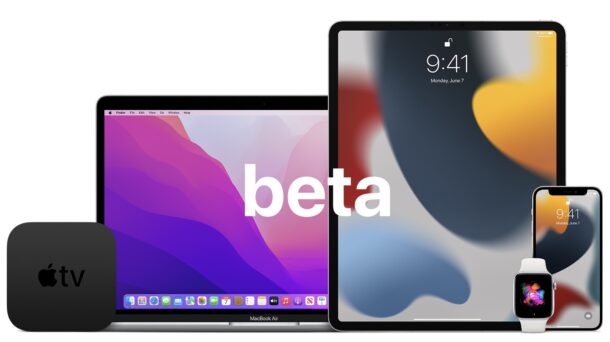
Apple has released the second beta versions of iOS 15.2, iPadOS 15.2, and macOS Monterey 12.1 for users involved in the beta testing programs for Apple system software.
Developer betas typically roll out first and are soon followed by the same build for public beta testers.

As a Mac iMessage user, how often have you wanted to mention or tag other members of a group conversation? You’re certainly not alone, and much like you can mention people in Messages on iPhone and iPad, you can do the same on the Mac and start pinging people right away.

Do you want to speed up or slow down some of the video footage/clips on your iPhone? This is a feature that most video editing software offers, but thanks to Apple’s iMovie app for iPhone and iPad, you don’t have to transfer the clips to your computer to get this done, you can do it all from your device.
![]()
Some M1 Mac users may discover that apps like Steam, Minecraft, Lightburn, 0ad, Atom, Skype and any other Rosetta applications are crashing or unable to launch.
This issue seems to happen most often after using Migration Assistant to setup a new Mac, but it can also happen to some Apple Silicon Macs that have downgraded from MacOS Monterey back to Big Sur, or even updated to MacOS Monterey from macOS Big Sur. A common example is something like this; having used Migration Assistant to setup a new M1 Pro or M1 Max MacBook Pro from a previous gen M1 MacBook Pro, you may notice apps that ran fine before are suddenly all crashing on the new Mac.