An excellent feature in Mac OS X are the several built-in media encoding abilities, allowing anyone to encode and convert video and audio files to other formats right on the desktop or from any Finder window. Having covered a tip on how to convert video to audio using these media encoders, we discovered the feature isn’t enabled by default for all Mac users. If your Mac is missing the “Encode” menu options, or you want to adjust them, toggling the menu encoder is very simple.
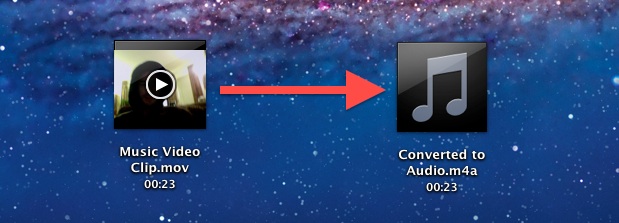
Converting a video file to an audio track is made extremely easy with the help of the media encoding abilities of Mac OS X that are built directly into the Finder. With this, you can convert many popular movie formats into audio tracks, including video files of .mov, .m4v, .mpg, and mp4 format. The resulting converted audio track is a 256kbps m4a file, which can be further adjusted if desired.
Using the video to audio conversion tools in OS X are very easy: Read more »
An updated version of the redsn0w jailbreak utility has been made available to resolve a prominent bug with iBooks and also includes other minor bugfixes that could cause crashing. Versioned as Redsn0w 0.9.10b4, the new release continues to be an untethered jailbreak for iOS 5.0.1 for the iPhone 4 & 3GS, iPod touch 3rd & 4th gen, and iPad 1, and does not provide support to any other devices.
Fixing the iBooks problem for already jailbroken devices is simple enough, all that is required is to download and run Redsn0w 0.9.10b4 over an existing iOS 5.0.1 jailbreak to apply the fix.
Alternatively, the Corona untether has also been updated which applies the same iBooks patch without the need for using redsn0w again. Corona can be downloaded on any jailbroken device for free through Cydia.
Did you know the iTunes Artwork screensaver in Mac OS X is interactive? By hovering over an album when the screen saver is active, a pop-up play button will appear similar to what is found by hovering over music in the Finder, click it and that album or song will begin to play. Read more »
Need to quickly restart the Finder in Mac OS X? Perhaps for a change to take effect with a defaults string, or to resolve a simple error or problem? Restarting the Finder does just what it sounds like, it quits the Finder application and then re-opens it again.
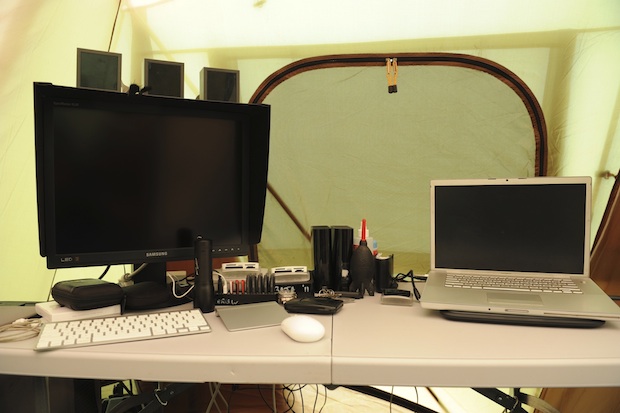
Chris W sent in this very unique Mac setup of a portable video editing station inside of a tent! Why would someone edit video in a tent? Here’s what Chris says about the workstation:
Here is a setup that I was using a couple of weeks ago while covering a local motor sport event. Keep in mind, this was setup in a tent in the middle of nowhere.
On the left is my MacMini with 20″ Samsung LED screen, and on the right is my 15″ Macbook Pro. The computers were kept busy 24 hours a day for the 3 days of the event with the Macbook Pro converting the video files, then importing them into final cut pro. At night I also had a video extender running to a projector 50m away so the competitors could see footage from the days racing. The Mac Mini was importing photos, and processing video files during its idle times. Both computers were also backing up any files to the external HDD’s in the middle. The photo was taken just after everything was wired and the switch was flicked, I should have gotten one with everything fired up and working, but theres always next year hey.
I am fairly certain the “middle of nowhere” he is referring to is somewhere in Australia, but could be wrong. This reminds me a little bit of the MacBook Air motorcycle setup from the American southwest desert, you’ve gotta love people putting their portable gear to use.
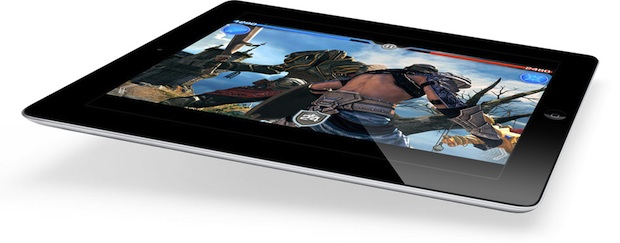
The iPad 3 is currently in production for a March release, according to a new report from Bloomberg. Three sources “familiar with the product” say that the new iPad will also have a “sharper” screen, faster quad core processor, and will also include 4G LTE connectivity.
Apple is bringing LTE to the iPad before the iPhone because the tablet has a bigger battery and can better support the power requirements of the newer technology, said one of the people.
The new display is capable of greater resolution than the current iPad, with more pixels on its screen than some high- definition televisions, the person said. The pixels are small enough to make the images look like printed material, according to the person. Videos begin playing almost instantly because of the additional graphics processing, the person said.
Most indications are that the sharper screen described will be at 2,048×1,536 pixel resolution, double the current iPad’s screen of 1024×768, and the quad-core CPU has been hinted at in a variety of ways. The biggest news here, if true, may be the addition of 4G LTE network connectivity, making the next iPad the first Apple device to offer support for the high-speed mobile networks. This would seem to suggest the next iPhone will have LTE support as well.
Using the lsof command, we can find out exactly what process or application is using a specified file at that given moment. This is similar to the opensnoop command, but rather than watching the changes to a file over time, lsof can give us a snapshot of this very moment, which can be helpful for troubleshooting purposes.
lsof /path/to/filename
For an example, to see what is interacting with with /var/log/system.log we point it at that file:
$ lsof /var/log/system.log

COMMAND   PID  USER   FD   TYPE DEVICE SIZE/OFF     NODE NAME

Console 84281 Will    8r   REG   14,2   140239 71929128 /private/var/log/system.log
In this case the app using system.log is “Console”. Again, this is showing us a snapshot at the moment the lsof command was executed, but by using the previously mentioned opensnoop command instead you can follow what processes use that file in real time:
sudo opensnoop -f /var/log/system.log
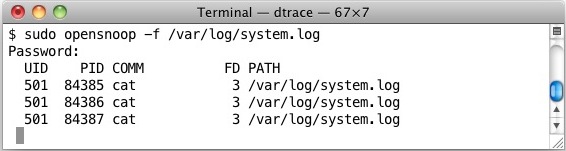
The above would result in seeing something like this: $ sudo opensnoop -f /var/log/system.log
Password:
UID PID COMM FD PATH
501 84358 cat 3 /var/log/system.log
501 45411 console 3 /var/log/system.log
0 15 syslogd 16 /var/log/system.log
In this case you are looking under “COMM” for the process names, or PID for the process id.
Remember that you can go the opposite way with opensnoop as well, and show all files an app is using by pointing the command at an application or process, rather than a file.
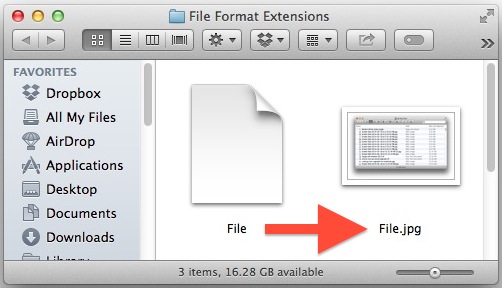
File extensions (like .jpg, .txt, .pdf, etc) make it easy to see what a specific file type format is, but as many Mac users notice, those file extensions are hidden by default in Mac OS X. While hiding the format suffix makes for a cleaner user experience and is fine for many users, it can be frustrating if you’d rather know instantly what file format type a file is just by looking at the name, and for many power users it’s one of the first things changed when setting up a Mac.
As we’ll demonstrate, Mac OS offers two choices for displaying file format extensions after file names: You can either set all extensions to be displayed for every file in Finder through a universal setting, or you can set extensions to be shown on a per file basis with the help of the Get Info command. For either choice, the file format type will be shown as part of the file name, changing something like “File” to display as “File.txt”.
We have gone through tons of OS X Dock tips before, but with the help of a free Lion compatible app called Docker, we can apply many changes to the Docks behavior and customizations to the Docks appearance easily with just a few clicks.
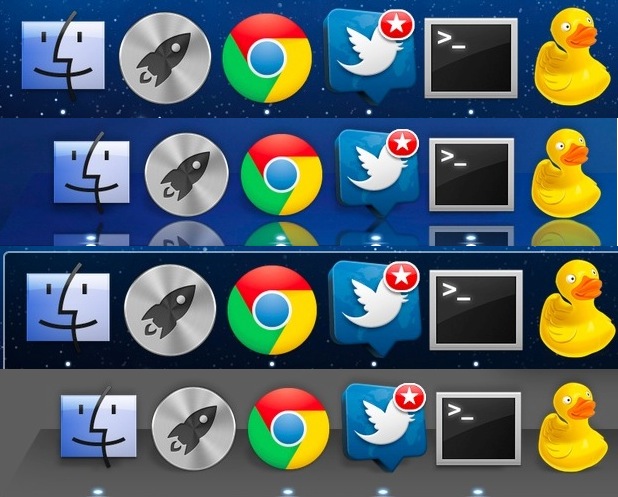
What exactly can you customize? Using Docker, you can: change Dock style from 3D to 2D, adjust translucency of icons, change the indicator style and color, change the color of the Docks outline, customize the Docks background to an image or a transparency, change the Docks position on screen, switch the minimize effect, increase the icon size beyond the default limits, make various changes to the app icons within the Dock, add spacers to the left and right side of the Dock, add custom stacks, and more.
Of course you can always revert back to the default settings at any point too. Here are a few different Dock styles that were quickly made with the help of the app:
Advanced Mac OS X users may find it useful to know that KEXT (kernel extensions) can be manually installed. The process of installing kexts manually into OS X is not too difficult if you’re comfortable with the command line, but it is a multi-step process of copying the appropriate .kext file to the appropriate kernel extensions directory, and then using chmod and chown to assign appropriate permissions to the kext so that it will run as intended.
In what is some of the strongest evidence that Apple is working towards bringing higher resolution retina style displays to Macs, a series of hidden HiDPI resolutions can be enabled in OS X Lion. Read more »
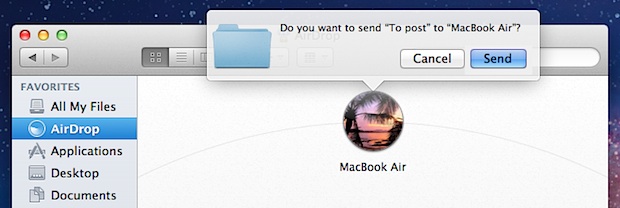
Remembering a keyboard shortcut makes using AirDrop even easier in Mac OS X, by quickly accessing the AirDrop window and enabling the Mac to be ready to accept or send files to other nearby computers.
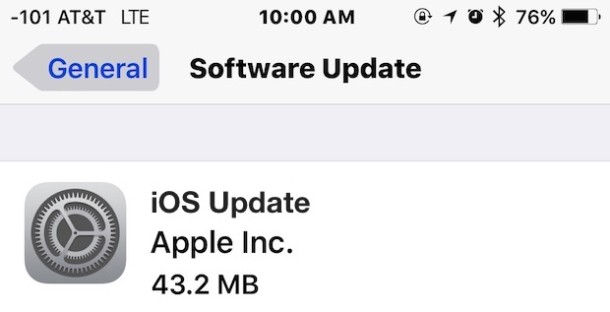
When a new iOS software update is made available, you can download and install the update directly on the iPad, iPhone, or iPod touch by using Over the Air updates, abbreviated as OTA. These work by downloading only the files that are different (this is called a delta update), so the file size is smaller than updating with iTunes or with general IPSW downloads, making the installation process faster. OTA updates also eliminate the need to connect an iOS device to a computer when upgrading software. It’s always a good idea to backup your iOS device before updating the software.
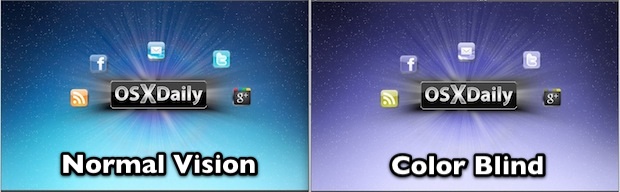
Color Oracle is a free app that makes simulating color blindness easy, allowing for a real time look at how those with different types of color impairments will view images on screen. The utility “takes the guesswork out of designing for color blindness” and according to it’s developers, uses the best available algorithm for simulating color recognition impairments.
Color Oracle is available as a free download for Mac OS X, Windows, and Linux, and a valuable addition to any designers toolkit.
Considering that color blindness effects as high as 8% of the male population, if you’re a print, web, or app designer, you’ll want to know what your creations will look like to those who are affected.
Occasionally through the standard iOS upgrade process, but most commonly when jailbreaking, the iPhone can reboot and get stuck on the Apple logo at boot. This basically looks like the “” against a white or black screen.
Turning the phone on and off generally doesn’t help, as you’ll be continuously stopped at the white Apple logo and the iPhone never boots This is different than being stuck on Recovery Mode, which shows the ‘Connect to iTunes” graphic on the iPhone screen, but can be fixed in a similar manner by using DFU mode and iTunes.
Apple has sent out press invitations to an “education announcement” scheduled for January 19 at the Guggenheim Museum in New York City. According to AllThingsD, the event is likely to focus on bringing iBooks to the education market, and possibly have ties to iTunes U:
Details beyond that are slim, though we’re told that this is an effort in which Jobs had been involved with in the months prior to his death. That could mean that it’s the textbooks-on-iPads plan that Jobs famously discussed with biographer Walter Isaacson. Fox’s Clayton Morris is hearing something similar.
The textbook market is certainly ripe for digital disruption, but the players that have emerged so far are pumping in a lot of cash with little to show for it.
Currently, no major textbook publishers are partnered with Apple’s iBooks in any significant way. iTunes U offers a wide variety of free college level video courses from top universities, including Stanford University’s popular Developing Apps for iOS 5, and iPhone Programming courses.
It is not expected for the upcoming event to include any new hardware announcements, although the iPad 3 is anticipated for launch as soon as this March.
Update: The New York Times is reporting the event will indeed focus on textbooks:
The event will showcase a new push by Apple into the digital textbook business, but will not feature any new devices, according to a person close to the company who did not want to be identified talking about it before it occurred.
Presumably these text books will be offered on the iBooks platform for iOS.
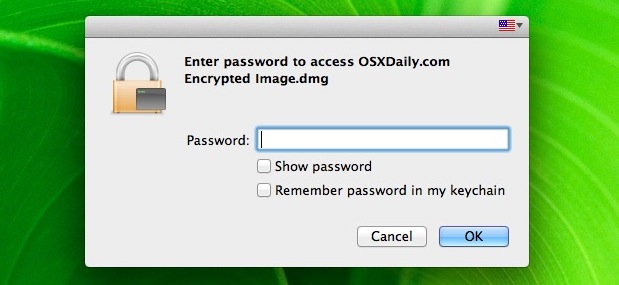
You can password protect files and folders in Mac OS X by using a trick with disk images. Here’s how it works; by placing files inside of an encrypted disk image, that disk image will work like a password protected folder and require a password before it’s mounted, preventing unauthorized access to all of the contents.

 An updated version of the redsn0w jailbreak utility has been made available to resolve a prominent bug with iBooks and also includes other minor bugfixes that could cause crashing. Versioned as Redsn0w 0.9.10b4, the new release continues to be an untethered jailbreak for iOS 5.0.1 for the iPhone 4 & 3GS, iPod touch 3rd & 4th gen, and iPad 1, and does not provide support to any other devices.



 Occasionally through the standard iOS upgrade process, but most commonly when jailbreaking, the iPhone can reboot and get stuck on the Apple logo at boot. This basically looks like the “” against a white or black screen.