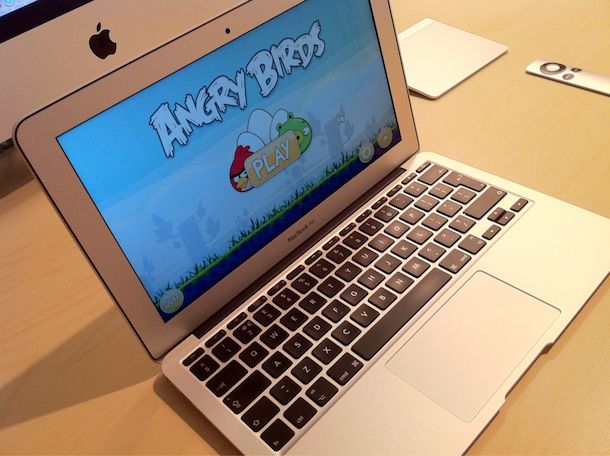
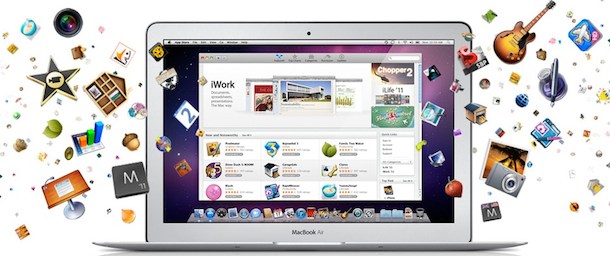
I really like the MacBook Air 11″ so it should be no surprise that I’m posting a picture of one, but this is also a bit of a homage to Angry Birds making its way to Mac OS X via the Mac App Store.
If you don’t have Angry Birds yet, don’t get it, it’s a huge time suck and you’ll find yourself playing it far more often than you should be. I got it on my MacBook Pro and I hate it, mostly because I can’t stop firing birds from a slingshot into blocks of ice. If you thought it was addictive on your iPhone, wait til you see it on the Mac. Don’t say I didn’t warn you.
The iPhone is coming to Verizon on 1/11/11, according to the Wall Street Journal:
Verizon Wireless will say Tuesday that Apple Inc.’s iPhone is finally coming to its network, according to a person familiar with the matter.
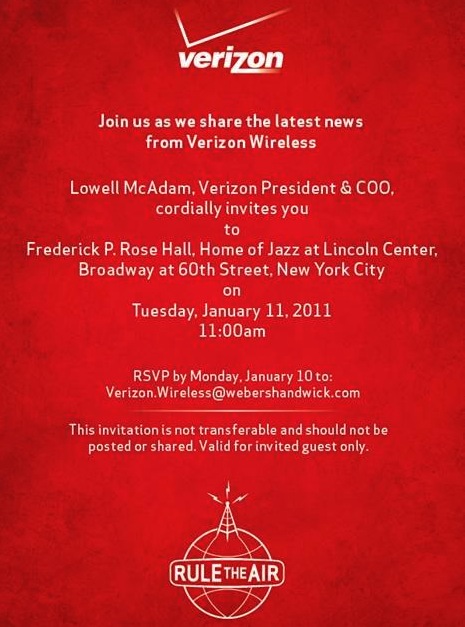
The Tuesday is obviously next Tuesday, which is the date on the mystery Verizon invitation that was sent out. So much for speculation about the Verizon iPhone, if the WSJ is saying this, it’s about as close to a confirmation as a rumor can get.
Last year, the Wall Street Journal and the New York Times both said the iPhone was coming to Verizon in “early 2011.”
More Verizon iPhone rumors… earlier today there was a report that the Verizon iPhone was going to be launched on February 3rd, but that may be wrong (or maybe it’s the availability date)… now press invites are being sent out to a Verizon event on Tuesday (Apple’s favorite day), January 11.
This report comes from MG Siegler on TechCrunch, who says the following:
Well, for one thing, I don’t typically get invites directly from Verizon to anything. At least not that I can recall. They usually send those directly to the MobileCrunch and CrunchGear guys. But this invite appears to very specifically be for me — it’s non-transferable. Would Verizon send me such an invite unless it was specially about Apple?
In case you didn’t know, MG Siegler is TechCrunch’s resident Apple fan, so it would be a fitting selection for Verizon to choose. While there’s no specific mention of Apple on the invite, the only thing expected to come out of Verizon that wasn’t already announced at the CES Expo is the Verizon iPhone.
Is anyone else sick of the Verizon iPhone rumors? Just release it already.
A new report from BGR claims that the launch date for the Verizon iPhone is set for February 3rd. Citing “a source close to Apple,” they point to blacked out retail dates for employees vacation requests “between February 3rd and February 6th — Thursday through Sunday.” This is significant because “Back in June of last year, Apple picked the dates of 24th to the 27th for its iPhone 4 weekend launch — also a Thursday through Sunday.”
While this should be considered a rumor, BGR has been dead on with leaks and launch dates in the past.
This all comes just days after an alleged iPhone 5 video appeared on YouTube before being taken down. Some claimed the device in the video was a Verizon iPhone, but the device did show a sim card slot which raises more questions than answers.
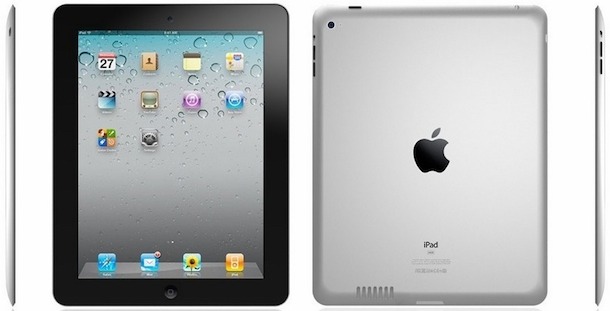
Here’s a few pictures of iPad 2 mockups, presumably based off of the leaked case designs that have made the rounds on various Chinese websites. You’ll notice it looks pretty similar to the iPad 2 hardware mockup that Engadget found at CES inside an iPad case.
These pictures originally appeared on MicGadget who initially claimed they were leaked pictures of iPad 2 before correcting the story saying they were just mockups. Mockups or not, I think these look great.
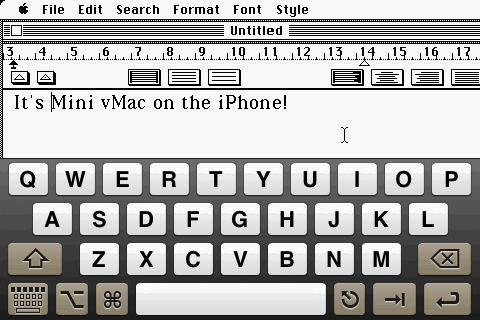
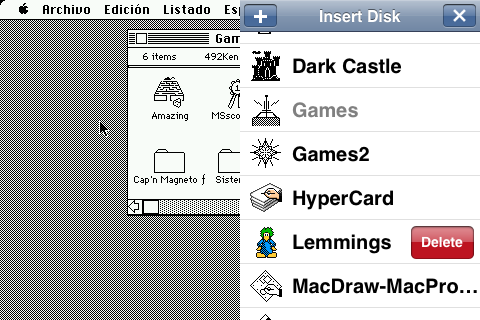
This is hilarious, you can run classic Mac OS from a Macintosh Plus directly atop iOS on your iPhone or iPod touch thanks to an emulator called Mini vMac.
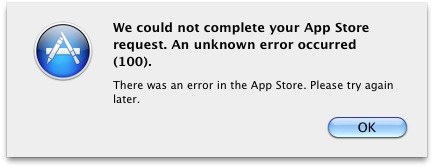
“We could not complete your App Store request. An unknown error occured (100). There was an error in the App Store. Please try again later.”
Hmm, well trying again later doesn’t solve anything, but this does:
Fix the Mac App Store “Unknown Error 100”
Sign out of the Mac App Store via the Store menu
Quit the Mac App Store
Log out of your Mac OS X user account (from the Apple menu)
Log back in to your user account
Launch the Mac App Store, sign in, and try downloading again
You should be able to download any app trouble free now. If you still have problems, reboot your Mac.
I originally resolved the problem by rebooting (the default troubleshooting tip when all else fails) but MacStories found that just logging out of the user account and back in is enough to make the App Store work as intended.
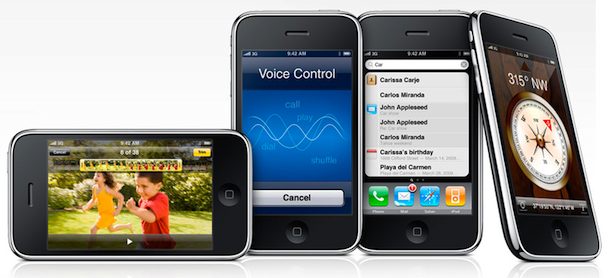
Starting January 7, new and existing AT&T customers can get the iPhone 3GS 8GB model for just $49, this is not a refurbished unit, it’s brand new. The low price is valid only through AT&T stores and online, which has caused many to speculate the reason for the price drop is to try and grab as many customers as possible before the release of a Verizon iPhone that is anticipated sometime in the near future.
Aside from the Verizon story, the price point is interesting because it directly competes with the low-end Android smartphone market, something that Apple hasn’t really tried to do themselves with existing iPhone offers.
Here’s the full press release from AT&T for those who like the details: Read more »
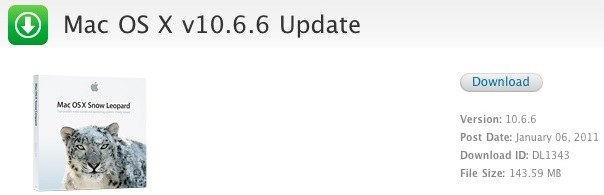
Mac OS X 10.6.6 and the Mac App Store was just released and it will be a particularly popular software. If you have trouble getting the new Mac OS X release an App Store from Software Update, or if you’d rather use a combo updater, or just download the file for multiple machine installations, you can use these direct download links:
Mac OS X 10.6.6 Direct Download Links
Each of these links goes directly to a DMG file on Apple’s download servers:
Mac OS X Server 10.6.6 Combo Update – Download Now
The size of the file varies on which version you choose, the combo updates are obviously larger than the standard updates. If you have any troubles downloading the files, try right-clicking the links to “Save As” or “Download Linked File As” – this is particularly important if you are attempting to download these files from a Windows machine for installation on a Mac OS X machine later.
The Mac App Store is included in the Mac OS X 10.6.6 Update, after installation you will find the blue icon in your Dock.
The Mac App Store has been released as part of the Mac OS X 10.6.6 System Update. The release notes are brief, and although the 10.6.6 update includes a few security and bug fixes, the majority of the release is geared to support the Mac App Store.
The Mac OS X 10.6.6 Update is recommended for all users running Mac OS X Snow Leopard and includes general operating system fixes that enhance the stability, compatibility, and security of your Mac. It also includes the Mac App Store, the best way to discover and buy new apps for your Mac. The Mac App Store, a new application you’ll find in the Dock, includes the following features:
Discover Mac apps: Browse featured apps, top charts, and categories, or search for something specific. Read detailed app descriptions and user reviews, and flip through screen shots.
Buy and install: Easily purchase apps with your iTunes account. Apps install in one step and are quickly available from the Dock.
App updates: The Mac App Store keeps track of all your purchased apps and notifies you when free updates are available.
Download Mac App Store & Mac OS X 10.6.6
Because the Mac App Store is part of the 10.6.6 update, you must download that system update to get the Mac App Store, you will not see it as an individual download.
Go to the Apple menu
Select “Software Update”
Be sure that the checkbox next to “Mac OS X Update” is checked
Click on “Install Items” and let the installation proceed and your Mac reboot
Update: If you have troubles getting the update or would rather have the dmg file stored locally, you can use Mac OS X 10.6.6 direct download links as well.
The Mac App Store is expected to be a big hit for the Mac OS X platform, much like the iTunes App Store has been a huge success for iOS and the iPhone and iPad. Featuring an easy download and installation process, the Mac App Store has launched with an available software library of over 1000 titles from independent developers and industry leaders alike.
Ever wondered what your return on investment would be if you had bought Apple stock instead of Apple hardware at the same cost? Great, because now you can torture yourself with the riches you don’t have!
If you bought a top of the line PowerBook G3 in 1997 for $5700 get ready to pinch yourself… if you had purchased the equivalent in Apple shares instead it would have grown to a whopping $330,563 over the past 13 years.
Here’s a few other fun ones:
Mac Server G4 266 in 1998: $214,141
PowerBook G3 Wallstreet model in 1998: $164,320
Xserve G4 in 2003: $143,298
PowerBook G4 17″ in 2003: $120,251
iMac G4 17″ Flat Panel in 2003: $69,231
iBook G4 first-gen in 2001: $36,041
MacBook Pro 15″ in 2006: $10,006
iPod 2G Touch Wheel in 2002: $6,670
So how about my own Mac purchases? What if I had bought Apple stock instead of a white MacBook four years ago? That’d be $3,610. And what about Apple stock instead of that super cool $3000 Titanium PowerBook G4 that I so proudly bought in 2002? Ok now this just hurts… the value would be $94,334! Even that silly $99 iPod shuffle from 2005 would be worth $841 now.
I should caution, looking at this list may inspire some regret of past purchases and a desire to invest in Apple stock for the future… if only it wasn’t sitting at an all-time high!
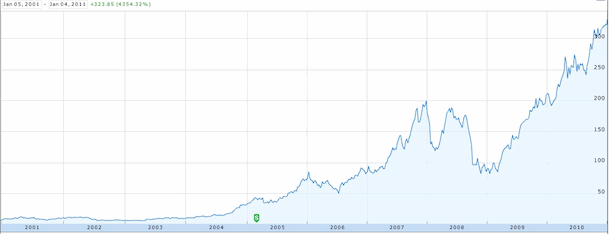
Just for fun, here’s the 10 year chart of Apple’s stock courtesy of Google Finance:
Yes, that’s 4354% growth with a split in late 2004. Apple is sitting comfortably today at $330+ a share, giving them a current market cap second only to oil giant Exxon Mobil. No wonder Steve Jobs has been named CEO of the decade.
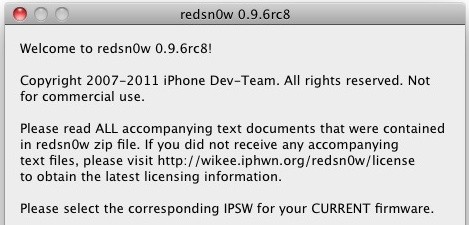
Redsn0w 0.9.6rc8 has been released for download for Mac and Windows. The redsn0w 0.9.6rc series aims to provide a ‘one-click’ tethered boot option to ease the burden of having a tethered jailbreak until the untethered jailbreak of redsn0w 0.9.7 is finalized. This is achieved by passing arguments to the redsn0w application through an editable script file. Once this script is configured with the proper IPSW file and the tethered boot arguments, you can do a one-click launch of that script rather than manually selecting these options in the redsn0w application, making the tethered boot quicker and easier.
The 0.9.6rc8 redsn0w release is relatively minor and offers a few bug fixes from rc7, most significantly that custom tethered boot logo commands will now report if and why an invalid PNG file is attempted.
The arguments for this version are the same as before:
-j tells redsn0w to “Just boot now tethered for now”
-i to specify the reference IPSW
-o for old-bootrom iPod touch 2G and iPhone 3GS only
-b to specify a custom boot logo png
An example of the Mac OS X command with an iPhone 4 running iOS 4.2.1 to perform a tethered boot would be the following:
open ~/Desktop/redsn0w.app --args -j -i ~/Desktop/iPhone4,1_4.2.1_8C148_Restore.ipsw
This assumes that redsn0w and your IPSW file are located on your Mac desktop. Check the boot-ipt4g.command file that is included with the redsn0w download for more examples.
Download Redsn0w 0.9.6rc8
Unlike the current untethered beta, this version of redsn0w is available to Mac and Windows users:
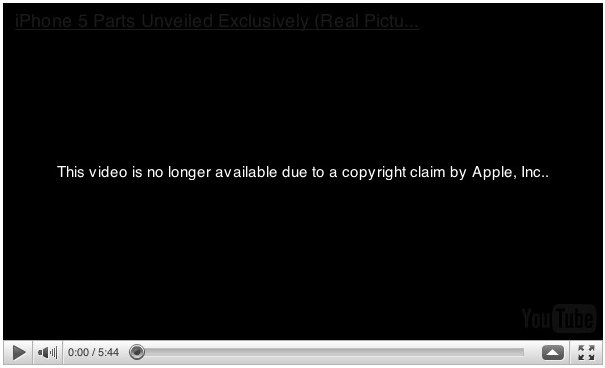
The alleged iPhone 5 video has been removed from YouTube, if you try and watch the video now you’ll get the pleasant message “This video is no longer available due to a copyright claim by Apple, Inc…” as you can see in the screenshot above.
If Apple had the video removed, what does that tell us? Was that an iPhone 5? Verizon iPhone 4? A random hardware test model? Something from the Chinese black market? Whatever it is, clearly Apple doesn’t like the video floating around on the web.
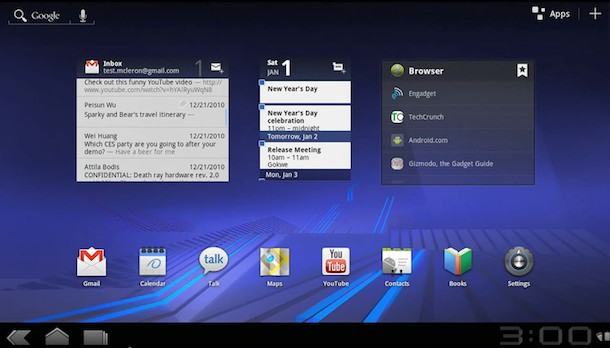
Android 3.0 Honeycomb is Google’s upcoming version of Android for tablet devices, aimed to compete directly with Apple’s iOS and iPad.
This trailer video shows off the Android 3.0 lockscreen, parts of the main ‘desktop’ interface, a virtual desktop-like GUI, gestures, books, gmail, YouTube, Google Talk and video chat, 3D Google Maps, and more. I think the UI actually looks pretty nice, although it’s obviously a huge departure from Android on a smartphone let alone iOS on an iPad.
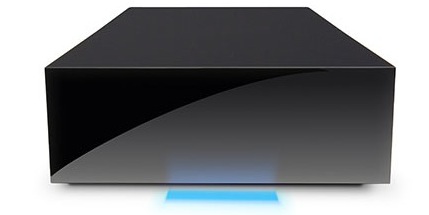
If you’re looking for some additional hard drive space or a Time Machine backup drive, here’s a good deal on a Lacie 1TB USB 2.0 External Drive. The drive spins at 7200RPM and has a sleek finish with a nifty glowing blue light.
The price of shipping varies but should be around $8, or if you order two of them they ship for free since the order is over $99. Even with shipping the drive is cheaper through MacConnection than other sources we found.
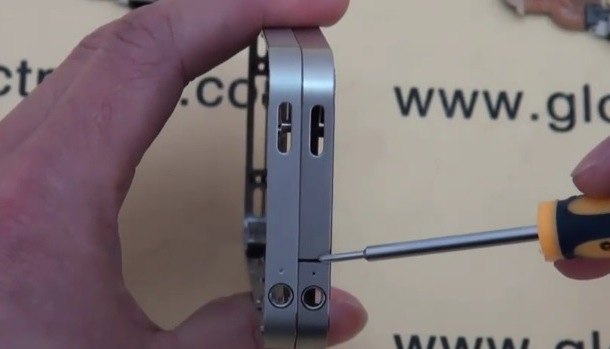
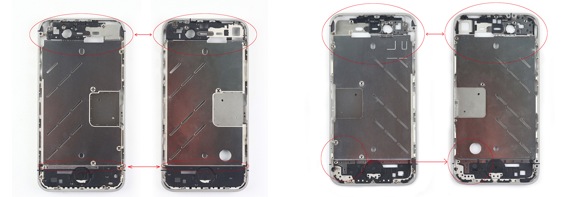
Is this the iPhone 5? This is pretty big news if it ends up true, a PDA and smartphone parts supplier is selling parts to what they call an iPhone 5, not only are they selling pieces but they have a 5 minute long video and high res pictures of what they claim to be the next generation iPhone (in the video they call it iPhone 5).
The video and pictures show off various internal parts and design changes of the alleged iPhone 5 and they are clearly different from the existing iPhone 4 model with notable changes to the antenna design, frame, camera assembly, and placement of internal parts. Here’s a picture with the differences highlighted (supposed iPhone 5 is on the left in all images):
This is what the images/videos producer, GlobalDirectParts.com, has to say about the hardware:
We have carefully examined and scrutinized these components and have confirmed 100% that these are born from an Apple iPhone not yet released. Could it be parts for the CDMA Apple iPhone 5 for Verizon Wireless or simply a reworked Next Generation Apple iPhone 5 or Apple iPhone 4 for AT&T that will be released ahead of Apple’s Traditional June Launch? Perhaps these parts belong to an Apple iPhone 4 CDMA Version that will be released on Verizon Wireless Only? One thing is for certain, these parts are new and internals for a yet unreleased Apple iPhone Handset
I’ll go ahead and say it’s unlikely the device in the video is a CDMA iPhone because the side view clearly shows a SIM card slot. However, it is possible that these images could just be of a dissected counterfeit iPhone 4 or even one of the mystery Chinese iPhone’s that are for sale all over the Chinese black markets, but regardless it’s clearly a real device that is well crafted.
Here’s the alleged iPhone 5 on the left showing changes to the camera assembly: Read more »
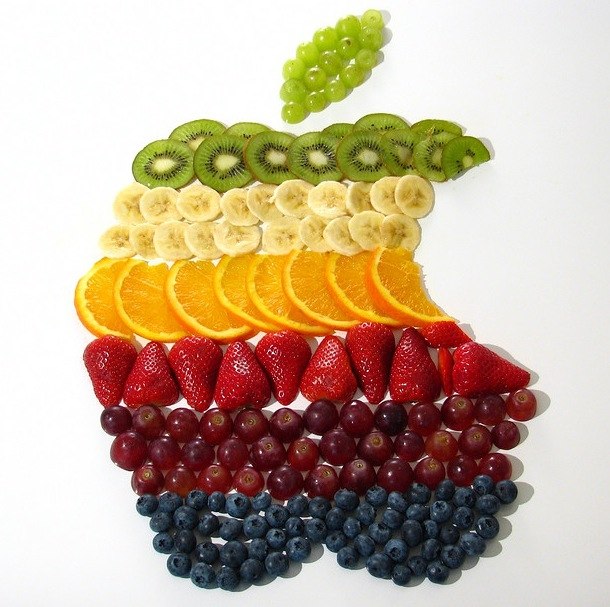
This snazzing looking retro Apple logo is made entirely out of a fruit salad, recreating the rainbow Apple logo from the companies early days. How cool is this? It’s probably the healthiest logo you’ve ever seen, and now I want to eat some fruit and find an Mac Classic to tinker around with, don’t you?