
Set Up Text Substitution in Mac OS X
Jul 23, 2010 - 14 Comments
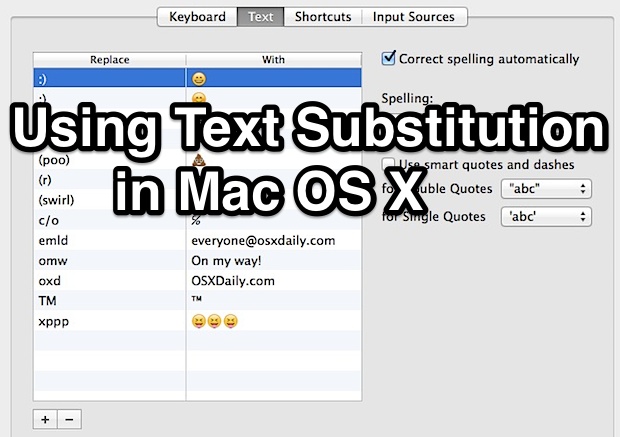
Using Text Substitution, you can easily write any special character or symbol like ™ or ® just by typing something like TM or (r). It can also be used to expand long phrases or particular words by typing shorter abbreviations, for example you could type “myeml” to instantly type out an email address, and it can also be used to quickly type out emoji rather than digging around in Character menus.
Everything is automated and the options are unlimited, in that you can have as many text replacement substitutes as you want setup. Getting this working is quite simple, but you’ll find that some apps in past versions of Mac OS also need the ability to use the substitutions enabled individually, not to worry, we’ll cover that as well.
By Manish Patel - Mac OS, Tips & Tricks - 14 Comments


 iTunes Smart Playlists are a widely underused feature in iTunes, which is a shame because it’s a powerful way to create custom playlists based on a variety of parameters, including artists, genres, dates, ratings, play counts, and more.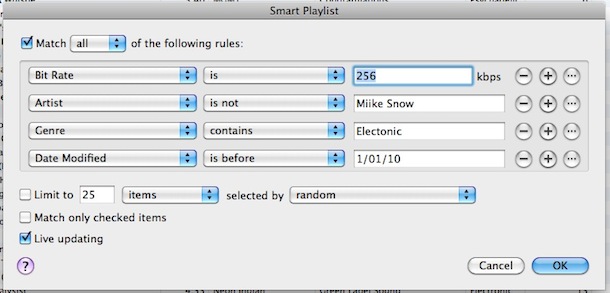

 for $60.
 Apple is on fire, with record third quarter revenue of $15.7 billion. How does this translate into actual hardware sales? Here’s a breakdown:
 Letting Time Machine run on a routine backup schedule is important for all Macs, but there also times where you’ll want to initiate a backup yourself, like before installing system updates or major Mac OS X upgrades. If you find yourself needing to initiate a manual Time Machine backup, you’ll be happy to know it is very easy to initiate. Let’s get to it.

 You may have known that you can navigate around music, skip songs, go backward to prior songs, pause, and mute music, all from the iTunes Dock icon, but did you know that the iTunes dock item in OS X also includes a list of the ten most recently played songs?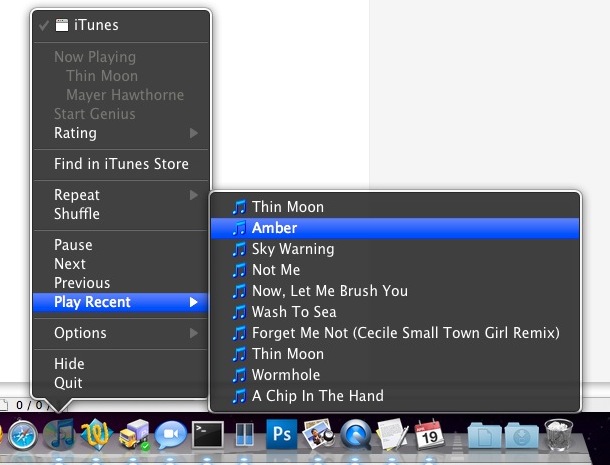

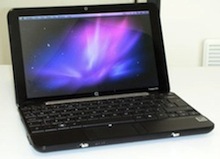 A friend of mine just got a free HP Mini 1000 from his job and was bored stiff with Windows XP, he couldn’t really think of a use for the netbook so I suggested installing Mac OS X on it. The little machine is an excellent candidate for a hackintosh, and the setup is just a matter of patience and following some good instructions like the one at
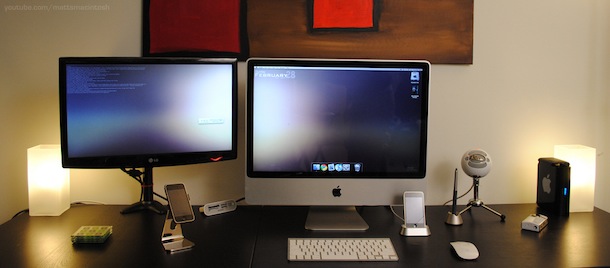
 , the increase in workflow and productivity is dramatic. Not to mention a desk looks great with two screens, like this aluminum iMac with the external LG display. Something about a good Mac setup just inspires creativity, what other computer does that? I don’t think any.




