
Kill a Frozen Program to Stop the Spinning Beachball in Mac OS X
May 3, 2007 - 25 Comments
 Frozen apps happen to the best of us for reasons we don’t always understand, and a Mac application can just suddenly become unresponsive and we see the spinning beachball of death (sometimes called SBOD for short).
For those new to the Mac platform, getting around the spinning wait cursor might be confusing, so here’s two ways to do just that. The first method is through the GUI using a trick called Force Quit, and the second method is using the command line kill utility, which should be familiar to Mac users coming from a unix background. Both work, so it’s just a matter of choosing what you’re comfortable with the next time you discover the spinning color ball cursor taking over your Mac when a program freezes up.
By Bill Ellis - How to, Mac OS, Tips & Tricks, Troubleshooting - 25 Comments


 There are several ways to go about changing the volume on your Mac, but did you know you can use the command line? I’m a big command line junkie so the more things I can do from the Terminal the better.
  GeekTool is a really cool utility that allows you to place the output of unix commands on your desktop. Things like system logs and calenders can be superimposed on your background picture, allowing for quick reading and creating a very nice looking effect (
 There has never been a time when I am saving a document in Mac OS X that I don’t click the expand arrow to see the full save dialog screen. That little button is situated alongside the file name input, and when you click on it, you have access to the expanded dialog that allows users to navigate the folder hierarchy on their Mac to save files to exactly where they are wanted, rather than in the default location for that specific app.

 If you have a MacBook or MacBook Pro you’ve probably noticed that it can get a bit warm, no surprise considering the tremendous amount of processing power stuffed into their respective cases. The cooling system is simple to understand; when your CPU load goes up, your fans will kick in. Well, not all users think their fans kick in soon enough, so a third party application called smcFanControl allows you to adjust the fans on your own, which can be really nice for those warm days when a hot laptop on your lap isn’t the most comfortable.
 Regardless of how many Mac’s you administer, there will surely come a time when you’ll need to retrieve relevant System Information. This can be done from the graphical interface with the Apple System Profiler utility, but often you’ll need to pull system details from the terminal as well.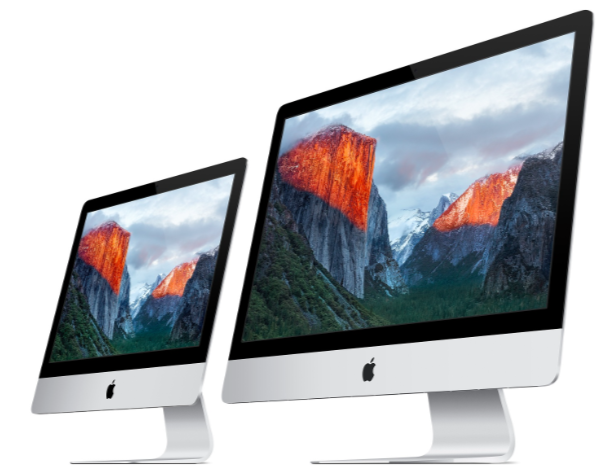

 Preview is the default application to open just about any image or PDF file on your Mac, it’s a great program that blows anything comparable in the Windows world out of the water. One of the greatly underused features of Preview is the ability to view images and PDF files in full screen mode.
 Many Mac users favor Safari as their web browser, it’s the Mac OS X default and generally pretty quick. Safari isn’t trouble free though, and if you’re having problems with Safari’s performance then this MacFixIt article is geared towards you. Jam packed with over 15 tips ranging from performance tweaks to troubleshooting the dreaded spinning beachballs, you’re sure to find something useful to aid you with Safari. Check it out:
 Everyone hates backing up files, and often the annoyance turns into delaying the process, which is fine until you actually have a problem and need a backup. If you don’t want to do a complete system backup, at least save the essential files that define your user experience. BackityMac makes this task a whole lot easier, with easy options to backup your mail, bookmarks, system preferences, and your entire home folder. The program outputs the backup in the form of an image file that can then easily be restored. Good stuff, check it out!
 Apple has delayed the release of Mac OS X 10.5 Leopard several months from it’s originally scheduled date of June 2007 to October 2007. The statement released by Apple says that the iPhone has distracted the operating system development team, and that the original deadline is no longer obtainable. Rumors are already circulating in the Mac web with some suggesting that Apple has delayed the release to include new features that have yet to be announced. We’re disappointed by the delay, but excited for whatever Apple is working on. Read the press release from Apple below:




