If you have an extra iPod laying around that isn’t getting much musical usage, perhaps you’d like to try using it as a boot disk. Yes seriously, though obviously by doing so you will lose the iPod ability to play music, and gain a bootable Mac volume instead.
I am frequently developing web pages and often times I find it frustrating when I can not restart my browser because I’m in the middle of a download. So when I need to download a large file and I don’t want to have to worry about whether or not Safari, Chrome, or Firefox continues to run with out interruption, I turn to the trusty Terminal! In fact, you can easily download any files from the web by using the command line on a Mac.
If you make a living on Ebay or if you are the casual bargain shopper, GarageSale deserves a look. At first glance GarageSale looks like any other Mac OS X application but after a few minutes of use you will begin to feel how powerful this little tool can be. Most every function available on Ebay’s website is available through GarageSale’s intuitive interface including a WYSIWYG editor for setting up professional and eloquent auctions. The advanced auction editor removes any need for knowledge of HTML and even integrates nicely into an iPhoto collection. Readers who still enjoy a dial-up connection to the internet will appreciate GarageSale’s ability to build auctions offline. GarageSale is an Ebay API certified client and operates within Ebay’s terms of use. GarageSale is available for a nominal shareware fee.
Frozen apps happen to the best of us for reasons we don’t always understand, and a Mac application can just suddenly become unresponsive and we see the spinning beachball of death (sometimes called SBOD for short).
For those new to the Mac platform, getting around the spinning wait cursor might be confusing, so here’s two ways to do just that. The first method is through the GUI using a trick called Force Quit, and the second method is using the command line kill utility, which should be familiar to Mac users coming from a unix background. Both work, so it’s just a matter of choosing what you’re comfortable with the next time you discover the spinning color ball cursor taking over your Mac when a program freezes up.
Want to encrypt a file quickly? You can do so with OpenSSL at the command line.
A few months ago a question was posed to our readers about encrypting or password protecting a text file [How can I password protect a file?]. We got several good responses but one in particular has really stuck with me. A reader named Jim posted in the comments a tip about using OpenSSL that I have used a bunch since then, and I think others will find this useful as well. This tip is repeated from a reader provided snippet, but slightly modified and annotated to better accommodate for Mac OS X users:
Have a handful of games that require game discs to be inserted in order to play? This was common with a lot of Mac Blizzard games, like Warcraft 3 for example. Obviously Carrying around a stack of CD’s and DVD’s just so you can play games can be very annoying, adding unwanted bulk to your pack.
There are several ways to go about changing the volume on your Mac, but did you know you can use the command line? I’m a big command line junkie so the more things I can do from the Terminal the better.
If you want to adjust your system volume level directly from the command line, you can do so with the ‘osascript’ command, which is basically a terminal front-end to AppleScript and all that it can do.
GeekTool is a really cool utility that allows you to place the output of unix commands on your desktop. Things like system logs and calenders can be superimposed on your background picture, allowing for quick reading and creating a very nice looking effect (here’s a screenshot of it in action). My only complaint with GeekTool is that it’s not particularly user friendly, but thankfully there’s some easy to follow help. MurphyMac has created a wonderful screencast walking users through the setup of GeekTool and how to get objects placed on your desktop. So download GeekTool then check out MurphyMac’s screencast for a nice walkthrough on it’s features:
There has never been a time when I am saving a document in Mac OS X that I don’t click the expand arrow to see the full save dialog screen. That little button is situated alongside the file name input, and when you click on it, you have access to the expanded dialog that allows users to navigate the folder hierarchy on their Mac to save files to exactly where they are wanted, rather than in the default location for that specific app.
If you don’t want to manually hit that expand button all the time, you can use the defaults command to set that expanded save dialog window to be the new default setting. Yes, you won’t have to click that expand arrow anymore after this is run – the directory structure will already be open and there for you to navigate! Follow the easy instructions below to try it out yourself.
If you want to quickly access something from the Mac Dock within the Finder, many users will right-click on the Dock icon and go to Options to choose “Show in Finder”. There’s nothing wrong with that approach and it works quite well, but there’s a faster way possible with a Command click.
This is a really simple trick, and it works with anything in the Dock, whether it’s an app, a minimized window, a hidden app, or anything else in the Finder of Mac OS X.
Command + Click on any Dock icon to reveal it in the Finder
All there is to it is holding down the Command key while you click on any Dock item, it will instantly open the containing folder within the file system of the Mac.
This trick also works to show items in Finder from the Dock that are contained within Dock Stacks, and it doesn’t matter if the item is an app or a file or a folder, whether it’s on the left side or right side of the Dock, it will go to it’s original Finder location.
Try this one out the next time you need to access something from the Finder, it works great.
If you have a MacBook or MacBook Pro you’ve probably noticed that it can get a bit warm, no surprise considering the tremendous amount of processing power stuffed into their respective cases. The cooling system is simple to understand; when your CPU load goes up, your fans will kick in. Well, not all users think their fans kick in soon enough, so a third party application called smcFanControl allows you to adjust the fans on your own, which can be really nice for those warm days when a hot laptop on your lap isn’t the most comfortable.
Regardless of how many Mac’s you administer, there will surely come a time when you’ll need to retrieve relevant System Information. This can be done from the graphical interface with the Apple System Profiler utility, but often you’ll need to pull system details from the terminal as well.
Gathering system information from the command line is vital for system and network administration, so the next time you’ve accessed a machine through SSH, you can certainly find out what you need to know with two helpful command line tools. You can get almost any system details imaginable with these powerful utilities, each is slightly different, so here how, using the the sw_vers command and the system_profiler command:
Reader Adam Smith writes in with the following question: “I am a new Mac user, and I love OSX! I have a MacBook Pro 15”. I would like to know though, is there a way that you can lock a MAC? Like in Windows, you can hit the shortcut “Windows Key + L”. Is there something similar in Mac or is there a script you can write? It’s just so I can leave my Mac while its doing stuff, lock it, so that no one else can play around with it. Thank you for your time.”
Yes there is a way to lock a Mac! Mac OS X doesn’t have an active workstation lock quite in the same manner as Windows, but you can still lock your Mac’s workstation and require a password for all users to access the machine. Here’s how to set this up:
John Hicks of Hicks Design UK has created a gorgeus theme for us Mac users who like to read our RSS using a web-based reader. The skin looks suspiciously like a native OS X application and is available as a plugin for: Firefox, Camino, Safari, Omniweb and Opera.
Preview is the default application to open just about any image or PDF file on your Mac, it’s a great program that blows anything comparable in the Windows world out of the water. One of the greatly underused features of Preview is the ability to view images and PDF files in full screen mode.
Entering full screen mode is very easy, it’s just a matter of hitting “Command-Shift-F” while a document is open in the Preview app.
If you’re wondering what to do next, here’s some more information and four great uses for Preview’s slideshow capabilities:
One of my biggest peeves with Firefox 2 is how the tab system works with the scroll bar. Prior to version 2, tabs would squish in size to accommodate more.
Being a tab heavy user I found this to be perfectly adequate and I got used to how it works. Enter Firefox 2; instead of resizing the tabs, after a certain amount fill up your tab bar they start to go off screen and are accessible through a tab scroll bar.
Personally, I hate this scroll bar, so here’s how to get rid of it in Firefox:
Many Mac users favor Safari as their web browser, it’s the Mac OS X default and generally pretty quick. Safari isn’t trouble free though, and if you’re having problems with Safari’s performance then this MacFixIt article is geared towards you. Jam packed with over 15 tips ranging from performance tweaks to troubleshooting the dreaded spinning beachballs, you’re sure to find something useful to aid you with Safari. Check it out:
We all know the familiar Mac OS X Software Update and App Store Updates panel, it pops up weekly to give us a nice GUI interface to install all the latest updates to our Apple software. But did you know that you can get the same list, query the available updates list, and even install updates from the command line?
Installing software updates from the command line is incredibly useful for remote management of machines, just SSH into a Mac and run the appropriate commands. Read on for more…


 I am frequently developing web pages and often times I find it frustrating when I can not restart my browser because I’m in the middle of a download. So when I need to download a large file and I don’t want to have to worry about whether or not Safari, Chrome, or Firefox continues to run with out interruption, I turn to the trusty Terminal! In fact, you can easily download any files from the web by using the command line on a Mac.
 If you make a living on Ebay or if you are the casual bargain shopper, GarageSale deserves a look. At first glance
  Frozen apps happen to the best of us for reasons we don’t always understand, and a Mac application can just suddenly become unresponsive and we see the spinning beachball of death (sometimes called

 There are several ways to go about changing the volume on your Mac, but did you know you can use the command line? I’m a big command line junkie so the more things I can do from the Terminal the better.
  GeekTool is a really cool utility that allows you to place the output of unix commands on your desktop. Things like system logs and calenders can be superimposed on your background picture, allowing for quick reading and creating a very nice looking effect (
 There has never been a time when I am saving a document in Mac OS X that I don’t click the expand arrow to see the full save dialog screen. That little button is situated alongside the file name input, and when you click on it, you have access to the expanded dialog that allows users to navigate the folder hierarchy on their Mac to save files to exactly where they are wanted, rather than in the default location for that specific app.

 If you have a MacBook or MacBook Pro you’ve probably noticed that it can get a bit warm, no surprise considering the tremendous amount of processing power stuffed into their respective cases. The cooling system is simple to understand; when your CPU load goes up, your fans will kick in. Well, not all users think their fans kick in soon enough, so a third party application called smcFanControl allows you to adjust the fans on your own, which can be really nice for those warm days when a hot laptop on your lap isn’t the most comfortable.
 Regardless of how many Mac’s you administer, there will surely come a time when you’ll need to retrieve relevant System Information. This can be done from the graphical interface with the Apple System Profiler utility, but often you’ll need to pull system details from the terminal as well.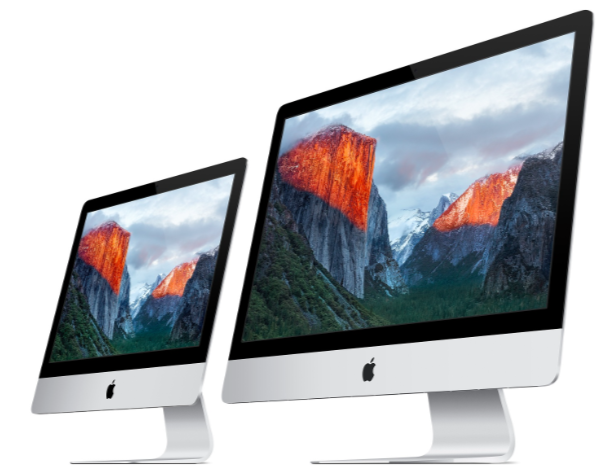

 Preview is the default application to open just about any image or PDF file on your Mac, it’s a great program that blows anything comparable in the Windows world out of the water. One of the greatly underused features of Preview is the ability to view images and PDF files in full screen mode.
 Many Mac users favor Safari as their web browser, it’s the Mac OS X default and generally pretty quick. Safari isn’t trouble free though, and if you’re having problems with Safari’s performance then this MacFixIt article is geared towards you. Jam packed with over 15 tips ranging from performance tweaks to troubleshooting the dreaded spinning beachballs, you’re sure to find something useful to aid you with Safari. Check it out:




