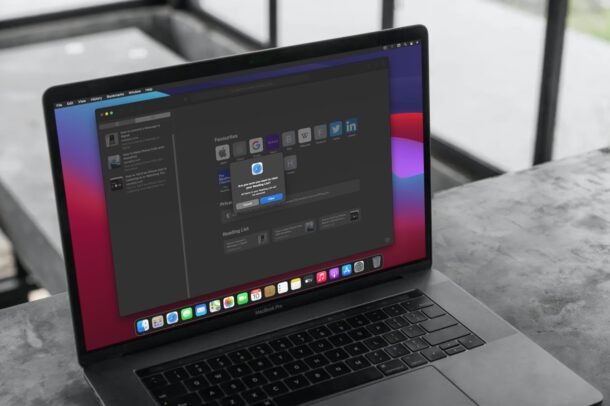
Are you looking to enhance the visuals of a video or movie you captured on your iPhone to make it more appealing? Apple’s iMovie app makes it pretty easy to add filters to videos and movies right on your device, even for beginners who have never edited a video before.
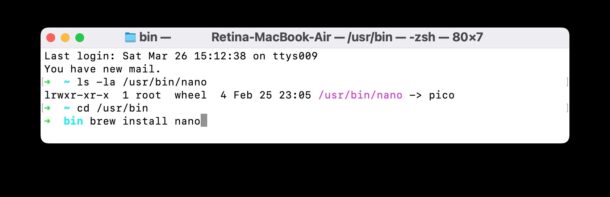
If you’d like to find comprehensive system information about a Mac, you’ll find the Terminal is an excellent way to retrieve this data quickly.
We’ll provide a handy command that reveals extensive system information about a Mac, including the current system software version and build number, kernel version, boot volume, boot mode, computer name, active user name, virtual memory info, SIP status, uptime, Mac model name and identifier, CPU chip, number of CPU cores, memory, firmware version, OS loader version, serial number, hardware UUID, provisioning UDID, and activation lock status. You can also customize the command to get additional details about networking, storage, bluetooth, and other relevant system info data types.
Longing for Universal Control? Want to use a single keyboard and mouse across multiple Macs, or even PCs? You can do that with Barrier, a free virtual KVM switch that allows you to share a keyboard and mouse between computers simply by dragging your mouse cursor to the other computer screen. And you even have a shared clipboard, allowing copy and paste crossing platforms between Mac, Windows, or Linux.
Barrier works great, so if you’ve been waiting for Universal Control on macOS Monterey and disappointed by its delay, this is essentially the same ability offered through an open source project.
Do you use Gmail to schedule emails from your iPhone or iPad? Sometimes, you may change your mind regarding the email you scheduled, and in that situation you would want to stop it from sending automatically on the set date. Luckily, it’s really not that hard to cancel the scheduled email with the Gmail app on iOS and iPadOS.
If you’re living in a world of Zoom Meetings and video conferences, you may want to familiarize yourself with the many keyboard shortcuts available for Zoom on Mac.
With keystrokes, you’ll be able to join and start meetings, mute and unmute your audio, start and stop your video, start screen sharing, view participants, raise and lower virtual hands, increase and decrease the size of the chat window, and so much more.
Ready to become a Zoom keyboard shortcut master on the Mac? Let’s check out a comprehensive list of available keyboard commands and keystrokes for the Zoom app for MacOS.
Ever had a song stuck in your head you don’t know the words to? Don’t know the lyrics of a song quite enough to find it on the web by just typing the lyrics? Google has a solution for you. The Google Search app can identify a song by your humming or even whistling, making it easier to discover new music. This can be done right on your iPhone or iPad.
Is your iPhone not connecting to your network provider automatically? Perhaps, you just off an international flight and your iPhone is simply not detecting any available networks? In such cases, manual network selection may be required to access cellular services once again.
Some Mac Safari users are encountering a Safari failure that causes a curious “NSPOSIXErrorDomain:28” error message to appear, preventing the web browser from working as usual.
The full error message appears seemingly at random when Safari on the Mac is used to open a new Safari window or tab, or when a page is trying to load, and is stated in full as follows:
‘Safari Can’t Open the Page.
Safari can’t open the page. The error is: “The operation couldn’t be completed. No space left on device” (NSPOSIXErrorDomain:28)‘
Variations of the generally vague “Safari can’t open the page” error crop up for various reasons, typically related to a hiccup in internet connectivity or service, but this particular NSPOSIXErrorDomain:28 error message is different in that it shows up even when the connection on the Mac is otherwise working as normal.
Apple has released the first beta versions of iOS 15.4, iPadOS 15.4, and macOS Monterey 12.3.
iPadOS 15.4 beta and macOS Monterey 12.3 beta includes support for Universal Control, which provides the ability to use a single mouse and keyboard across multiple Macs and iPads.
iOS 15.4 beta includes a variety of new features, including the official ability to use Face ID with a mask (the old mask trick method still works too), a new Apple Card widget, iCloud Keychain notes, support for EU Digital Covid vaccination passes, and new Emoji icons including a biting lip, pregnant man, melting face, salute, low battery, bubbles, beans, hands forming a heart, troll, and more.
Want to use a Sonos speaker as your Mac speaker? You can do that, and it’s pretty simple. In fact, if you have a whole Sonos setup with multiple speakers, you can use that entire Sonos sound system as your Mac speaker too.
For example, maybe you want to use the popular Sonos One speaker or set as speakers for your Mac. No sweat! We’ll show you how to do this.
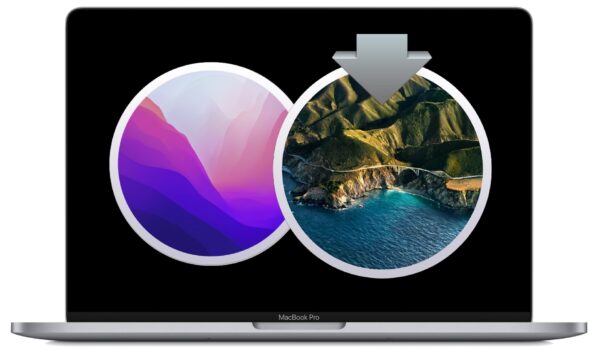
Apple has released macOS Monterey 12.2 for Mac users running the Monterey operating system. The update includes important security fixes and is therefore recommended for all Mac users to install.
Specifically, macOS Monterey 12.2 patches the Safari security leak that gathered some attention recently, along with patching a handful of other security holes and perhaps other issues or bugs. No new features or changes are otherwise expected in 12.2, and support for Universal Control is not included in the 12.2 release.
Mac users running macOS Big Sur and macOS Catalina will find security updates available for their system software versions as well.
Separately, iOS 15.3 and iPadOS 15.3 updates are available to address the same security issues on iPhone and iPad, and updates are also available for watchOS 8.4, HomePod, and tvOS 15.3.
Apple has released iOS 15.3 for iPhone and iPadOS 15.3 for iPad, both system software updates resolve the Safari 15 browser leak bug that generated some attention over a week ago, which allowed a nefarious site to extract a Google user ID along with website browsing data from a device.
The iOS/iPadOS 15.3 updates also include other security fixes, and perhaps a bug update or two, but the release notes are brief, simply stating that the updates are recommended for all users to install.
Additionally, Apple released macOS Monterey 12.2 update for Mac users to address the same Safari security bug, along with macOS Big Sur 11.6.3 and Security Update 2022-001 Catalina. Other system software updates are available for HomePod, watchOS 8.4, and tvOS 15.3 as well.
Need an Escape key on an iPad physical keyboard? If you don’t use the iPad keyboards Caps Lock key for CAPS LOCK, perhaps you’d rather it behave as an Escape key on your iPad?
Have a bunch of HEIC files you want to batch convert to JPG? Whether you transferred a bunch of photos from iPhone or iPad to a Mac or PC only to realize there could be compatibility issues, or if you downloaded photos shared by someone else and they’re in the HEIC format, you may be wondering how you can bulk convert all the HEIC images to a more compatible image format like JPG. There are several ways to do this, but one of the easiest is with the help of a free app.
If you’re a regular iMessage user, you’ve probably shared plenty of web links during conversations, perhaps to share an article, video, tweet, song link, or anything else really. Going back to a thread and finding these links can be a tedious process, but luckily, there’s an easier way that lets you to see all links shared through Messages on iPhone or iPad.
Have you been using Google Meet for making video calls with your colleagues or friends? Want to customize your Google Meet experience a bit by changing your virtual background when you’re in a video chat?