iOS

iOS is the mobile operating system that runs on iPhone, iPad, iPod touch, and other mobile hardware from Apple. Though it may look differently and run on different hardware, iOS is based upon a highly modified variation of Mac OS, the desktop operating system software that runs on Macs.

Search iOS

Dismiss Notifications Instantly in iOS with a Swipe

Sep 30, 2013 - 3 Comments
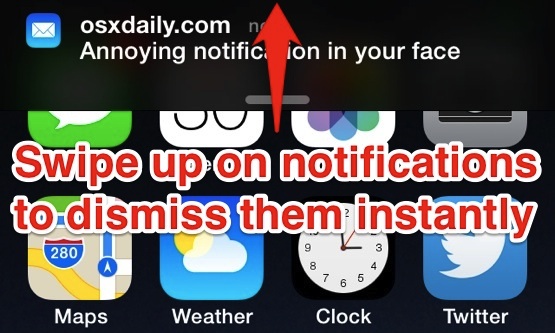
Dismiss Notifications instantly with a swipe up

iOS Notifications can be both extremely useful and persistently obnoxious, depending on what the alerts are for and when they come across your screen. For the times when they’re on the obnoxious end of the spectrum, in your way of doing something on your iPhone or iPad, you’ll be happy to discover that now in … Read More

How to Quit Apps in iOS 8 & iOS 7

Sep 28, 2013 - 1 Comment
How to Quit Apps in iOS 9

Quitting out of running apps in modern versions of iOS is a bit different than it was before, but once you get the hang of using the new multitasking screen, you’ll find the change is for the better. Not only can you use this to close out of a single app, but with a simple … Read More

How to Delete Messages in iOS 12, iOS 11, iOS 10, iOS 9, iOS 8, & iOS 7

Sep 27, 2013 - 4 Comments
Delete an entire message from iOS 7

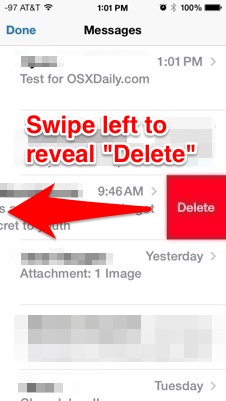
The Messages app received a significant makeover in iOS, and like many other elements of iOS some of it’s functionality changed as well. Many users have noticed that the behavior to delete messages has changed, leading some to believe the deletion feature was removed from Messages entirely (it wasn’t). Let’s review how to remove segments … Read More

Stop Control Center from Appearing in Games & Apps Accidentally in iOS 7

Sep 27, 2013 - Leave a Comment
Prevent accidental Control Center access

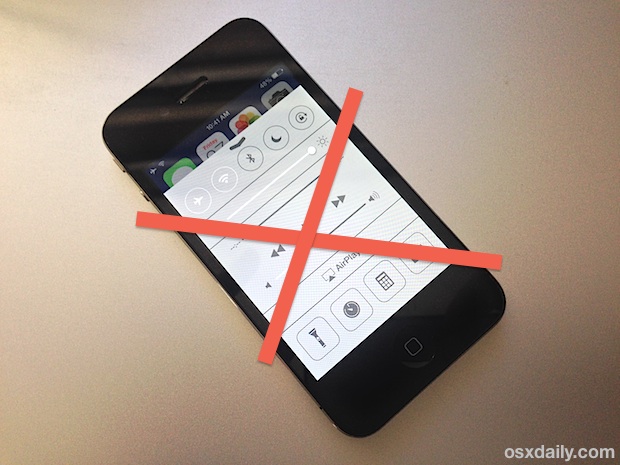
Control Center is one of the better features introduced to the iPhone, iPad, and iPod touch post iOS 7, but because it is accessed with a swipe up gesture it can be fairly easy to accidentally trigger. This is especially true in games where a lot of swiping goes on (like Fruit Ninja), but it … Read More

iOS 7.0.2 Update Available with Bug Fixes [Direct Download Links]

Sep 26, 2013 - Leave a Comment
iOS 7.0.2 Update OTA

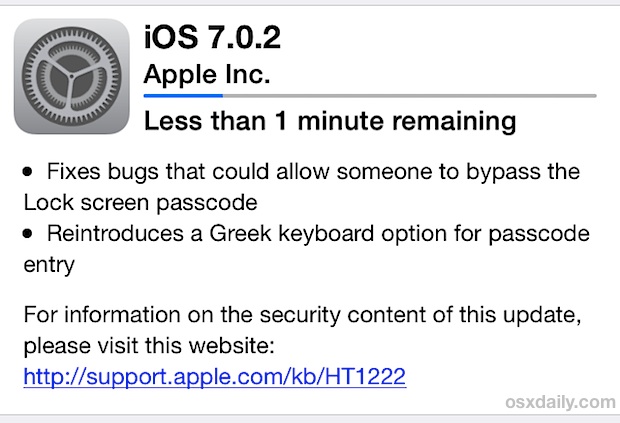
Apple has released iOS 7.0.2 for compatible iPhone, iPad, and iPod touch keyboards, a minor update that apps that is primarily a security release. The update resolves a series of bugs that could have potentially allowed someone to bypass the lock screen passcode on iOS 7 devices, and it also reincludes Greek keyboard support for … Read More

Shoot Photos in Burst Mode with the iPhone Camera

Sep 25, 2013 - 8 Comments
Burst mode camera on the iPhone

Continuous burst mode is a camera feature that rapidly takes a bunch of photos in sequence. It’s a new camera feature that has been toted with the iPhone 5S, but lesser known is that all iPhone models get a variation of this burst mode on their cameras too thanks to the iOS software update. Burst … Read More

Adjust iTunes Radio Stations to Play Hits, a Variety, or Discovery

Sep 25, 2013 - Leave a Comment
iTunes Radio

The iTunes Radio music service offers a great way to listen to your favorite songs and also find new music, and with some minor adjustments you can tune any station to prefer either the hits, wander more into discovery, or a mixture of the both. These three tuning settings are named appropriately, and can be … Read More

Fix iMessage and FaceTime Activation Errors with iOS 15, iOS 14, iOS 13, iOS 12, etc

Sep 23, 2013 - 9 Comments
Fixing an iMessage Activation error

Some iOS and iPadOS users have reported problems activating iMessage and FaceTime on their freshly updated iPhone, iPad, and iPod touch devices. Some of the initial activation errors were probably due to immense simultaneous demand being placed on Apple servers, but since some people are still experiencing this problem after the initial iOS update release … Read More

If You Think iOS 7 Feels Slow Here’s How to Speed It Up

Sep 23, 2013 - 25 Comments
Speed up iOS 7

Most users are satisfied with iOS 7 performance, but some iPhone and iPad owners have discovered the major update has impacted the speed of their devices. If you feel like iOS 7 has made your hardware slower than it was before the update, there are some changes you can make that will likely speed things … Read More

Stop iTunes Radio from Filtering Explicit Songs & Lyrics

Sep 22, 2013 - 2 Comments
iTunes Radio

If you’ve been listening to iTunes Radio and noticed there’s a strong preference to clean songs versus the original versions that may contain some stronger language, you’re not going crazy, it’s actually the default settings choice for iTunes Radio. Listeners of certain genres will probably never notice the difference, but a surprisingly large amount of … Read More

How to Set Messages to Display Full Names on iPhone & iPad

Sep 21, 2013 - Leave a Comment
The Messages app icon in iOS 7

The Messages app in some iOS versions defaults to shortening contacts names to only display their first name. That is done to make things look nice and tidy, and it also helps to prevent an overlap between the contact name and navigational elements on iPhone screens while avoiding name truncation. An obvious problem with this … Read More

Find the iOS Font Hard to Read? Make It Easier to Read with Bolder Text

Sep 20, 2013 - 5 Comments
Make iOS 7 Fonts easier to read

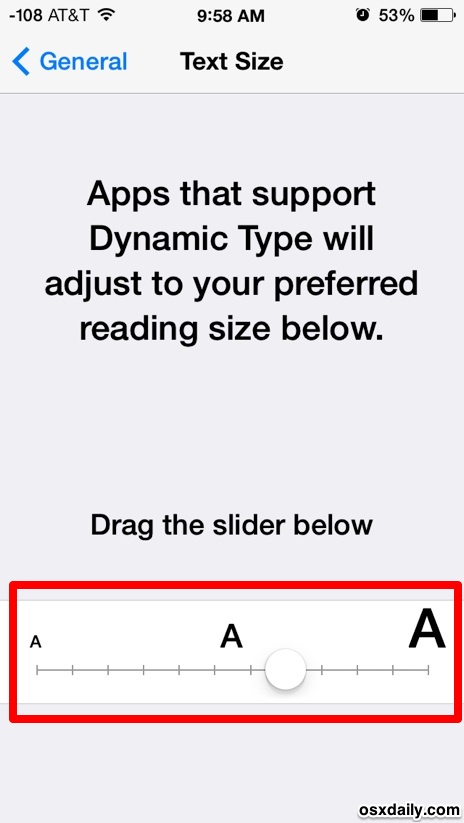
One of the biggest complaints we’ve heard regarding iOS is about the font change in iOS 7, iOS 8, iOS 9, iOS 10, iOS 11, and iOS 213 (the other complaint is usually about battery life, which is also extremely easy to fix). The new default system font is fairly narrow in weight, and as … Read More

Apple TV 6.0 Update Released with iTunes Radio & iCloud Photo Stream Support

Sep 20, 2013 - Leave a Comment
iTunes Radio on Apple TV

Hot off the heals of the iOS 7 and iTunes 11.1 releases, Apple has updated the Apple TV set top box to 6.0 to include some of the same features. Most noticeable is the inclusion of iTunes Radio, the streaming music service, but the Apple TV 6.0 release also includes support for iCloud photo streams, … Read More

iOS 7 Battery Life Draining Too Fast? It’s Easy to Fix

Sep 19, 2013 - 25 Comments
iOS 7 Battery Life

Some users are finding that updating to iOS 7 seems to have reduced the battery life of their iPhone, iPad, and iPod touch devices. Battery issues are often reported with major iOS updates, but this time around the culprits of newfound battery drain are easier to identify, because much of it relates directly to some … Read More

Four Essential Tips to Get Started with iOS 7

Sep 18, 2013 - Leave a Comment
iOS 7 basic tips

iOS 7 is here (you can download it now if you haven’t done so yet). We’ll be covering tons of iOS 7 tips for iPhone, iPad, and iPod users, but first let’s run over four essentials to get everyone started; Control Center and it’s general greatness, quitting apps with the new Multitasking feature, searching your … Read More

How to Install / Upgrade iOS 7 Manually with IPSW

Sep 18, 2013 - 14 Comments
Update to iOS 7 manually with IPSW

The simplest way to install iOS 7 is with OTA update available in Settings directly on the device, but it doesn’t always work for everyone, particularly right now as Apple’s servers are overloaded. Also, many users trying to use the OTA update are encountering an annoying error that says “This update cannot be installed because … Read More

iOS 7 IPSW Direct Download Links

Sep 18, 2013 - 4 Comments
iOS 7 IPSW downloads

iOS 7 has been released, and while most users should update to iOS 7.0 directly on their devices using Over-the-Air, another option is to manually update compatible iPhone, iPad, and iPod touch devices to the latest version by using IPSW firmware. Typically, manual updates with firmware files are considered a bit more advanced, but it’s … Read More

iOS 7 Update Now Available for iPhone, iPad, and iPod touch

Sep 18, 2013 - 5 Comments
iOS 7 logo

Apple has released iOS 7 into the wild. As you likely know by now, it offers a significant visual overhaul to the entire mobile experience, and also includes quite a few new features. Devices compatible with iOS 7 include: iPad 2, iPad mini, iPad 3, iPad 4, iPod touch 5th gen, iPhone 4, iPhone 4S, … Read More

Subscribe to OSXDaily

Subscribe to RSS Subscribe to Twitter Feed Follow on Facebook Subscribe to eMail Updates

Tips & Tricks

News

iPhone / iPad

Mac

Troubleshooting

Shop on Amazon to help support this site