iOS

iOS is the mobile operating system that runs on iPhone, iPad, iPod touch, and other mobile hardware from Apple. Though it may look differently and run on different hardware, iOS is based upon a highly modified variation of Mac OS, the desktop operating system software that runs on Macs.

Search iOS

How to Password Protect iPhone and iPad Backups

May 18, 2010 - 1 Comment

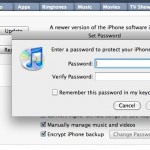
If you’re like me, you store a lot of information on your iPhone that you want to keep private. Accordingly, you might be interested to know that, by default, the backups made from an iOS device to iTunes are not encrypted, and can be dug through rather freely if someone was interested in doing so. … Read More

Stop iTunes from Automatically Opening When iPhone, iPad, or iPod is Connected

May 6, 2010 - 39 Comments

Updated 5/31/2015: By default, iTunes will automatically launch when any compatible device is connected, be it an iPhone, iPad, iPod Touch, Nano, whatever. Having iTunes open itself automatically can be helpful but it can also be annoying, it really depends on your user preferences. If you don’t want this to happen, you can easily turn … Read More

How to Access the iPhone Equalizer

Mar 10, 2010 - 15 Comments

The iPhone default audio settings are a little flat for some types of music, and if you’re not thrilled with the way it sounds you will find it remarkably easy to adjust thanks to the iPhone’s built-in equalizer option. Technically the iPhone equalizer is part of the Music app, it’s not an equalizer in the … Read More

How to Pause App Downloads & Updates on iPhone, iPad, iPod Touch

Mar 5, 2010 - 3 Comments

Did you know you can pause any application download or update on the iPhone, iPad, and iPod Touch? This is great when you’re in a bandwidth bind or have low bars of reception and want to pause an app download so that you can resume it again later. This pausing app download trick is also … Read More

Fix iPhone Cellular Data Problems by Resetting Network Settings

Jan 11, 2010 - 29 Comments

Have you ever had an iPhone experience cellular data problems? Maybe the iPhone has an inability to connect to a cellular network, or some other cellular connection issue occurs that makes it unable to send and receive data or even calls. If an iPhone is experiencing cellular connectivity and cellular data issues or problems, you … Read More

iPhone Tip: Set an “If Found” Note as Your iPhone’s Background Picture

Dec 13, 2009 - 7 Comments
Find a lost iPhone easily

This is a fantastic tip from Apple regarding your iPhone, particularly if you’re prone to losing your device… set a custom background image on your iPhone with some contact information and an “If Found” note. What does that mean exactly? Basically just create an image with some contact details on it and a message to … Read More

Flying? Use In-Flight Wireless When iPhone Airplane Mode is Enabled

Oct 2, 2009 - Leave a Comment

Are you a traveler and flying on an airplane with your iPhone? Then this tip is for you! You can selectively enable WiFi access while your iPhone is in Airplane Mode, meaning you can use a flights wireless internet service without the cell phone itself being turned on. This is really handy since many flights … Read More

How to File a Bug Report with Apple Directly

Sep 18, 2009 - 6 Comments

Though the Mac is fairly error free and tends to run much more stable than some of the competitors out there, many of us will find a bug or two in day to day usage anyway. Sometimes the bugs are minor, sometimes they’re fairly major and can dramatically impact how Mac OS X or iOS … Read More

iPhone Backup Location for Mac & Windows

Sep 11, 2009 - 96 Comments

If you’ve looking for the location of your iPhone Backup files in the file system of a computer, then you’ll be pleased to know they’re easy to find even if a bit hidden. Whether you use Mac OS X or Windows, the iPhone backup process is basically the same; iTunes backs up all of your … Read More

No Undo Button on the iPhone & iPod Touch? Instead, Use Shaking Motions

Aug 21, 2009 - 2 Comments

The iPhone doesn’t have an Undo button, which is something that many of us have wondered about and wished for for quite some time. But that doesn’t mean you can’t perform an undo or redo task on your iPhone, but what you do is perform a shaking motion with the iPhone or iPod touch in … Read More

Subscribe to OSXDaily

Subscribe to RSS Subscribe to Twitter Feed Follow on Facebook Subscribe to eMail Updates

Tips & Tricks

News

iPhone / iPad

Mac

Troubleshooting

Shop on Amazon to help support this site