Mac OS X

Search Mac OS X

Mac Media Center – Setup any Mac as a Media Center Easily

Jun 18, 2010 - 35 Comments

You can setup virtually any Mac as a home theater media center, all you need is the right tools. Yes, that means your MacBook Pro, MacBook, Mac Mini, iMac, even Mac Pro, can all turn into a media center, and it’s a lot easier than you might think. For the purpose of this article, we … Read More

How to Change a Mac Displays Contrast with Keystrokes & Software

Jun 17, 2010 - 9 Comments

It’s possible to adjust the display contrast at a software level in Mac OS X, which can have very dramatic effects, either good or bad, depending on your needs. Most Mac users don’t know this and many may not find it helpful, but used appropriately it can be a helpful Accessibility adjustment for many with … Read More

Create your own Safari Extension

Jun 16, 2010 - 3 Comments

Did you know that anyone can build an extension for Safari? It is no problem, anyone can do it and it’s actually easier than you might think.

Toggle Display of Hidden Dotfile Files in Mac Save Windows

Jun 16, 2010 - 2 Comments

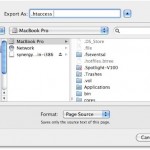
Did you know that you can quickly see or hide all the hidden files in a directory from any Mac Save window with a simple keystroke? This is very useful when you are saving a file to a directory that will appear as invisible, also known as a dotfile in OS X.

Check the status of maintenance scripts on your Mac

Jun 16, 2010 - Leave a Comment

Your Mac runs a series of maintenance scripts on it’s own to clear out various cache and log files. To see when the scripts were last run, type the following at the command line: ls -la /var/log/*.out You will then see something like this: -rw-r–r– 1 root wheel 283124 16 Jun 02:15 /var/log/daily.out -rw-r–r– 1 … Read More

Mac OS X 10.6.4 available for download

Jun 15, 2010 - Leave a Comment

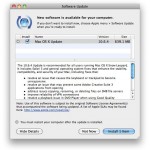
Fire up those Software Updates because Mac OS X 10.6.4 is ready for download. Addressing numerous bug and security fixes, it is a recommended download for all Mac users. It looks like if you haven’t upgraded to Safari 5 yet, this software update handles that for you. The update comes in at a whopping 639.1 … Read More

Use Mail to Track Flights in Mac OS X

Jun 11, 2010 - 1 Comment

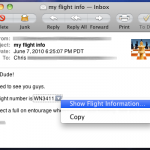
One of the Mac Mail apps many talents is the ability to automatically detect when a flight number is present in an email, and then give you the option to view the flights status by using the flight tracking Dashboard widget in OS X. Yes seriously, the Mac eMail app can track flights! This doesn’t … Read More

Open a Containing Folder in Spotlight on Mac by Hold Down Command Key

Jun 10, 2010 - 4 Comments

Spotlight is amazing at finding files buried deep within your Mac, but what if you found the file you wanted, and you don’t know what folder it’s contained within on the Mac, or if it’s buried deep somewhere in Mac OS X? The answer is as easy as a keystroke, because with a simple key … Read More

Screen Capture in Mac OS X

Jun 9, 2010 - 12 Comments

I use screenshots constantly to share bits of information with people, and they can be really helpful when troubleshooting as well. Here’s all you’ll need to know about taking screenshots in Mac OS X, from capturing the screen in Mac OS X Finder and within applications, to changing the default screenshot file type, to taking … Read More

Enable Single Application Mode in Mac OS X

Jun 7, 2010 - 1 Comment
Single Application Mode in Mac OS X

Single Application Mode is an interesting feature of MacOS and Mac OS X that is often misunderstood, we’ll discuss what the feature is, how it works, and how to enable it on your Mac running nearly any version of Mac OS still in use, whether that’s macOS 12, 11, 10.6, 10.7, 10.8, or newer.

Install an Xcode plugin

Jun 4, 2010 - 1 Comment

So you just downloaded the awesome Xcode code completion plugin (or any other) and you need to get it working… easy. You can install any Xcode plugin by dropping the .pbplugin file into the following directory: ~/Library/Application Support/Developer/Shared/Xcode/Plug-ins If you haven’t used plugins yet, the Plug-ins directory does not exist. In this case, all you … Read More

Quickly Quit Programs Using the Application Switcher in OS X

Jun 4, 2010 - 2 Comments

The Mac OS X Application Switcher is a handy way to quickly cycle through open applications, but did you know you can quickly quit programs you aren’t using with the Application Switcher as well?

Compare images side-by-side directly within the Mac Finder

Jun 3, 2010 - 2 Comments

You can quickly compare any two images side-by-side by using Mac OS X’s QuickLook feature. * Select the two pictures within the Finder that you want to see side-by-side * Hit the Spacebar to enter into QuickLook mode * Click on “Index Sheet” at the bottom of the Quick Look window (it’s the icon with … Read More

Broadcast Notification Style Messages in Messages & iChat on Mac

Jun 2, 2010 - 4 Comments

Did you know you can broadcast IRC-style notification commands in Messages for Mac? Indeed you can, even with Messages in modern MacOS releases. This fun trick was originally discovered with iChat (back when Messages was known as iChat, remember that?) and it’s fair to say that many people never knew about the uses of an … Read More

How to Check for Spyware on the Mac

Jun 1, 2010 - 3 Comments

Spyware is generally something you don’t have to worry about on the Mac, but TheLoop is reporting that a company named ‘7art-screensavers’ is releasing malware on the Mac platform with a series of free screensaver downloads. Apparently the screensavers themselves do not include the spyware, but they attempt to download and install the “OSX/OpinionSpy” app … Read More

Prevent Disk Space Size Info Truncation on the Finder Desktop of Mac OS X

May 31, 2010 - 14 Comments
Finder icon on the Mac

When you have extended information displayed under icons with the Finder from the ‘show item info’ Finder preference, you’ll occasionally run into an annoying truncation with used and available disk space. While one easy solution to this is to expand the spacing to show the full file names of Mac desktop items (the recommended method), … Read More

How to Use Google Chrome Full Screen on Mac

May 28, 2010 - 16 Comments
Chrome

The Google Chrome browser is an excellent choice, because not only is it fast and powerful, but it sandboxes Flash to prevent the plugin from going totally nuts, and it offers tons of customization options. If you’re an avid Chrome user, you likely would appreciate using Chrome in full screen mode, and fortunately, you can … Read More

Stop iTunes Web Links from Opening iTunes

May 28, 2010 - 4 Comments

I’m kind of annoyed when I click a web link and it happens to be an iTunes Store link… iTunes then opens and it takes me out of my browser. I searched around for an easy solution and came across a method that reliably stops iTunes from launching when an iTunes App Store or Music … Read More

Subscribe to OSXDaily

Subscribe to RSS Subscribe to Twitter Feed Follow on Facebook Subscribe to eMail Updates

Tips & Tricks

News

iPhone / iPad

Mac

Troubleshooting

Shop on Amazon to help support this site