Mac OS X

Search Mac OS X

How to Join a Network from Command Line in Mac OS X

May 27, 2010 - 2 Comments

The networksetup utility allows you to join any available network, whether or not it is a router connected through Ethernet, a wi-fi router that is or is not broadcasting an SSID, and whether or not it has any password encryption required. Since most networking is done with wireless communications these days, we’ll focus on joining … Read More

Half-Life 2 now available for Mac

May 26, 2010 - 1 Comment

The popular first-person shooter/action game Half-Life 2 is now available for Mac OS X. At the moment it costs $6.99, which is 30% off the regular $10 price. The expansions of Half-Life 2: Episodes One and Two are also available to download for $5.99 each. System requirements for running Half Life 2 on your Mac … Read More

Open Quick Look in Full Screen: Command+Option+Y

May 26, 2010 - 7 Comments

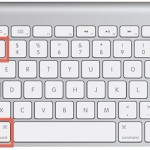
You can instantly open anything in fullscreen Quick Look mode by selecting the item and then hitting the Command+Option+Y keys. If you select multiple files and enter into fullscreen mode, it’s easy to navigate between them by using the arrow keys. You can then exit full screen mode by hitting the escape key. As a … Read More

MagicPrefs Improves Functionality of Magic Mouse for Mac

May 25, 2010 - 5 Comments

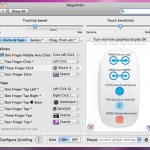
MagicPrefs is an amazing free utility for Mac that dramatically improves the functionality of your multi-touch Magic Mouse. Other than allowing for increased control over the touch sensitivity and tracking speed, you get practically full access to the multi-touch capabilities of the device. With MagicPrefs you can bind various gestures, swipes, pinches, and taps to … Read More

Disable Growl popup notifications in Cyberduck

May 24, 2010 - 5 Comments

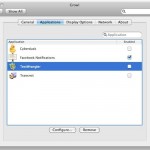
Cyberduck is a great free FTP client for Mac OS X, but on my portable Mac’s 13″ screen the Growl popup notifications really drive me crazy as they appear on each server connection and transfer completion. Oddly enough, if you look around in the Cyberduck preferences, you won’t find an option to disable the Growl … Read More

Show the date and calendar on your Mac desktop with Dateline

May 24, 2010 - Leave a Comment

Dateline is a nice little utility that places a transparent linear calendar on your Mac desktop. It’s pretty customizable so if you want the dates to be horizontal or vertical, or the text color or their background colors to be different it’s just an easy couple of tweaks away. Perhaps the best part about Dateline … Read More

How to Print to PDF in Mac OS X

May 21, 2010 - 34 Comments
Print as PDF in Mac OS X

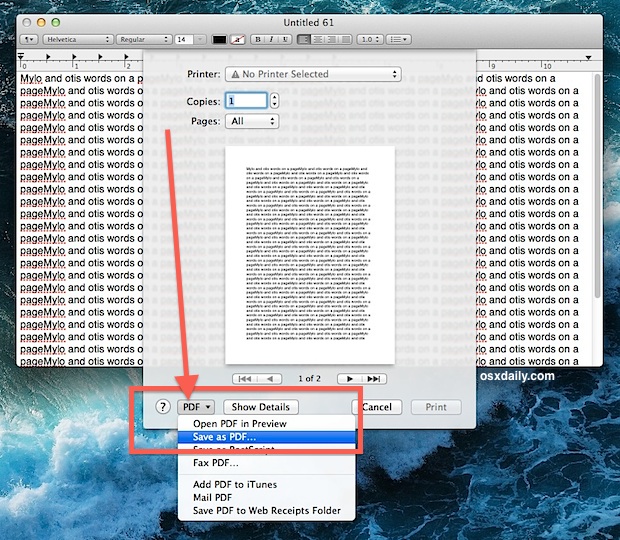
Want to save a document or web page as a PDF file, but you don’t own Adobe Acrobat? No problem, you can print documents, webpages, or nearly anything as a PDF, this means it creates a PDF file directly in Mac OS X using a built-in feature, without the need for any additional software or … Read More

Install an SSD into the optical superdrive slot on a MacBook Pro

May 19, 2010 - 33 Comments

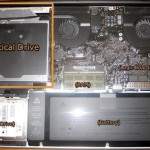
I find myself never using the MacBook Pro’s optical drive, the only time I have used it was to boot Mac OS from a DVD to reformat and reinstall Mac OS X. Now that it’s so easy to install Mac OS using an external drive though, is having a DVD drive really a good usage … Read More

Disable Growl Notifications

May 17, 2010 - 15 Comments

Growl is a desktop notification system that allows applications to publish updates and items to floating windows on your desktop. This allows you to see things like updates, information, and status changes to whatever application is publishing the Growl notification. The advantage to Growl is that regardless of what application has the focus, you’ll see … Read More

Watch AVI Video on a Mac

May 17, 2010 - 10 Comments

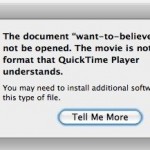
You can watch many AVI movies without any additional software on a Mac just by playing them in the included QuickTime Player (located in the Applications folder). Just double click the file and it should work, as modern versions of QuickTime in Mac OS X support a wide variety of video files and video codecs, … Read More

Re-Run the Last Used Command Exactly With or Without Super User Privileges

May 17, 2010 - Leave a Comment
Terminal

Want to re-run the last executed command? Or what about re-running the last used command but running it as root? You can do both! Ever typed a nice fancy string command into the terminal and been frustrated to discover that you need to run it all over again? Or perhaps you discovered that the aforementioned … Read More

Stop the MacBook Pro and MacBook Screen from Dimming

May 15, 2010 - 26 Comments

The MacBook, MacBook Air, and MacBook Pro screen backlighting is set to automatically dim and adjust in different situations. For the MacBook, it will adjust based on the power source and based on how long the computer is not in use. For the MacBook Pro and MacBook Air, the same is also true, in addition … Read More

Download and install iPhone/iPad SDK

May 14, 2010 - 4 Comments

If you want to start developing for the iPhone, iPod Touch, or iPad, the first thing you’ll need to do is download and install the iPhone SDK. Yes, the iPhone SDK is what you will want to download even if you have no intention on developing for the iPhone itself and only the iPad, they … Read More

How to Download Web & Flash Videos to a Mac with the Safari Activity Monitor Trick

May 14, 2010 - 81 Comments

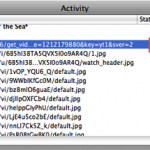
If you want to save and watch many web-based movies and Flash files directly to your Mac for later offline viewing try this neat reader provided tip out. Sent in by Robert Warner, he writes this handy trick to download just about any videos directly to your Mac using only Safari and the little-used Activity … Read More

How to Print Screen on a Mac

May 13, 2010 - 150 Comments
Print Screen to the Clipboard on a Mac with this keystroke

What is known as “Print Screen” in the Windows world is called screen captures or screen shots in Mac OS X. You’ve probably noticed there is no ‘Print Screen’ button on a Mac keyboard, this is to both simplify the keyboard and also because it’s just unnecessary. On the Mac, instead of hitting a “Print … Read More

Switch Mac Function Keys to Work as Standard Function Keys

May 12, 2010 - 13 Comments

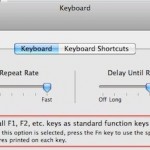
I’ve always preferred the way the original MacBook and MacBook Pro’s handled the function keys, in particularly the way F9, F10, and F11 are used to enter into Expose and Mission Control. For a while now the function keys have changed, they default to playing music, adjusting keyboard backlighting, and adjusting volume levels, I like … Read More

Use Property List Editor to Edit plist Files in Mac OS X for Free

May 12, 2010 - 15 Comments

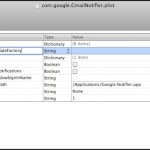
Property List files, or more commonly known as plist files, are basically Mac application specific preference files. They contain information and settings for various applications and are usually in the easily identifiable format of com.developer.Application.plist and located within the /Library/Preferences/ directories at the system and user level. If you simply want to view a plist … Read More

How to Make Applications Minimize Into Their Dock Icon in Mac OS X

May 11, 2010 - 5 Comments

You can make save a lot of clutter from showing in the Dock of Mac OS X by making applications minimize into their own Dock icon. What this means is that if you minimize an app, rather than having the little thumbnail stay on the right side of the Mac Dock, it will minimize directly … Read More

Subscribe to OSXDaily

Subscribe to RSS Subscribe to Twitter Feed Follow on Facebook Subscribe to eMail Updates

Tips & Tricks

News

iPhone / iPad

Mac

Troubleshooting

Shop on Amazon to help support this site