Mac OS X

Search Mac OS X

Convert a Nero Image File to ISO

Sep 25, 2009 - 8 Comments

Someone recently sent me a Nero Image File and I had no idea what to do with it, but after some looking around I discovered you can easily convert a Nero image File to ISO format. Apparently the only difference between a Nero Image File and a typical ISO is that Nero adds a 300k … Read More

What Shell Am I Using? Here’s How To Find Out

Sep 25, 2009 - 5 Comments

Ever wondered what shell you are using at the command line? It’s not unusual to want or need to know which shell is running, and though you may hear this question many times, the answer could be different for every user, thus the easiest thing to do is to issue a terminal command which determines … Read More

Access and Mount an SMB Share via Command Line

Sep 24, 2009 - 4 Comments
Mac Terminal icon

Do you need to access and mount an SMB share from the command line on a Mac? You may be used to connecting to Windows PC from the Mac networking features to mount a Windows share on Mac, but you can also connect to Samba shares from the Terminal too. This article will show several … Read More

How to Hide All Desktop Icons in Mac OS X

Sep 23, 2009 - 58 Comments
Desktop icons disabled in OS X

Want to hide all desktop icons on a Mac? Desktop icon clutter can really impact workflow by overwhelming you with files and just too much stuff to look at. Inevitably, it can be hard to avoid since a lot of apps download things to the Desktop by default, we save things there, screenshots go there, … Read More

Check a Macs Uptime and Reboot History

Sep 22, 2009 - 19 Comments

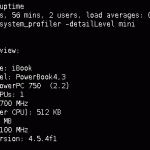
The “uptime” of a computer is how long it has been since it was last rebooted or started up. Since Macs are very stable and generally OS X users rarely have to reboot their machines, the uptime of Macs can reach impressive numbers. You can check the uptime and reboot history of any Mac if … Read More

How to File a Bug Report with Apple Directly

Sep 18, 2009 - 6 Comments

Though the Mac is fairly error free and tends to run much more stable than some of the competitors out there, many of us will find a bug or two in day to day usage anyway. Sometimes the bugs are minor, sometimes they’re fairly major and can dramatically impact how Mac OS X or iOS … Read More

Disable Bonjour by Turning Off mDNSResponder

Sep 15, 2009 - 11 Comments
Terminal in macOS

Bonjour is a great service that runs in the background of your Mac to auto-discover network resources, that is, it’s great until mDNSResponder goes haywire. I was recently in a very creatively crafted network environment that made Bonjour absolutely freak out and tax my CPU with a million processes, so I opted to just disable … Read More

mdworker – What is mdworker?

Sep 14, 2009 - 31 Comments

Ever wondered what the ‘mdworker’ process was on a Mac? mdworker is short for ‘metadata server worker’ and if you’re still confused don’t feel bad. mdworker is basically the core technology behind Mac OS X’s awesome search engine Spotlight, it spiders meta data from your Mac and its files and creates a readable index so … Read More

iPhone Backup Location for Mac & Windows

Sep 11, 2009 - 96 Comments

If you’ve looking for the location of your iPhone Backup files in the file system of a computer, then you’ll be pleased to know they’re easy to find even if a bit hidden. Whether you use Mac OS X or Windows, the iPhone backup process is basically the same; iTunes backs up all of your … Read More

How to Burn an ISO on your Mac

Sep 11, 2009 - 8 Comments

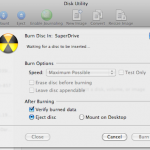
Burning an ISO in Mac OS X is very easy thanks to the built-in Disk Utility application that is included from Apple on every Mac. With Disk Utility being bundled with Macs directly from Apple, it also has the huge added bonus of being free, and although there are plenty of paid options out there, … Read More

How to Tell if Mac is Running a 32-bit or 64-bit Kernel in Mac OS X

Sep 7, 2009 - 20 Comments

Ever wanted to know if your Mac is using a 32-bit or 64-bit kernel? It may seem geeky and in the weeds, but it’s now relevant. Snow Leopard 10.6 is the first Mac OS X version to ship with a 64 bit kernel, and obviously your Mac has to have a 64 bit processor to … Read More

Install Snow Leopard from External Firewire or USB Hard Drive: How to Upgrade to Mac OS X 10.6 Without a DVD Drive

Sep 2, 2009 - 81 Comments

If you have a Mac without a functioning DVD drive (or a MacBook Air), you’ll need to find another way to upgrade to Snow Leopard, thankfully this is very easy, all you’ll need is an external firewire or USB hard drive. You’ll need access to a DVD drive *somewhere* so that you can make a … Read More

The Fastest Way to Email a Picture in Mac OS X

Aug 22, 2009 - 1 Comment
Quickly email a picture from Mac OS X

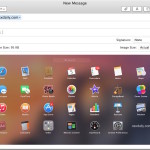
The fastest way to email a picture to someone in Mac OS X is also one of the easiest, and it should be very familiar to most Mac users in that it’s action is remarkably simple.

Preview Not Saving JPG Rotation? Use Exif Data to Fix Rotated Image Display

Aug 14, 2009 - 4 Comments

I was driving myself up the wall recently trying to figure out why the Mac Preview.app would not save my image rotations when I exported a picture from Preview in OS X, so in looking for a solution I stumbled onto our friend MurphyMac‘s site and found a solution! Basically after you have rotated the … Read More

Mac OS X 10.6 Snow Leopard news: gone GM, pre-orders for $29, smarter installation, to be available early?

Aug 13, 2009 - 6 Comments

The Mac Rumor mill is churning out all sorts of juicy tidbits on Apple’s latest operating system update, known as Snow Leopard. MacRumors has said that 10.6 build 10a432 has gone Golden Master, and Daring Fireball has a short cryptic post saying that 10.6 Snow Leopard will be available as early as Friday, August 28! … Read More

Hide any File or Folder by Making it Invisible to the Mac OS X Finder with setfile

Aug 11, 2009 - 18 Comments

If you ever want to hide a file or folder, you can quickly make it invisible with a command line utility called setfile. This is a really cool tip that should be particularly useful to those who share their mac with other people.

How to Rearrange the Menu Bar Icons in the Mac OS X Menu Bar

Aug 11, 2009 - 7 Comments
Finder

The Mac menu bar contains icons for things like the status indicators and toggles of various apps, including a clock, date, time, battery, wi-fi status, sound and volume levels, displays, Time Machine backup status, user account, Spotlight, a Notifications toggle, and much more. There’s a lot of data and status details in those menu bar … Read More

Get All DHCP Info with ipconfig Quickly

Aug 6, 2009 - 3 Comments

If you’ve ever needed to troubleshoot a network or internet connection, you know how frustrating it can be (particularly when you’re on techsupport with various broadband providers). This quick tip can make the job a little easier on yourself by retrieving all relevant DHCP information, like DHCP server IP, client, subnet mask, router, DNS servers, … Read More

Subscribe to OSXDaily

Subscribe to RSS Subscribe to Twitter Feed Follow on Facebook Subscribe to eMail Updates

Tips & Tricks

News

iPhone / iPad

Mac

Troubleshooting

Shop on Amazon to help support this site