Turn iOS Maps into a Virtual Globe by Zooming Out
Have you ever wanted a globe in the palm of your hands? Well thanks to your iPhone or iPad you can have a little virtual world and digital globe, right in your hand!
The Contacts app in OS X makes sharing the contact information of anyone in your address book extremely simple, and if you have iCloud enabled you can share any address from your phone right from your Mac, without reaching for the iPhone itself:
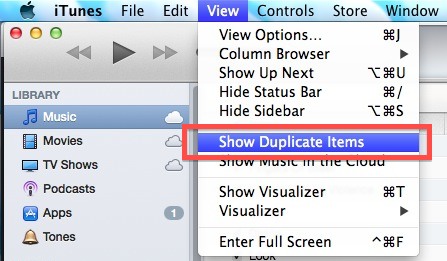
If you upgraded to iTunes 11 you know the default view removed the sidebar with its playlist view. Sure it’s easy to show again, but if you’d rather keep with the new simplified user interface, don’t miss this simple trick to make a new playlist or add songs to a playlist, without using the standard … Read More
Advanced Mac users may have noticed that X11 is no longer bundled with OS X, and it’s also no longer available as a separate installation option through Developer Tools. Instead, to run X11 on OS X Mountain Lion (and later), you’ll want to download and install the free XQuartz system, which bundles all the necessary … Read More
Unlocked iPhone 5 models can now be purchased directly from Apple at the full unsubsidized prices. The unlocked iPhones will work with any supported GSM network, such as AT&T or T-Mobile in the USA, and can be used abroad on compatible GSM networks with a nano-SIM card from local carriers. The factory unlocked models are … Read More
A fair amount of Mac users have encountered long lasting Wi-Fi connection issues, whether it’s a dropping connection, a refusal to reconnect after waking from sleep, or any other number of oddities pertaining to wireless networking. Often these connection problems can be resolved with renewing a DHCP lease and changing the MTU size, but sometimes … Read More
Panorama Mode on the iPhone is easily one of the better features of the devices camera, and it makes taking incredible panoramic images easier than ever. The panorama camera defaults to taking pictures from left to right, but there are times where you’ll want to take a picture from right to left instead, and doing … Read More
Need to locate some embedded page resources in Safari on MacOS? You can do that with Page Resources feature, a handy capability for any web developer, web designer, or web worker. While past versions of Safari included a feature called Activity Monitor that let you easily see and access resources loaded on a web page … Read More
Whether you’re new to the Mac or just can’t figure out where a specific preference option is buried, you’ll love the convenience of the built-in search function in OS X System Preferences. This is an often overlooked feature that can prevent a lot of frustration when looking for some less-than-obvious settings panels, and it’s very … Read More
FlipClock is an appropriately named and wonderfully simple screen saver for Mac OS X that does nothing but show you the time in a very nice retro flip clock fashion. FlipClock is visually pleasing and quite simple, as there are no major frills and no major features to FlipClock, nor do there really need to … Read More
The iPhone gained a handy feature that is now standard in iOS which allows you to quickly respond to an incoming phone call with a preset text message. This is a perfect solution if you’re busy in a meeting, classroom, driving, or in any other situation where you can’t take a phone call, but the … Read More
Air Display is a great iOS app that turns an iPad into an external display for just about any Mac or Windows PC. It’s been around a while, but now there’s a new free version available that lets you try out a full featured ad-supported version before buying the regular version, offering an excellent way … Read More
Listening to music in iTunes can be improved significantly by taking a moment to make three quick adjustments to preferences. Enabling these options takes a few seconds and will be valid for both Mac OS X and Windows: Open iTunes preferences from the iTunes menu Choose the “Playback” tab and check the box to enable … Read More
Don’t want to unlock your iPhone and launch the Calculator app? Bummed that iPad doesn’t even have a default Calculator? No big deal, because Siri can function as a regular old calculator, and it has the obvious added bonus of being handsfree. To have Siri calculate equations for you, just feed Siri numbers and thanks … Read More
Though most Mac users will likely prefer to use Preview to batch resize images because of the ease of use, advanced users often like to go with the command line for repetitive tasks. We’ve discussed sips before as a way to resize, rotate, and flip images, but if sips is combined with wildcards it can … Read More
Surely everyone with an iOS device knows that Maps can be zoomed out by using a two-finger pinch gesture, and zoomed in by using a two-finger spread gesture, and repeating either gesture will continue to zoom the screen in or out as desired. While the gestures are pretty quick, you can zoom in or out … Read More
The quickest way to add a file extension to a group of files that don’t currently have one is by using the command line in Mac OS X. In the example below, we’ll add a “.txt” extension to all files in a single directory, but subbing .txt in the command string will add a different … Read More
AT&T appears to be rolling out FaceTime over cellular connections to more iPhone users on their network. MacRumors was first to discover the quiet change in AT&T policy, and the potentially eligible devices include iPhone 5, iPhone 4S, iPad 3, and iPad 4, with at least a 3G HSPA+ (AT&T’s so-called 4G) connection. Typically, FaceTime … Read More