tips

Search tips

How to Reopen & Restore Windows from Last Session in Safari on Mac

Oct 1, 2010 - 2 Comments

Have you ever closed a window that you really wish you didn’t in Safari? It’s pretty common to accidentally close an important tab or browser window, and sometimes the Safari app will even crash too. But don’t freak out, you can re-open your last browser sessions in Safari regardless of why they were closed. Session … Read More

Show or Hide Macintosh HD and Other Disk Drives on the Desktop of Mac OS X

Sep 30, 2010 - 5 Comments

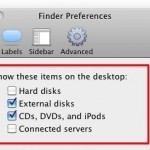
You can easily hide or show the “Macintosh HD” main hard drive from the desktop of Mac OS X, along with any other internal volumes and removable drives by adjusting some Finder options. If you like to keep your disk drives available on the desktop for easy access like this, here’s what you can do … Read More

How to Increase or Decrease a Songs Volume in iTunes

Sep 30, 2010 - 18 Comments

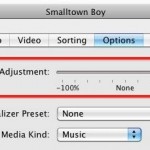
If you come across a song playing in iTunes that is not playing at an appropriate level, perhaps it’s playing back way too loud, or maybe it’s far too quiet and it doesn’t play loud enough for your preference, you can individually increase the volume level of any specific song in your iTunes Library. Likewise, … Read More

Use Finder Windows as Application Launcher in OS X

Sep 24, 2010 - 5 Comments

An underused feature of Mac OS X is the ability to use any Finder window as an application launcher. This is actually a feature of the Toolbar, which is usually thought to just hold things like the back and forward buttons, list and icon views, etc. But in fact, that same toolbar can launch apps … Read More

Triple boot Mac, Windows, and Linux, with rEFIt without using Boot Camp

Sep 22, 2010 - 3 Comments

If you’re looking for a solution to triple boot Mac OS X with Linux and Windows without using Boot Camp, you can do this using a third party boot menu called rEFIt (get it? re-EFI-it? rEFIt?? Alrighty then). rEFIt works very well and, upon boot, you’ll discover a nice menu like the above screenshot on … Read More

Convert DOCX to DOC for Free with your Mac

Sep 22, 2010 - 21 Comments

If you need to convert a .docx file to .doc, don’t pay for one of the many conversion sites or utilities out there. Your Mac has the ability to handle the file conversion entirely on it’s own already built in, and it’s completely free, no downloads or third party software is required. To convert the … Read More

Map a Network Drive on a Mac

Sep 20, 2010 - 48 Comments

If you frequently access a file server from a Mac it’s pretty helpful to map the network drive to your desktop. There’s two ways to do this, one method is just mapped for one time use and will reset after a reboot, and another method is a more permanent route that allows the mapped network … Read More

“Another device on the network is using your computer’s IP address” Mac Error Fix

Sep 19, 2010 - 37 Comments

This is a rather strange error message which you may see in Mac OS X, you’ll get the notification “Another device on the network is using your computer’s IP address” and then you’ll lose internet access with the dialog box telling you to try connecting again later. No thanks, we need internet access now! So … Read More

Zoom into a picture with Quick Look

Sep 17, 2010 - 9 Comments

Here’s a Quick Look tip that’s pretty useful: you can zoom into any picture or PDF within Quick Look by holding down the Option key and then using the scroll wheel or trackpad. Try it out!

Trim an MP3 on your Mac

Sep 16, 2010 - 24 Comments

You can trim any MP3 file for free in Mac OS X thanks to the bundled QuickTime Player app, which comes preinstalled on every single Mac. Though we’ll cover trimming MP3’s, it turns out you can actually use QuickTime to trim just about any audio file, as the app supports many more other audio formats … Read More

Use Tab to Auto-Complete Paths at Go To Folder Screen in Mac OS X

Sep 15, 2010 - 6 Comments
Finder icon on the Mac

You can use the tab key to auto-complete paths within Go To Folder on the Mac, a particularly handy trick to keep in mind the next time you’re navigating directory paths on the Mac. Tab key auto-completion is a feature that many command line users are familiar with, particularly those with a unix and linux … Read More

How to Merge All Open Windows Into Tabs in Safari for Mac Instantly

Sep 15, 2010 - 4 Comments

It’s easy to wind up with an overwhelming number of Safari web browser windows open on a Mac (or Windows too). If you’re like me you tend to have a million browser windows open at the same time, as you read, browse, and research things around the web. This can make it really difficult to … Read More

Disable “application downloaded from the internet” Message on a Per-App Basis in Mac OS X

Sep 12, 2010 - 16 Comments

Mac OS X warns users in a variety of different ways if they have downloaded a file from the internet to their Mac, with a popup message that says something along the lines of “[NAME] is an application downloaded from the internet. Are you sure you want to open it?”, or even “this application can’t … Read More

Access Mac Special Characters with the Character Viewer

Sep 10, 2010 - 13 Comments

Special characters can be accessed easily in Mac OS X through a special floating window called the “Character Viewer”. From within this characters menu, you’ll find a list of various dingbats, arrows, parenthesis, foreign currency symbols, pictographs, bullets and stars, math symbols, letterlike symbols, Emoji, and latin characters, plus a helpful “Recently Used” option which … Read More

Go to a Directory from Open / Save Window in Mac OS X

Sep 9, 2010 - 8 Comments

Did you know that you can immediately open any directory from within the Open & Save dialog windows found throughout Mac OS X? Say you want to open a file contained in a folder which is buried deep in the file system and you know the path, or that you want to save a file … Read More

Disable the iTunes arrow store button within iTunes

Sep 7, 2010 - 11 Comments

You may have noticed that when you select a song in iTunes a little arrow will appear next to the song name, the artist, album, genre, and every other sort category. If you happen to click on that little arrow, you’ll be directed to the iTunes Store for that album or artist. I’m really not … Read More

Make Free iPhone Ringtones in iTunes

Sep 4, 2010 - 303 Comments

Apple took the functionality to buy a ringtone out of iTunes 10 for some reason, but that doesn’t mean you can’t have custom ringtones. You can make your own free iPhone ringtones directly within iTunes 10, iTunes 11, and iTunes 12 this is the best way to go since you don’t have to get any … Read More

Get Inertial Scrolling on older MacBook & MacBook Pro’s

Sep 3, 2010 - 2 Comments

If you have an older MacBook or MacBook Pro and you envy your friends with newer models and their fancy inertial scrolling, envy no more. InertialScroll is a simple freeware utility that allows you to enable inertia scrolling on older Mac laptops, the only requirement is that they have multitouch trackpads (this covers at least … Read More

Subscribe to OSXDaily

Subscribe to RSS Subscribe to Twitter Feed Follow on Facebook Subscribe to eMail Updates

Tips & Tricks

News

iPhone / iPad

Mac

Troubleshooting

Shop on Amazon to help support this site