
Show Folder History in Mac OS X with Back & Forward Buttons in Finder
 The Back and Forward buttons in Mac OS X Finder work much like their respective buttons in Safari or another browser, meaning not only do they go page or forward within the file system, but now Finder windows also track folder browsing history.
After you’ve visited several folders, click and hold on the Back button to display a pull-down menu of the past directories you have recently been at.
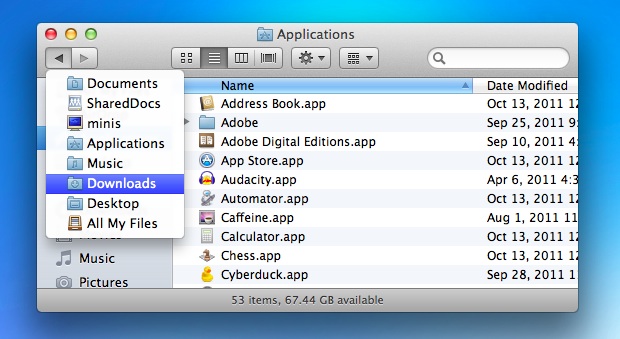
The Forward button works the same way, with a held click showing the history forward, although the forward directories generally only exist after you have gone backward, again functioning like a web browser.
The folder history doesn’t follow the traditional parent/child hierarchy, if you jumped directly to a single folder deeply embedded in the Finder, the Back button will show nothing. In this case, hitting Command + Up Arrow will always go to the parent directory of the currently active folder though.





