Search

Top Posts

Comments

  • Fred: Works fine with my Google Chrome.
  • Dave M.: I’m sorry, but you expected TurboTax to support a “BETA” browser and were surprised that...
  • David: thanks! And Hey I wasn’t calling you a liar just that the image may have been a fake and i said that i...
  • Dagaza: Thanks for the post, itunes also has an option to “Show Exact Duplicates” meaning you don’t...
  • maria Nicolaou: I have a Mac Os X version 10.5.8 and I was wondering if I can change my keyboard to a light one!

Categories

Recent Posts


Archives for Hackintosh

Mac OS X 10.6.2 Update Released. Intel Atom Support Officially Missing, breaks Hackintosh Netbooks

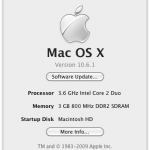
Screen shot 2009-11-09 at 4.33.01 PM Mac OS X 10.6.2 has been released, for most Mac users this is great news because it fixes over 40 problems and bugs, including the rare but very problematic user account deletion bug. If you have an official Apple Mac then go right ahead and update to Mac OS X 10.6.2, but if you have a Hackintosh Mac Netbook… well you will want to hold off. It has been confirmed that the final release of 10.6.2 kills Intel Atom support officially. Hackintosh Guru StellaRolla reports:

The netbook forums are now blowing up with problems of 10.6.2 instant rebooting their Atom based netbooks.

A quick glance at the Hackintosh forums on MyDellMini.com confirms this:

So, I can tell you 10.6.2 DOES NOT WORK with the Mini10v.

OSX tries to start, but it hangs before you can see the apple and system ist trying to boot again … you are in a loop…

StellaRola goes on to note that the OSx86 community is pretty crafty and a modded kernel will likely surface in the near future. In any event, if you have a Hackintosh, hold off on the official 10.6.2 until more information is available.

You can read more about the Mac OS X 10.6.2 Update from Apple.com

[ Sources: Gizmodo: 10.6.2 bug fixes and StellaRola: Official: Atom Not Supported in 10.6.2 and MyDellMini.com Forums ]

Current 10.6.2 build does NOT support Intel Atom chip – Confirmed

Not to sound like a flip-flopping broken record or anything, but it is now confirmed that the latest 10.6.2 build 10C540 does not support the Intel Atom chip, the processor that is so common in Hackintosh Netbooks. Popular Hackintosher StellaRola has confirmed this with his sources, and he even includes a video of a MSI Wind U100 trying to boot 10.6.2 but it is stuck in a continuous reboot (shown below). With how fast things are changing (supported, unsupported), it’s a mystery as to whether the final release will include support for the Atom chip, but as we said before, if you’re a Hackintosh user you should probably avoid the update until it has been confirmed one way or another.

StellaRolla via 10.6.2 kills support for Atom processor

Intel Atom chip again supported in latest 10.6.2 developer build

intel_atom It’s baaaaaack! Like a relentless zombie in a bad horror flick that just can’t be killed, the Intel Atom chip is now supported again in the latest developer build of 10.6.2, 10C53. This doesn’t mean much since it’s just a developer build, but for now Hackintosh Netbook users can feel a bit better about their uncertain future. StellaRolla reports:

…the latest development build Atom appears to have resurrected itself zombie style in 10C535. The Atom lives another day, but nothing is concrete until the final version of 10.6.2 is out.

So that’s all fine and dandy, but will the Atom truly survive? Time will tell.

Thank you to OS X Daily reader Tony for notifying us of this change!

[ StellaRolla via ArsTechnica ]

Hackintosh Netbook users take note: Snow Leopard 10.6.2 update kills support for Atom Processor

intel-atom-logo It’s not out in the wild yet, but 10.6.2 is released and has been confirmed to kill support for the Intel Atom processor, this is especially important for Hackintosh users who have hacked various Atom based netbooks to run Snow Leopard. So what should you do if you have an Atom based Hackintosh Netbook? StellaRolla recommends staying with 10.6.1 (or 10.5.8 if you’re running Leopard on your Hackintosh, sine 10.5.9 will likely have the same Atom problems) for the time being, otherwise you can try upgrading to 10.6.2 but run an older or modified kernel. I think I’ll just stick to 10.6.1 when the update rolls around, I have a lot of confidence in the Hackintosh community so I imagine there will be a workaround rather quickly.

You can’t help but suspect this move is Apple’s attempt at shutting down the growing and popular Hackintosh Netbook community, since Apple has no product line that runs the Atom itself. Mac OS X runs absolutely flawlessly on much of the PC Netbook hardware, once it’s configured you wouldn’t know you’re not on a Mac. Maybe it’s in effort to kill the Atom Hackintoh Netbooks in anticipation of the rumored Tablet? Or maybe it’s something totally unrelated? Who knows, but for now, just take note that when the 10.6.2 upgrade comes out and you use a Hackintosh, you might want to avoid it for now.

StellaRolla: 10.6.2 kills Atom

Update: the most recent 10.6.2 build supports the Atom chip again, whether or not the final version of 10.6.2 will kill the Atom or not remains to be seen.

Update 2: The most recent 10.6.2 build does NOT SUPPORT the Intel Atom chip and this has been confirmed. See link for details.

Install 10.6 Snow Leopard on a Dell Mini 10v – Hackintosh Walkthrough

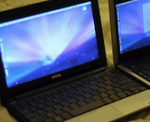
We’ve long been fans of the Dell Mini 10v for Hackintosh purposes, it’s small, quick, attractive, and can be obtained for surprisingly cheap in the $200 range. It looks like the rest of the blogworld is catching on to this little beast of a MacHack Netbook, Gizmodo has an excellent write up on installing Snow Leopard on the Dell Mini 10v, it’s definitely worth checking out. I’d highly recommend buying a refurbished unit from the Dell outlet to save yourself some serious cash (a friend got one for $189!), so check out our guide to a cheap Mac Netbook with the Dell Mini 10v, and then follow the Gizmodo guide to get it all up and running with Snow Leopard. For $200 you can’t go wrong!

Gizmodo: How to Hackintosh a Dell Mini 10v into the Ultimate Snow Leopard Netbook

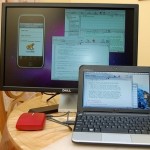
hackintosh dell mini 10v

Lenovo S10 running Mac OS X 10.6 Snow Leopard – Hackintosh

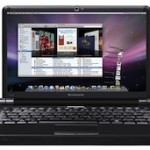
hackintosh lenovo s10 The Lenovo S10 may just be the easiest hackintosh netbook option to run Mac OS X, according to a guide on the site Tech-Chimp. The guide is so short and so simple, it’s almost hard to believe, this is basically what it says:

* Upgrade the Lenovo s10 firmware
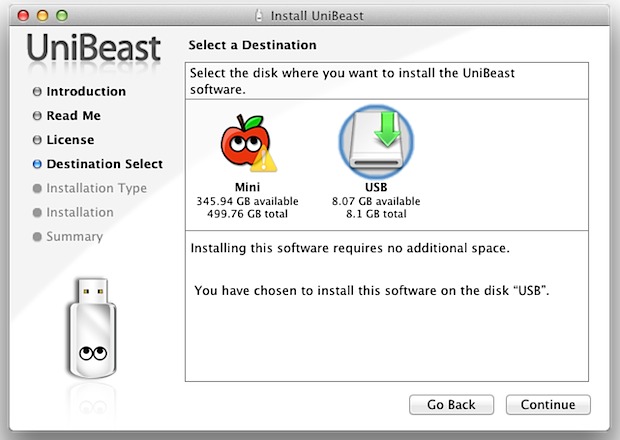
* Using this tool, prepare an 8gb USB key to be the install device
* Boot the Lenovo off of the aforementioned USB key
* Install Mac OS X Snow Leopard, as if on a Mac, but on the Lenovo
* Boot Mac OS X on your Lenovo S10

What?? That’s it? I don’t have a Lenovo S10 to test this on, but if this is true, that is a truly amazingly easy install. They even say that sleep works on some of the models. Here at OS X Daily we usually opt for the turning the Dell Mini 10v into a Hackintosh Netbook because it’s so cheap ($199 refurbed on the Dell Outlet just last week) and it also is pretty easy to install on… but the downside to the Dell Mini 10v hackintosh is that Ram is very obnoxious to install. If we had the ability to test the Lenovo S10 guide from Tech-Chimp for Hackintoshing, it very well may get our hackintosh recommendation, even though it comes at a heftier price tag ($300 according to Tech-Chimp). Read more at Tech-Chimp.com:

Tech-Chimp: $300 Turns a Lenovo S10 into a Mac NetBook Running Snow Leopard

Got a Hackintosh? No more “Unknown CPU” in About this Mac with custom version of PC_EFI

pc efi If you have a Hackintosh PC, you may have noticed that in “About this Mac” you’ll most often see ‘Unknown’ as the CPU type. Yes you can dig around in system files and set it, but wouldn’t you like the CPU to be recognized on it’s own? Now you can! Check out this thread at InsanelyMac Forums where a forum user built a version of PC_EFI with CPU recognition built in. Sweet!

[ InsanelyMac Forums via StellaRolla ]

The Ultimate Resource for Building a Hackintosh Netbook or Hackintosh Desktop

hackintosh_logo_by_kossnocorppng First a quick note, we absolutely adore Apple and all it’s software and hardware offerings, but… Hackintosh machines offer an impressive alternative to the official Apple hardware that we all know and love, and in some cases even fill a niche where Apple has yet to dabble (eg: Netbooks). If you’re in the market for a new Mac and you don’t mind sacrificing Apple hardware’s good looks, and you either want to save some serious cash or just want to geek around a bit, building a Hackintosh is a great solution. The Hackintosh movement is growing strong and steady, so grab a Netbook or build a Desktop PC, follow these hackintosh guides, and join us!

Hackintosh Netbook

hackintosh netbook Here’s a whole slew of guides for creating a Hackintosh Netbook, and some other very helpful links. I’d personally recommend the Dell Mini 10v for ease of use and functionality, but my own hackintosh is actually an Acer Aspire One (which works great with 10.5.6 but wasn’t easy to get there, required a wifi card upgrade, etc).

Hackintosh Mini 10v – this is our guide on how to get a Hackintosh Dell Mini 10v that runs Mac OS X for just over $200. In my opinion, the Dell Mini 10v is the best option for a really awesome Hackintosh Netbook, it’s got good looks, a 10″ screen, and you can get one extraordinarily cheap by following these steps. Only downside is the RAM upgrade hassle.

Dell Mini 9 / Vostro 90 – if you can get over the awful keyboard on the Dell Mini 9/Vostro 90, it makes a great little hackintosh netbook

MyDellMini Forums – Snow Leopard – the most helpful forum group for the Hackintosh Netbook community is catered to Dell Mini owners, check out the Snow Leopard guides and if you have any questions or problems the MyDellMini forums should be your first line of defense

Asus EEE 1000h – a Hackintosh walkthrough for the Asus EEE PC 1000h

HP Mini 1000 – guide for hackintoshing the HP Mini 1000, just about everything works

Lenovo S10 – onboard ethernet does not work but otherwise following this guide you’ll get a fully functional Hackintosh S10

BoingBoing Netbook Compatibility Chart – a pretty solid chart to see which Netbooks can be turned into a Hackintosh and what works and what doesn’t, last updated in July 2009

Virtually Scale Window Size – very helpful hint for Hackintosh Netbook users with limited screen resolutions and real estate to virtually scale down window sizes

Desktop Hackintosh

desktop hackintosh Here’s the best information I know of for building a desktop Hackintosh machine, it’s all based around the infamous Lifehacker guide that shows you how to build a really sweet desktop Hackintosh PC for around $900. The process has gotten even easier thanks to a PKG from Stella and it requires no hacking, just a simple pkg install.

Lifehacker: How to build a Hackintosh with Snow Leopard from Start to Finish – a breakdown of all the hardware and procedures required to build a smoking desktop hackintosh machine, use their newer guide for installing Snow Leopard though

Lifehacker: Install Snow Leopard on your Hackintosh PC with no hacking required – after reading the “how to build” guide from Lifehacker, read this for a much easier method of installing Snow Leopard on your Hackintosh

InsanelyMac Discussion on the Lifehacker Guide – a helpful forum with other Hackintosh users that have followed the Lifehacker guide, and any issues they’ve encountered along the way

Stellarola: Snow Leopard Hardware Compatibility List – repeated below for convenience, Stella is the genius behind the Lifehacker “no hacking” guide

Snow Leopard Hackintosh Compatible Hardware List for a Desktop

Webcams:
* Dynex DX-WEB1C 1.3MP (Fixed Focus Cam and mic built-in)
* Xbox 360 Live Camera (Manually adjustable Cam only)
* Logitech Quickcam Vision Pro for Mac (Autofocus cam and mic built-in)
* HP KQ246AA (Autofocus cam and mic built-in)

Wired Ethernet Cards
* Netgear GA-311 (PCI)
* Trendnet Gigabit TEG-PCITXR (PCI)
* Rosewill RC-400 (PCI)
* Encore ENLGA-1320 (PCI)
* SMC9452TX-1 (PCI)
* Sonnet Presto Gigabit GE1000-E (PCI-e)

Wireless “Airport” Cards
* Asus WL-138G V2 (PCI)
* Dynex DX-BGDTC (PCI)
* Dell Wireless 1505 (PCI-e)

USB Audio
* SYBA SD-CM-UAUD
* SYBA SD-CM-UAUD71
* M-Audio Jamlab
* Griffin iMic

(above desktop hardware compatibility list courtesy of Stellarola):

Got anymore Hackintosh information or links? Share them with us!

Creating a Hackintosh desktop Mac just got easier, thanks Lifehacker!

hackintosh For anyone looking to have a great desktop Mac without paying a small fortune, creating a Hackintosh is becoming an ever-popular solution, and building a Hackintosh just got even easier. Assuming you have the supported hardware, this awesome tool from LifeHacker makes creating a Hackintosh Mac even easier by eliminating some of the more complex technical hacks in favor of running a simple installer! I absolutely adore Apple and their products, but I’m a big fan of the Hackintosh movement, in part because it’s fun and also because it’s a more affordable way to run the best operating system in the world.

If you’re in the market for a new desktop Mac, don’t ignore the Hackintosh option, especially with how easy this is getting to do… Check out the full article on Lifehacker.

LifeHacker: Install Snow Leopard on your Hackintosh PC – No hacking required

[Above image borrowed from Lifehacker]

How I Got an Ultra-Portable 2.5lbs Mac OS X Netbook with a 10″ LCD for $204

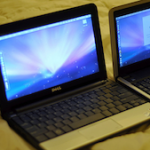
hackintosh dell mini 10v So you want a small lightweight portable Mac OS X machine, the closest thing Apple has in this area is the MacBook Air which is $1600 or more. No doubt about it, the MacBook Air is a great machine but I don’t want to spend anywhere near $1600 for another laptop when I already have a MacBook Pro. I’m thinking a small budget, like really small by Mac standards, how about $250 or less? Impossible you say? Wrong! It’s possible and I did it! Here’s how you can too. Be warned, this is not sanctioned by Apple, and it’s breaking the Mac OS X EULA agreement.

What You Will Need

* $200-$250, expenses vary based on your particular model, coupon code, and luck at the Dell Outlet
* 8gb USB key or external USB hard drive you don’t mind formatting
* Mac OS X 10.5 install DVD or image
* some patience

Finding a Cheap Dell Mini 10v for Hackintosh Purposes

So now you need to find the cheap Dell Mini 10v, the refurbs from Dell Outlet serve this purpose wonderfully. Combined with a discount code from the DellOutlet Twitter, and you have yourself a very affordable Hackintosh. My final price was $204 shipped!

Twitter: DellOutlet – follow DellOutlet on Twitter to get product discount codes, I got one for 15% off from here. They pop up once a week or so and have a limited duration.

Dell.com/Outlet – Mini 10v – check stock and sort by price, it’s a live search so you can constantly refresh it and see different stock from other people dumping their carts. I have seen a Mini 10v for as low as $219 BEFORE using the 15% coupon!

Hackintosh: Installing Mac OS X on the Dell Mini 10v

Gizmodo Guide to install Snow Leopard on the Dell Mini 10v – this is based on the information from MyDellMini forums but it’s made a bit easier to follow and has some nice pictures of progress. If you want to install Snow Leopard on your Mini 10v, this is a great guide to follow.

MyDellMini: Fool Proof No Hassle Mini 10v Install Guide – Fellow OS X Daily author Bill Ellis wrote about theHackintosh Dell Mini 10v several weeks ago, which is what first perked my interest in the topic. I followed the guide he suggested, it works, just follow the steps carefully and it will work for you too.

Upgrades, Troubleshooting, and more

MyDellMini – Install 2GB RAM Upgrade on Dell 10v – I followed the videos here to upgrade the memory. Ok I admit, the RAM upgrade was a total pain, but OS X smokes with 2gb of ram on the Mini 10v so if you’re technically competent and have the patience, it’s the best $19 you’ll have spent in a while. For what it’s worth, OS X runs just fine with only 1GB of RAM but you will see a noticeable speed bump with the 2GB upgrade.

MyDellMini Forums – this is a wildly helpful bunch of people that are quick to help and extremely knowledgeable on the topic, if you have any questions or run into problems at all, this is probably the best place to go.

MyDellMini Forums: Snow Leopard – Now that Snow Leopard is out I’d love to get it running on my little Hackintosh, but I’m going to wait until the process is a bit more streamlined before attempting this. If you follow the MyDellMini forums though, you’ll see many people have successfully installed it already, it’s just a bit complicated. I imagine the Hackintosh community will sort this out pretty soon, it’s a smart group.

Final Thoughts on Hackintosh

Considering how vibrant the Hackintosh community is, particularly focused on Netbooks, I think it points to a hole in Apple’s current product line: a cheap, lightweight, super-portable Mac. Until Apple fills this niche with something (the rumored Mac Tablet, or whatever), I’ll bet the Hackintosh community continues to grow, especially when people are pinching pennies in a recessionary economy. Hopefully Apple steps up and delivers, an Official Mac Netbook or equivalent would be awesome and I would buy one!