Get Movie Details from Nearly Anywhere in Mac OS X with a Tap

Jun 5, 2015 - 4 Comments
See movie showtimes and details on web pages

Now that you can get movie showtimes right from Spotlight in Mac OS X, did you know that you can also get movie details and showtimes from just about any webpage, document, or elsewhere that displays text just as well? Basically, if you can select and highlight the movie text with the cursor, you can … Read More

How to Copy an ISO to a USB Drive from Mac OS X with dd

Jun 5, 2015 - 96 Comments
Find the disk identifier with diskutil list to direct dd to

If you have downloaded an ISO image of another operating system, say Ubuntu Linux or Windows 10, and you wish to turn that ISO image file into a bootable USB installer drive using a USB flash drive or USB key, you’ll find the most reliable way to copy or ‘burn’ the ISO to that target … Read More

How to Name Group Conversations in Messages on iPhone & iPad

Jun 4, 2015 - 11 Comments
Name a group chat in iOS Messages

If you regularly message in group conversations or mass texts with Messages app on the iPhone or iPad, you’ve undoubtedly noticed the group conversations are labeled by the contacts involved in the conversation, like “Bob, Jon, Bill”. While that’s certainly adequate and descriptive enough, a better approach can be to assign a specific custom name … Read More

Find Detailed Wi-Fi Connection History from Command Line of Mac OS X

Jun 3, 2015 - 12 Comments

There are some situations where knowing exactly what wireless networks a Mac has connected to and when that connection was last established can be helpful. We’ll demonstrate how to uncover a comprehensive listing of specifics about previously joined wi-fi networks on a Mac, which will include the last connection date and time (to the second!), … Read More

How to Turn Off (or On) the Stand Up Reminder on Apple Watch

Jun 3, 2015 - 24 Comments
Apple Watch activity goal screen summary with standing reminder

Apple Watch has a variety of fitness tracking and motivational features that are aimed at improving the wearers activity and health, or at least their awareness of it. One of the most notable features for Apple Watch users is the “Stand Reminder”, which, much as it sounds, is a gentle reminder to stand up every … Read More

How to Change DNS from Command Line of Mac OS X

Jun 2, 2015 - 12 Comments
Terminal in macOS

Advanced Mac users may find it useful to know that DNS servers in Mac OS X can be set from the command line, without having to turn to the System Preferences Network control panel. While the GUI Network control panel is undeniably the easiest approach for most Mac users, the command line method offers benefits … Read More

Apple Runs “Shot on iPhone 6” TV Commercials Showing Off Camera Abilities [Videos]

Jun 2, 2015 - 22 Comments
Apple iPhone bird eating cracker commercial

Apple has unveiled a series of commercials which feature video shot by iPhone 6 users. Each of the advertisements shows off the high quality recording capabilities of iPhone, most of which demonstrate some of the more interesting camera features like the ability to easily capture time-lapse and slow-motion video.

How to Minimize (& Maximize) Emails in Mail App on iPhone

Jun 1, 2015 - 12 Comments
How to minimize an email message in iOS Mail app

If you spend a fair amount of time emailing from the iPhone, you’ve almost certainly come across a situation where you’ll be writing out an email, but need to get data or information from another email in your Mail inbox. That used to be a challenge, but modern versions of the Mail app in iOS … Read More

12 Beautiful Green Grass Field HD Wallpapers

May 31, 2015 - 17 Comments
Green grass fields wallpaper collection

Fresh wallpaper is always a welcome addition to Mac desktops and iOS device backgrounds, and photographer Radoslav Holan, who provided us with some amazing bokeh wallpapers before, has offered us a new fantastic collection wallpapers to share. These twelve beautiful high resolution images are of green grassy fields, grass blades, some with flowers, some with … Read More

How to Stop Photos Opening Automatically on Mac OS X when iPhone or Camera Connects

May 31, 2015 - 113 Comments

The Mac Photos app defaults to automatically launch whenever an iPhone, digital camera, or SD memory media card connects to the computer. This behavior can be helpful and desired by some users, but for many others, automatically opening the Photos app can be frustrating if not annoying. Fortunately, you can quickly stop the Photos app … Read More

Assign a Name to Group Chats in Messages for Mac

May 29, 2015 - 15 Comments
Assign a name to group chat in Messages for Mac

When you’re engaged in a group conversation in Messages for Mac, you’ll notice the ‘To’ section lists the names of people participating in the group chat. While that’s certainly adequate for most situations, if you have a specific group chat going for a specific purpose, you can assign a name to any given group chat … Read More

How to Straighten Photos on iPhone & iPad

May 28, 2015 - 7 Comments
Photos iOS icon

Just about everyone has taken a picture that isn’t lined up quite straight, but iOS offers a nice simple way to quickly straighten any photo by tilting the image by a small degree. Whether an image is completely askew or just slightly tilted, you can can quickly correct the image and straighten it right within … Read More

How to Batch Rename Files on Mac OS X Easily from Finder

May 28, 2015 - 42 Comments
Batch Rename Files in Mac OS X Finder

Modern versions of Mac OS X include a built-in batch file renaming tool that allows Mac users to instantly rename large groups of files, folders, photos, or anything else residing on their file system in a single action. This bulk rename item utility is part of the Finder, meaning there are no add-ons, downloads, or … Read More

How to Quickly Type Emoji on Mac with a Keyboard Shortcut

May 27, 2015 - 35 Comments
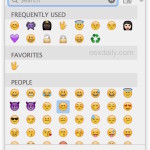
Emoji quick type access panel in Mac OS X accessed by a keyboard shortcut

If you use Emoji characters often in Mac OS X, you’ll enjoy knowing there is a very fast keystroke to immediately access a special Mac Emoji character panel from anywhere text entry is possible in Mac OS. Additionally, you can navigate within this quick Emoji panel entirely with the keyboard, which makes typing Emoji on … Read More

iOS Unicode Bug Crashes Messages & Reboots Devices, Here’s a Fix

May 27, 2015 - 20 Comments
Bug crashes Messages app and reboots iPhone

A bug with text rendering in iOS allows a specifically arranged text message to crash the Messages app on iPhone and iPad and then reboot the device. When the device has booted back again, the Messages app becomes unavailable as it crashes immediately upon launch, which has caused some users to think the problem is … Read More

How to Set Custom Quick Reply Messages on Apple Watch

May 26, 2015 - 6 Comments
Quick reply to messages on Apple Watch

Apple Watch offers quick and seamless communication methods, and one of the most used features for many users is the ability to instantly reply to inbound messages with quick pre-canned replies, emojis, or a dictated message. The quick replies in particular are very useful, and Apple Watch offers a variety of default replies for this … Read More

OS X 10.10.4 Beta 4 Released for Testing

May 26, 2015 - 12 Comments
OS X Yosemite Macs

Apple has released a new version of OS X 10.10.4 beta for those participating in the OS X Yosemite Public Beta program, and for registered Mac Developers. The new build arrives as 14E26a and aims to “improve the stability, compatibility, and security of your Mac”.

How to List All Applications on a Mac

May 25, 2015 - 26 Comments
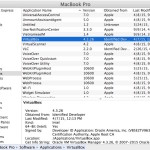
All Applications on a Mac as seen from System Information of OS X

Need to know what applications are on any Mac? Mac OS offers a variety of ways to list apps that are installed on a Mac, and we’ll cover three different approaches to this: a basic listing of installed Mac apps which is sufficient for most user needs, an intermediate and more thorough listing of apps … Read More

Subscribe to OSXDaily

Subscribe to RSS Subscribe to Twitter Feed Follow on Facebook Subscribe to eMail Updates

Tips & Tricks

News

iPhone / iPad

Mac

Troubleshooting

Shop on Amazon to help support this site