How to Save Images from Safari or Mail Onto the iPad & iPhone

May 14, 2012 - 52 Comments

Saving pictures from websites or emails on to the iPad or iPhone is very easy once you learn how. This may be a bit of a beginners tip, but after fielding the question multiple times from relatives and even seeing it popup in comments on wallpaper posts, there are clearly a fair amount of people … Read More

Use IPCC Files with iOS Devices by Enabling Carrier Testing Mode in iTunes

May 13, 2012 - 15 Comments

iTunes carrier testing mode allows you to manually load signed .ipcc carrier files onto an iPhone or cellular iPad, these .ipcc files contain various carrier settings pertaining to voice mail, MMS and SMS, Personal Hotspot, APN settings, and other network-specific preferences. If you’ve used an iPhone on T-Mobile or even as a prepaid phone you … Read More

Set a System Preferences Keyboard Shortcut in Mac OS X

May 13, 2012 - 6 Comments
System Preferences Hotkey

If you find yourself adjusting things in System Preferences often enough, it’s helpful to create a universal keyboard shortcut to quickly launch into the control panels on the Mac. Here is how to do that in Mac OS X:

8 Ways to Keep a Mac Cool in Hot Weather

May 12, 2012 - 43 Comments
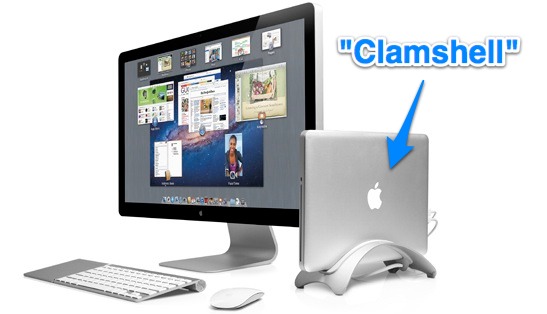
ways to keep a Mac cool in intense heat

For those of us in the northern hemisphere, summer is fast approaching and that can often mean extreme heat which pushes the temperature limits beyond what any computer is intended to operate in. In fact, Apple specifies ambient operating temperatures for most Macs as between 50° and 95° fahrenheit, this means that anything above 95° … Read More

Batch Rotate a Group of Images with Preview for Mac OS X

May 11, 2012 - 6 Comments
Batch rotate a group of images with Preview for Mac OS X

If you have a group of pictures which are orientated incorrectly that you need rotated either clockwise or counterclockwise, you can do that in Mac OS X without any third party apps. Bulk rotation of images can be accomplished quickly with the help of the bundled Preview app, we’ll show you how to use the … Read More

Change the Font Size of Web Pages in Safari for iOS with Bookmarklets

May 11, 2012 - 37 Comments
Change font size on Safari for iPad with bookmarklets

Everyone has run into a webpage where the font size is unbearably small on an iOS device, typically a reverse pinch gesture will make the text legible but on some pages that have a fixed width you then have to scroll sideways in addition to up and down. You can sort of get around that … Read More

9 Gorgeous Retina Resolution Wallpapers to Dress Up the iPad

May 10, 2012 - 7 Comments
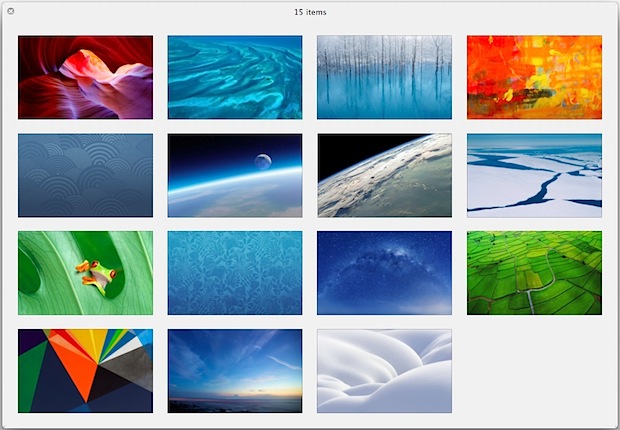
9 Retina Wallpapers for iPad

Everyone loves a good wallpaper to beautify their desktop or homescreen. We try to post some of the nicer ones we find and to continue that tradition we’re sharing 9 more absolutely gorgeous wallpapers that have been sized for the new iPads retina display. Even if you don’t have a new iPad, the resolution of … Read More

How to Stop an App Downloading in iOS

May 10, 2012 - 7 Comments
Stop an App Download in iOS

If you’ve ever started to accidentally download an app of something on an iPhone, iPad, or iPod, or you just decide you want to stop an app download for some other reason, you can pause and stop downloads onto iOS devices that come from the App Store. This tutorial will detail how to stop a … Read More

Disable Elastic (Rubber Band) Scrolling in Mac OS X

May 10, 2012 - 17 Comments
Disable Elastic Scrolling in Mac OS X

Ever since Mac OS X 10.7, the Mac has included the same elastic over-scrolling that exists in the iOS world. Frequently called “rubberband scrolling”, it kicks in as an overscrolling effect that runs out of the scrollable region revealing the linen background before snapping back into the scrollable region. Scroll up quickly with or without … Read More

Download iOS Updates Once for Installing on Multiple Devices

May 9, 2012 - 13 Comments
Download a Single IPSW File for Upgrading Multiple Devices

If you have several iPhones, iPads, or iPods that need updating to the latest version of iOS, you can use a nice trick to save some bandwidth and download a single iOS update file to apply to multiple devices from either Mac OS X or Windows. This is a perfect solution for a family that … Read More

2 Ways to Access Yesterdays Files & Recent Work on a Mac

May 9, 2012 - 3 Comments
Find Yesterdays Files and Work in Mac OS X

By using Mac OS X Smart Folders, anyone can quickly access all files they were working on yesterday without caring about where they were stored or what folders they reside in. There are two ways to set this up, the first will utilize a quick modification to “All My Files” and the second will be … Read More

Navigate the Dock in Mac OS X with These 8 Keyboard Shortcuts

May 8, 2012 - 8 Comments
Navigate the Dock in Mac OS X with the Keyboard

For the power users out there who prefer to leave their hands on the keyboard as much as possible, you’ll be pleased to know that the Dock in Mac OS X can be used exclusively from the keyboard with full functionality. With just the right keys pressed and keystroke combinations, you can navigate around Dock … Read More

Convert Rich Text to Plain Text Quickly in Mac OS X

May 8, 2012 - 7 Comments
Convert RTF to TXT

Rich text format doesn’t always translate well to the web and it often gets garbled through emails sent across platforms. The simplest solution is to convert the RTF to plain text and then either transfer the resulting txt file or paste the content it into an email or otherwise. Here is how you can do … Read More

Like Simplicity? Get a Beautifully Minimalist Clock Screen Saver for Mac OS X

May 7, 2012 - 13 Comments
Minimalist clock screen saver for Mac OS X

Though almost everyone likes a nice photo screen saver and some of the funkier options out there, I’m also big fan of minimalist screensavers that do something simple like displaying just the time. That’s exactly what we have courtesy of Apple UI designer Robert Padbury, two beautifully simple clocks, either in 12 hour or 24 … Read More

Apple’s Inspirational Note to New Hires

May 7, 2012 - 17 Comments
Apple Note to New Hires

For those of us who will probably never work at Apple, this little inspirational new-hire note gives some insight into the company culture and philosophy. Apparently this greets all new employees upon their first day with the company, it reads: There’s work and there’s your life’s work. The kind of work that has your fingerprints … Read More

Enable the Safari Debug Console on iPhone & iPad

May 7, 2012 - 2 Comments
Enable the Safari Debug Console in iOS

Safari for iOS includes an optional debug console to help web developers track down and resolve issues with webpages on iPhone and iPad. Even better, with the latest versions of iOS it actually uses the same Web Inspector that Safari on desktop does too, meaning if you connect the iPhone or iPad to the computer … Read More

Compress & Optimize Images Easily with ImageOptim for Mac OS X

May 6, 2012 - 7 Comments
Image compression app ImageOptim

If you’re at all concerned about the file size of images you should grab ImageOptim, a free image compression tool that is so ridiculously simple it’s basically foolproof, while still being extremely effective. The app works to compress images without reducing image quality, which is achieved by bundling several compression tools, including the popular PNGCrush, … Read More

How to Delete iPhone & iPad Backups in iTunes Easily

May 4, 2012 - 6 Comments
Delete iPhone, iPad, and iPod backups with iTunes

The iPhone, iPad, and iPod backups made with iTunes can take up a lot of local disk space on a computer. If you’ve moved the iPhone or iPad to sync with a new computer, sold an iOS device, or just want to potentially free up some disk space, you can easily delete these backups directly … Read More

Subscribe to OSXDaily

Subscribe to RSS Subscribe to Twitter Feed Follow on Facebook Subscribe to eMail Updates

Tips & Tricks

News

iPhone / iPad

Mac

Troubleshooting

Shop on Amazon to help support this site