How to Reset a Forgot Password in Mac OS High Sierra, Sierra, El Capitan, Yosemite, by Using an Apple ID

Nov 23, 2011 - 9 Comments
Reset a Password in Mac OS X with the Apple ID

Forgetting a user account password can be a major frustration for Mac users, but fortunately there are a some simple and secure ways to recover and reset a lost password on any Mac. One of the best ways to handle this situation and reset a lost password is to use an Apple ID, which allows … Read More

How to Restart Mission Control in Mac OS X

Nov 23, 2011 - 31 Comments
Restart Mission Control in OS X

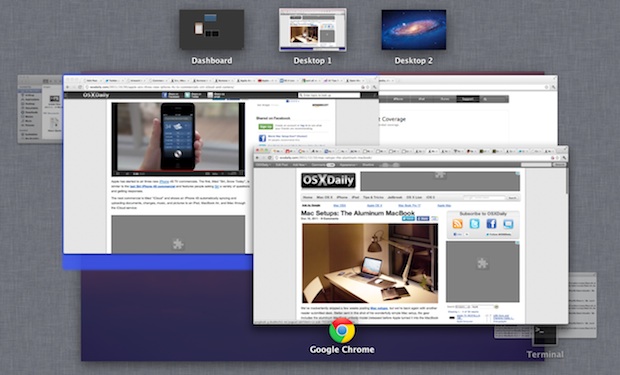
If you make any customizations to Mission Control, or if you encounter obvious problems with how Desktops and apps are handled and assigned, you can restart Mission Control without having to reboot the entire Mac.

Find the Frame Rate & Check Video Stats in iChat

Nov 23, 2011 - Leave a Comment
Check Frame Rate and video Stats in iChat

If you’re recording video chat or just troubleshooting problems with iChat, knowing the frame rate and other video statistics can be helpful information. From the Video menu, pull down to “Connection Doctor”, then select the “Statistics” option from the pull-down menu to see the window shown up top. The group under “Local” is your own … Read More

iTunes Match Icons Explained

Nov 22, 2011 - Leave a Comment
iTunes Match icons explained

If you signed up for iTunes Match and you’re seeing some peculiar icons in your music library alongside track names, don’t miss this chart put together by Apple that explains what each icon means, helping you troubleshoot the problem. The icons include: Cloud with a slash through it – ineligible for iTunes Match X’ed out … Read More

Select Text in Quick Look Windows for Mac OS X

Nov 21, 2011 - 24 Comments
Select Text within QuickLook Windows

Quick Look is one of the better little features of Mac OS X, but a new hidden option in OS X makes QuickLook even better by allowing you to select, highlight, and copy text directly from the windows.

How to Hide System Preference Panels in Mac OS X

Nov 21, 2011 - 1 Comment
Hide System Preferences Mac OS X

You can hide unwanted System Preferences from appearing in the control panel without actually removing them. This is a helpful distinction for setting up other user accounts or just for hiding System Prefs you never access and no longer need:

Show the Location Path of Current Wallpaper in Mac OS X

Nov 20, 2011 - 26 Comments
Show current wallpaper location on the Mac OS X desktop

Ever set a desktop background picture on the Mac and have no idea where the original wallpaper image is stored in OS X? Maybe you set an image from the web and lost it, or maybe you’ve wondered where that default background image is stored so you can share it with your iOS device or … Read More

Show a “Now Playing” iTunes Notification in the Mac OS X Dock

Nov 19, 2011 - 55 Comments
iTunes

Using a defaults write command, the iTunes Dock icon can be set to display a “Now Playing” song and artist pop-up that transitions in and out and music starts. It’s a nice addition, particularly if you’re playing songs from a shared network playlist and have iTunes hidden in the background.

10 Amazing Free Online Computer Science Classes from Stanford University

Nov 19, 2011 - 9 Comments
Stanford University

Stanford University is on a roll lately offering a wide variety of free online courses to anyone, either through iTunes U on topics like iOS 5 Development, or through self-contained courses conducted entirely from the web that are free to enroll in. The latter is the case here, with Stanford offering 10 new online courses … Read More

Send a Message to an iPhone, iPad, or Mac from iCloud

Nov 18, 2011 - 6 Comments
Send message to a Mac from iCloud

With iCloud and the “Find My iPhone” feature, you can send messages to your remote Apple gear. These come through in the form of a pop-up window in Mac OS X and a notification in iOS 5, and while there’s a variety of uses for this, it’s also a fun way to send a quick … Read More

Remove the Old MobileMe Menubar Icon After Switching to iCloud

Nov 18, 2011 - 4 Comments
Get rid of the old MobileMe icon

After you’ve made the transition to iCloud from MobileMe, the option to remove the old and now obsolete MobileMe menu bar icon disappears. It’s easy to get rid of though, as Tony R shows us in this tip he sent in: Hold down the Command key and click and hold on the old MobileMe icon, … Read More

Profile of a Typical iPad Owner: Pet Owning Male Doctor Who Plays Video Games

Nov 18, 2011 - 7 Comments
Typical iPad buyer / owner

What do you think the profile of an average iPad owner would be like? Would you guess that the most likely individual to buy an iPad was a male who owns pets and plays video games, who might be a business traveling doctor or scientist that takes vitamins and prefers organic food? Yup, all those … Read More

Want to Buy a Kindle Fire at a Discount? Here’s How to Save $10 [Today Only]

Nov 17, 2011 - 1 Comment
Kindle Fire

The Kindle Fire is the hottest Android tablet out there, and while it’s no iPad 2, it’s a hot little item either as a Christmas gift or just a cheap tablet for slothing about the house. For $199 it’s hard to beat, but today only you can save $10 through a special promotion between Amazon … Read More

iShred: the Snowboard with an Embedded iPad 2 [Video]

Nov 17, 2011 - 2 Comments
Signal iShred: iPad snowboard

For those of us in the northern hemisphere, ski and snowboard season is upon us, and while it seems like everyone on the mountain has an iPod or iPhone, the guys at Signal Snowboards took the Apple love a step further with the iShred. Yup, the the iShred, it’s a snowboard built to honor Steve … Read More

Apple Dominates the Best Gift Ideas for Kids this Holiday Season

Nov 17, 2011 - 14 Comments
Holiday Gifts

Shopping for kids holiday gifts is notoriously difficult, the last thing you want to do is buy them something they don’t want, or worse yet, something that isn’t “cool”. Thankfully kids are getting easier to shop for (for us geeks anyway), because what do they want? Gadgets, and lots of them. Dominating the top of … Read More

Quickly Search the iTunes Store & iOS App Store from Anywhere in iTunes

Nov 17, 2011 - 2 Comments
Option Return searches the iTunes Store

You can quickly search the iTunes Store and iOS App Store from anywhere within iTunes, all you have to do is hold down the Option key while hitting Return in the standard search box. That’s really all there is to it, with Option+Return you search all purchasable content through the online stores whether its an … Read More

Minecraft for iPhone & iPad Released

Nov 16, 2011 - 2 Comments
Minecraft for iPhone

The highly anticipated official version of Minecraft for iPhone and iPad has been released to the iOS App Store. For those who don’t know, Minecraft is a virtual sandbox building game with a focus on creating your own worlds and structures that are subject to in-game physics. Thanks to basic electrical circuits and logic gates, … Read More

Run Skyrim in Mac OS X with an Unofficial Port

Nov 16, 2011 - 40 Comments
Skyrim in Mac OS X

For the truly dedicated, you can now run Elder Scrolls V: Skyrim directly in Mac OS X thanks to the Porting Team’s unofficial Mac port of the freakishly popular game. The game is played either through a Cider wrapper or Wineskin, the latter being easier but the former apparently having better performance, but in both … Read More

Subscribe to OSXDaily

Subscribe to RSS Subscribe to Twitter Feed Follow on Facebook Subscribe to eMail Updates

Tips & Tricks

News

iPhone / iPad

Mac

Troubleshooting

Shop on Amazon to help support this site