Remove a System Preference Pane in Mac OS X
Aug 2, 2010 - 1 Comment

If you have added any third party system preference panels to the Mac, you can easily remove them if you no longer have a need for that system preference panel.

Tips and tricks for all things Apple! Whether you want to learn tips for a Mac, iPhone, iPad, Apple Watch, or much more, you will find many tricks, tips, tutorials, and excellent walkthroughs for Apple devices and software here.
If you have added any third party system preference panels to the Mac, you can easily remove them if you no longer have a need for that system preference panel.

You can use any iPhone, iPhone 3G, or iPhone 3GS as a pay-as-you-go phone through AT&T’s GoPhone program. AT&T doesn’t officially support using GoPhone with iPhone but that doesn’t mean you can’t do it, and it’s actually much easier than you might expect. You will be able to make calls and use prepaid data, and … Read More
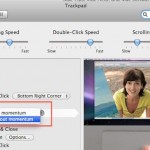
Scrolling with momentum is a feature that is included with some MacBook Pro trackpads (and MacBooks thanks to a recent software update from Apple). The behavior is very much like the iPad or iPhone, when you are scrolling through anything you can give the trackpad a swipe and the speed of your gesture will determine … Read More

Long ago in a time far far away, OK really it was just prior to Mac OS X, there used to be a Trash icon on the Desktop. Yup, earlier versions of Mac OS didn’t have a Dock at all, and the Trash was just another item on the desktop, sitting in the bottom right … Read More

Starcraft 2 is out and it’s pretty much eating all my free time at the moment. I’m still in the process of tweaking my graphics settings for optimum performance, and the easiest way to benchmark Starcraft 2 performance on machines is to check the FPS (frames per second). Here’s how to do that on both … Read More

Apple has launched their official Safari Extensions Gallery, at this time it features 100 extensions out of the roughly 300 out in the wild. All of the extensions on Apple’s gallery have been digitally signed and sandboxed so you don’t have to worry about security problems like some of the Firefox extensions have had in … Read More
You can find out what the manufacturer, model number, and type of LCD panel you have in any of your Macs, including the iMac, MacBook Air, MacBook, or any model MacBook Pro by using a fairly complex looking terminal command. If you’re unfamiliar with the command line, just copy and paste the line below into … Read More
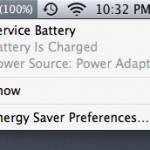
Modern versions of Mac OS have a feature for MacBook Pro, MacBook Air, and MacBook that will report to you the condition of your battery, as shown through the battery menubar item. Usually charging messages are shown there, but there are two other messages you may see in that menu, and they are “Replace Now” … Read More
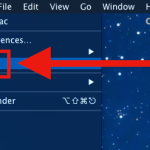
Did you accidentally ignore a Software Update in MacOS or Mac OS X and now you need to install it on a Mac? Perhaps you were putting off a specific update for one reason or another, and now it’s time to install that ignored or hidden update again onto Mac OS X. Fortunately, getting the … Read More
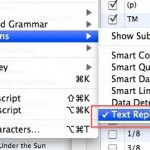
Using Text Substitution, you can easily write any special character or symbol like ™ or ® just by typing something like TM or (r). It can also be used to expand long phrases or particular words by typing shorter abbreviations, for example you could type “myeml” to instantly type out an email address, and it … Read More
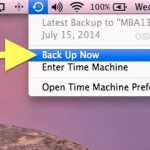
Letting Time Machine run on a routine backup schedule is important for all Macs, but there also times where you’ll want to initiate a backup yourself, like before installing system updates or major Mac OS X upgrades. If you find yourself needing to initiate a manual Time Machine backup, you’ll be happy to know it … Read More

One of the subtle features to iOS that I find myself using really often is the ability to compress photos sent from the iPhone, typically by email. If you’ve ever emailed a picture from an iPhone you’ve probably seen the compression screen, it looks something like this:
Have you ever tried to run a command line tool to discover that you don’t have the necessary privileges to use it? Or perhaps the command itself actually requires root access to run at all? You’ll typically experience this with a ‘permission denied’ type of error message in terminal. Rather then type out the entire … Read More

The iPad has a beautiful screen, there’s no doubt about it. What’s not so beautiful is the glare that you get with a glass screen, and while some users can deal with the glare indoors in most situations, when working with an iPad outdoors it’s pretty difficult to maneuver in such a way that the … Read More
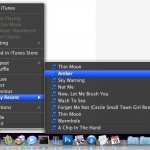
You may have known that you can navigate around music, skip songs, go backward to prior songs, pause, and mute music, all from the iTunes Dock icon, but did you know that the iTunes dock item in OS X also includes a list of the ten most recently played songs? To access the recent songs … Read More
Have you ever put your Mac to sleep, only to find it awake seemingly on it’s own when you return to the machine? I’ve run into this mystery of a randomly waking Mac a few times, and with a few terminal commands you can help track down what caused your Mac to wake from sleep. … Read More
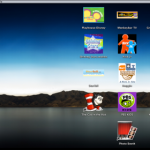
If you have young kids there’s a couple things you can do to make your Mac even more friendly and easy to use for them. The focus should be on simplifying the user experience by reducing anything that’s confusing or distracting. Here are my favorite tricks for making the Mac experience extra friendly for young … Read More

Want to open a PDF file and save it to your iPhone or iPad so that you can read it later? The best way to do that is by downloading the PDF file into the Books app, which runs on the iPhone, iPad, or iPod touch. You’ll need Books (once called iBooks) installed to do … Read More




