Tips & Tricks

Tips and tricks for all things Apple! Whether you want to learn tips for a Mac, iPhone, iPad, Apple Watch, or much more, you will find many tricks, tips, tutorials, and excellent walkthroughs for Apple devices and software here.

Search Tips & Tricks

Expose Keyboard Shortcuts for OS X

Jun 13, 2007 - 6 Comments
Mission Control tips

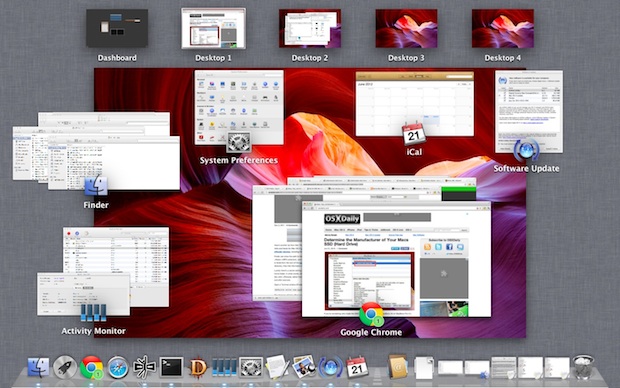
Expose is an awesome feature of Mac OS X that functions as sort of like a window manager and app switcher all in one. I use the feature so often it is almost impossible to live without. If you don’t use Expose, you should start, and this simple little list of keyboard shortcuts with each … Read More

Enable Spell Checking in Firefox Text Input Fields

Jun 6, 2007 - 10 Comments

Here’s a great Firefox tip that I think you’ll appreciate as much as I do, which allows for a spell checking function in web based input forms. To accomplish this, you’ll start by editing an entry within the about:config configuration menu of Firefox, where you can enable spell checking in text input fields. For example, … Read More

Quickly save content from any cocoa app

Jun 4, 2007 - 3 Comments

Mac OS X is filled with useful features to make your computing life easier. Here’s a great Mac tip provided by Chad Barraford: “Ever want to quickly save some content in any cocoa app? Maybe a phone number, directions, a picture, url, etc? Highlight it and hit Shift+Command+Y and your Mac will paste the content … Read More

Borderless QuickTime Playback in Snow Leopard

Jun 4, 2007 - Leave a Comment

Wouldn’t it be nice for QuickTime to be borderless? In Mac OS X you can accomplish this with a little bit of a trick, so if you’re on Mac OS X Snow Leopard or before with Quick Time on those releases you can make a few adjustments for borderless playback. MurphyMac has yet another great … Read More

Display Disk Space and File Info on the Desktop of Mac OS X

Jun 1, 2007 - 6 Comments

Want to see available disk space of drives and volumes on the desktop of Mac OS X? Perhaps you’d like to see information about files and folders that are on the Mac desktop as well, including dimensions of images, and data about file counts contained within folders. You can reveal this information easily with a … Read More

Command Line Shortcut for Lengthy SSH Commands

May 31, 2007 - 4 Comments

We love tips that make your computing life easier, and this command line tip from Cedrik Morgan falls into that category, making a lengthy ssh command quite a bit shorter by creation of an alias. Here’s what Cedrik writes in:

Stop DS_Store file creation on network connections

May 29, 2007 - 4 Comments

If you use your Mac on a cross platform network often, you’ve surely run into the obnoxious creation of .DS_Store files. If you’re curious what the file is used for, DS_Store is a hidden file for Mac OS X that stores various bits of data for the Finder to remember, like icon position, making it … Read More

Open a Text File to Specific Line Number at Command Line

May 28, 2007 - 4 Comments
Quickly make a file backup from the command line

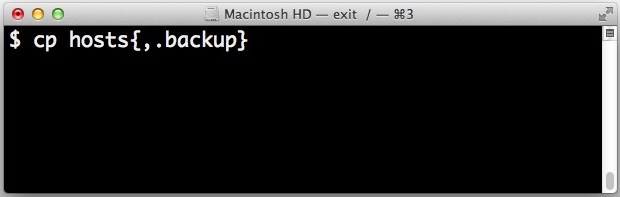
Have you ever known that you need to open a specific text file to a specific line number? Perhaps for a code review or adjustment, whatever the reason this is fairly common. Rather than open the text file in nano or vim and then navigate to the line number you want to access, there is … Read More

Shutdown your Mac Without the Warning Dialog

May 28, 2007 - 8 Comments
OS X Power controls for shut down reboot etc

If you want to quickly shut off your Mac without seeing the warning dialog and without any sort of confirmation from the familiar power dialog box or otherwise, you can do that with a little known key modifier trick. Be aware that this approach is fairly abrupt, so you’ll want to use this sparingly for … Read More

Mac OS X Word Completion & Suggestion Feature is Useful, but Little Known

May 26, 2007 - 4 Comments
Automatic word completion feature in Mac OS X is little known but very useful

The Mac has a built-in word completion and word suggestion feature that is intelligent and works incredibly well. This OS X feature is not quite predictive text or QuickType like exists in iOS, but it’s fairly similar and all you need to do is give it a start. You’ll find this very useful if you … Read More

Learn a Firefox Keyboard Shortcut to Retrieve Closed Tabs

May 24, 2007 - 44 Comments
Firefox logo

Ever closed a browser tab in Firefox and wished you hadn’t done so? A simple keystroke can retrieve that closed browser tab! I can’t count the number of times I have been closing windows or tabs and have accidentally a tab that I wanted kept open. In the past, it has been annoying at best … Read More

How to Chat on AIM from Behind a Firewall with iChat

May 23, 2007 - 16 Comments

It is not unusual for companies and schools to block certain ports to prevent people from using things like P2P networks and AIM. But the AIM chat protocol is quite popular, so if you want to use it and you find it to be blocked on a network, you can probably get around it by … Read More

Using secure tunnels with SSH

May 23, 2007 - Leave a Comment

This looks to be a week of SSH tips, beyond secure WebMail access with SSH tunnels, MacApper.com has a nice post about using secure tunnels to surf the web and talk on instant messengers. Why is any of this SSH stuff useful or important you may ask? In short, SSH provides a very secure protocol … Read More

Turn On Slow Aqua Animations Permanently in OS X

May 22, 2007 - 2 Comments
Resizing a window instantly in OS X

The Mac OS X GUI and all it’s eye candy is a pleasure to use and look at. Perhaps you’ll remember a while back from our Fun Eye Candy Effects article that by holding down the Shift key, you can slow down virtually any Aqua effect in Mac OS X, from minimizations, window sizing, to … Read More

Ask OS X Daily: How Do I Force Open a File on Mac?

May 22, 2007 - 5 Comments
App Store icon

Reader Mathew Prairen asks a common question about forcibly opening files with an application on the Mac, and it has a remarkably simple answer: “I have a few documents and files from my PC that Pages refuses to open, is there any way I can force Pages to open these files?” As a matter of … Read More

LifeHackers Top 10 Mac OS X Tweaks

May 21, 2007 - 1 Comment

Almost everyone likes tweaking their Mac, and LifeHacker has posted a great list of tweaks for Mac OS X users that you’re sure to enjoy. A few of the tips have been covered by OS X Daily before, but there will likely be some that are new to you.

15 Must Know Firefox Shortcuts for Mac

May 18, 2007 - 24 Comments
Firefox logo

Firefox is a great web browser for Mac that offers a lot of benefits, and one way to really improve your Firefox experience is to learn and master some keyboard shortcuts for Firefox on Mac OS. Whether you use Firefox as your default Mac web browser, or as just one of a variety of other … Read More

Make hidden Applications transparent in the Dock

May 17, 2007 - 11 Comments

Here’s a simple Dock hack that is really useful for those of us who have many applications open at once. When activated, icons of applications that are hidden (either by right clicking the icon in the Dock, or by option-clicking away from the application) will appear transparent within the Dock like the screenshot shows with … Read More

Subscribe to OSXDaily

Subscribe to RSS Subscribe to Twitter Feed Follow on Facebook Subscribe to eMail Updates

Tips & Tricks

News

iPhone / iPad

Mac

Troubleshooting

Shop on Amazon to help support this site