If you’re an iPhone or iPad user with an Exchange email account configured on your device, you can setup auto-responders for automatic “Out of Office” or vacation auto-reply messages. Effectively this means that if someone sends you an email, your iOS device will automatically respond with a pre-defined message to that recipient, usually saying something along the lines of “I’m away from the office right now, if this is urgent then contact Santa Claus at 1-555-555-5555”.
These automatic email replies are fairly common (or even necessary) with some work environments, and so if you’re interested in setting one up on your iOS device then read on.
Twitter for iOS offers a “Dark Mode” setting that shifts the apps appearance to a darker color spectrum of grays, blues, and blacks, making it easier on the eyes at night or in dimmer lighting situations.
Of course some users may just prefer the Twitter app appearance when in dark mode or night mode too, since it looks a bit more sleek on an iPhone or iPad.
Whatever the reason, you can enable Dark Mode in Twitter app for iPhone and iPad rather easily.
If you’re interested in using the Cloudflare DNS service on an iPhone or iPad, you’ll find it’s a fairly easy configuration process to setup your iOS device to use the ultra-fast and privacy-focused DNS service. This tutorial will detail that setup process.
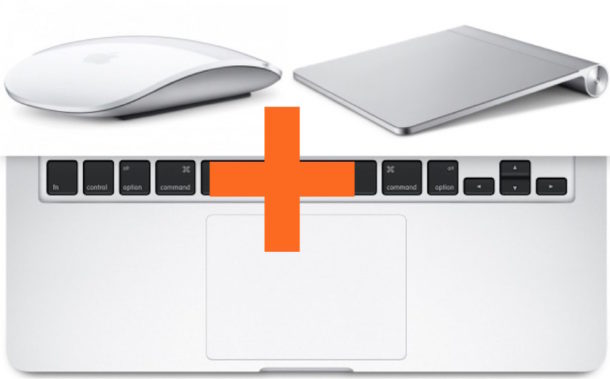
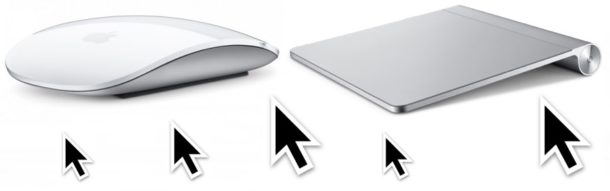
Some Mac users may find that if they connect an external mouse or trackpad to their MacBook or MacBook Pro, the internal built-in trackpad then no longer works. This may appear like a bug, and some users may think it’s a hardware problem, but the good news is that the inability to use both a mouse and trackpad at the same time on a Mac almost always has a simple software solution.
This walkthrough will quickly show you how to fix this issue and get a MacBook Pro or MacBook able to work with both the built-in trackpad as well as an external mouse or external trackpad.
Need to compare two files side-by-side for differences? BBEdit for Mac makes finding and identifying file differences extremely easy with any compatible text format. This is a great solution for developers, programmers, writers, or anyone else who works with code, scripts, or plain text documents frequently and wants an easy way to check for differences in two text files while staying in the familiar GUI.
The ability to offload apps from an iPhone or iPad offers an alternative method to save storage space on an iOS device, as offloading apps removes the app from the device while still preserving that apps related data.
Preserving the apps data is what makes offloading apps unique and different from simply uninstalling an iOS app, because typically if you delete an app from an iOS device that apps data and documents are deleted with it. Offloading apps instead removes just the application, but by saving the app data it allows the app to be reinstalled again in the future and immediately be where it was left off, without any loss of related documents and data that were in the app.
Just about all modern web browsers default to maintaining a history log of your web browsing activity, and Safari for Mac is no different. This article will focus on how to access your Safari history on the Mac, and also how to search Safari browsing history for specific words, terms, and matches.
Accessing and searching through Safari browser history can be helpful for tracking down websites or articles that were previously visited on a particular topic but that you’ve since forgotten, retrieving previously visited websites, looking for a particular match, amongst many other valid uses for individual users, parents, public computers, information security, systems administrators, and much more.
CloudFlare now has a consumer DNS service that is very fast and also centered around privacy. CloudFlare DNS says they won’t log IP addresses or sell your data, which in the modern era is perhaps more important than ever for users who value the vague concept of internet privacy.
This article will show you how to setup and use CloudFlare DNS on a Mac.
Some iPhone users may find that cellular data is suddenly not working. The inability to transmit cellular data can seemingly happen spontaneously, and while you can typically still make or receive a phone call when this happens, you just can’t send or receive any data transmission for things like using the web, imessage, social media, or use online apps.
Obviously a cellphone is most useful when it has the capability of connecting to and using a cellular network, so if you’re experiencing an inability to use cellular data you’d be understandably perturbed.
The good news is that the vast majority of cellular data connection problems on an iPhone are easy to fix, and most incidents are just the result of accidentally toggling a setting or two (or someone else accidentally doing so, like a kid fidgeting with a parents iPhone). Let’s jump right to it and troubleshoot non-functioning iPhone cellular data.
The iPhone defaults to having two kinds of alerts, an auditory alert and a vibration alert, so if your iPhone is ringing or getting a message then your phone will make a sound as well as buzz. If you flip the Mute switch on the iPhone, then the auditory alerts will silence, but you’ll still get the vibration alerts. That default state may be ideal for most iPhone users, but some others may prefer to have absolutely no vibration coming out of their iPhone at all, ever.
This article will show you how to completely disable all vibrations on the iPhone.
By disabling vibration system-wide in iOS, every situation you’d normally get a buzzing vibration as an alert or a notification will no longer vibrate ever. This makes it so if the iPhone is not on mute mode, then the auditory alert still kicks in but without a physical vibration, and if the iPhone does have the mute switch enabled then there is neither an auditory alert like a ringtone or text tone, nor a vibration. The iPhone will be truly completely silent and offer no physical indicator that an alert is going on.
Some Mac users may encounter a weird issue where they attempt to single click their mouse or trackpad but a double-click is registered instead of the intended single click. This is obviously frustrating since a double-click in the wrong place can perform actions you may not want to perform, like full screening a window or opening an app, folder, or document, or even something more annoying.
If you have noticed that a Mac is erroneously registering double-clicks instead of single clicks of the mouse or trackpad, read on to learn a few ways to troubleshoot the issue and potentially resolve the problem.
The grep command line tool is wildly useful for searching through text data for lines and snippets that match a defined string, character, word, or regular expression. While most uses of grep are for sorting data for syntax matches, what if you want to exclude a word or string with grep instead? Excluding line matches with grep is equally as useful as finding and printing matches in grep, so let’s cover how to exclude string matches and exclude words with grep.
Advanced Mac users, administrators, and developers who wish to test Mac OS in 64-bit mode can do so with the help of a terminal command. Essentially this will only allow 64-bit applications and processes to run on the Mac, which can be helpful for discovering what (if any) apps, tasks, components, processes, and items may need updating, or could be problematic in future Mac OS releases that no longer offer full 32-bit compatibility. While 64-bit only mode is active, no 32-bit processes will execute at all.
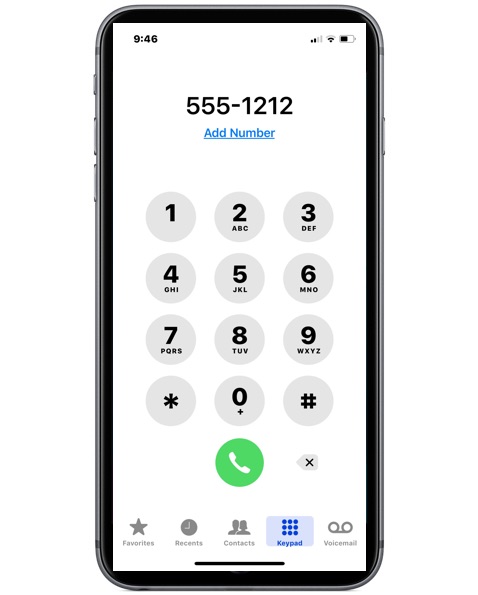
iPhone users may wonder how they can mute the dialing sound effects that are played when a phone number is being dialed into the numeric keypad on an iPhone. Each time you press a number button on the phone keyboard, a new sound effect plays. Some of you may be thinking, that’s great and all but how do you turn off those sound effects when dialing a number, so that I can dial a number in silence from the iPhone?
It turns out there is a way to silence the audio sound effects when dialing phone numbers on an iPhone, read on to learn how to accomplish the task.
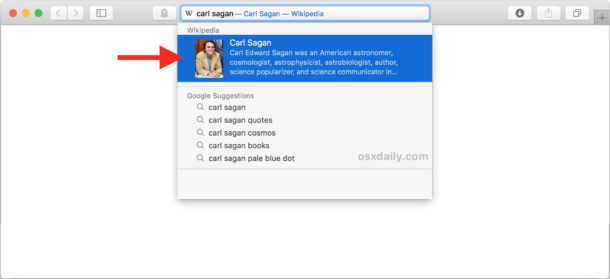
The Safari browser for Mac offers a feature called “Safari Suggestions” which detects what you’re typing into the URL bar / search box and, much like the name implies, offers suggestions based on what you typed. For example, if you type “AAPL” into the Safari Search box, you’ll see the stock price for that ticker symbol as it appears directly under the Safari address bar, or if you type “Carl Sagan” you’ll see a short blurb and a link to Wikipedia appear under the Safari URL bar.
Many Mac users undoubtedly like Safari Suggestions since it can offer a shortcut for searching and finding specific information, but some users may not appreciate the feature and would rather disable it.