How to Stop Autocorrect “i” to “A [?]” on iPhone and iPad
Nov 6, 2017 - 13 Comments
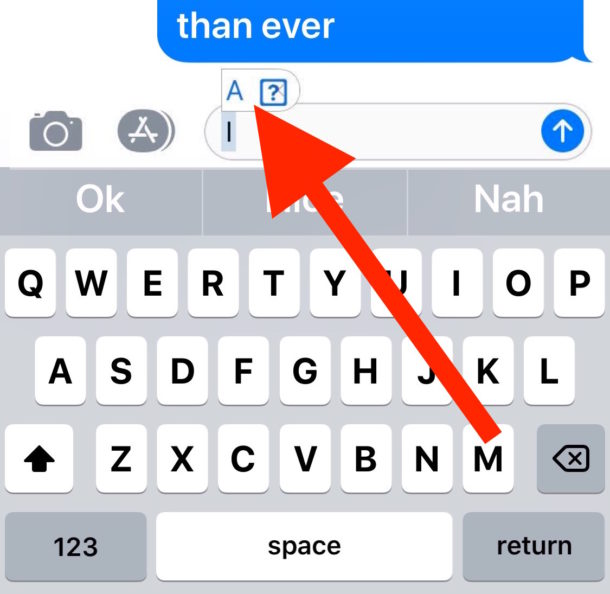
Have you been trying to type “i” but it’s replacing itself with “A [?]” constantly on your iPhone or iPad? This is because iOS 11.1 introduced a curious bug for many iPhone, iPad, and iPod touch users that causes the letter “i” to autocorrect to the letter “A” usually followed by a square symbol with a question mark in it, looking something like this: “A [?]”
Apple is aware of this curious bug and will apparently offer a bug fix software update to resolve the problem. But in the meantime, Apple also offers a workaround solution using the text replacement feature of iOS.
By Paul Horowitz - iPad, iPhone, Troubleshooting - 13 Comments