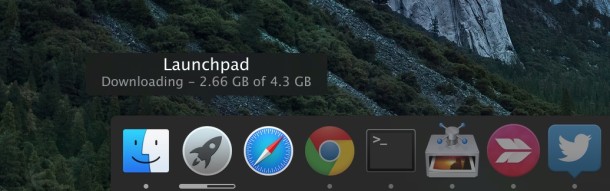
A nice way to quickly visit your favorite website(s) is to add a website shortcut for that site to the Dock on Mac OS X. Once a website shortcut has been added to the Dock, simply clicking on it will both launch the browser and immediately load that site.
CarPlay allows an iPhone to show maps, directions, messages, calls, Siri, and music on a compatible in-dash car display, making it easier and safer to access some iPhone features while you’re in a car. The CarPlay feature is increasingly supported on new model vehicles and there are aftermarket in-dash CarPlay units available as well.
Whether you have a new car, are using a rental, or have one of the aftermarket CarPlay units, we’ll show you how to quickly set up CarPlay to connect an iPhone to the car dash display.
Most iPhone and iPad users will want to enable the pop-up blocker in Safari for iOS in order to prevent annoying popups and nuisances, but sometimes the built-in Safari pop-up blocker is overly aggressive and wrongfully blocks a popup on a site where pop-up usage is required for the site to work as intended. For those situations, users can choose to disable the pop-up blockers in Safari for iOS easily, and it’s just as easy to toggle the feature back on again too.
The Opera web browser is perhaps best known more recently for having a great free VPN included in the browser, and while it’s generally a good web browser alternative, the latest versions include a rather annoying pop-up feature that shows up any time any text is selected in the app. Fortunately, you can disable the pop-up nuisance and select text normally in Opera again.
MacOS Sierra Public Beta is now available to download and install for any Mac user interested in testing the upcoming operating system. Remember that beta system software is less stable and notoriously buggy, so this experience is recommended for more advanced users or those with a secondary computer they don’t mind running beta system software on.
This guide will walk through how to enroll in the macOS Sierra public beta program, as well as how to download and install macOS Sierra 10.12 public beta onto a Mac. Read more »
iOS 10 Public Beta is now available for any iPhone, iPad, or iPod touch user to try out and install onto their devices right away. Keeping in mind this is beta system software, the experience is buggy and much less reliable than a typical final release of iOS would be, making the beta testing participation best reserved for advanced users or at least by installing it onto a non-primary device.
We’ll show you how to enroll in the iOS 10 public beta program, and how to download and install iOS 10 public beta right now.
Having email in your pocket is one of the many great features of an iPhone, and so properly responding to emails is rather important. This may seem obvious and straight forward, but many newcomers to the iPhone platform have difficulty with email replies, often choosing to reply to the wrong sender, to reply to an email instead of forward it, or some variation thereof.
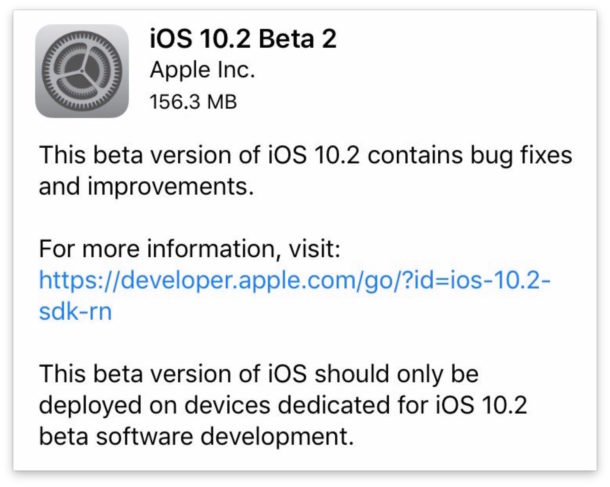
Apple has released the fifth beta versions of iOS 9.3.3, OS X El Capitan 10.11.6, and tvOS 9.2.2. The new beta builds likely continue to improve on existing bug fixes, security enhancements, and minor adjustments as they march towards a wider general public final release.
Mac administrators may find themselves in a situation where they need to display a list of all user accounts on a particular Mac by way of the command line. We’ll review a few methods for advanced individuals to list all accounts, both user and system, on any Mac with any version of Mac OS X system software.
Apple has released the second beta version of iOS 10, the new build arrives as 14A5297c and is available for compatible iPhone, iPad, and iPod touch hardware. Likewise, Mac users will find macOS Sierra beta 2 available as an update if they are running the current developer release, and finally, tvOS 10 beta 2 and watchOS 3 beta 2 are available for Apple TV and Apple Watch devices as well.
Action sequences are notoriously difficult to get a picture of, and that’s where taking photos with Live Photo on iPhone can be particularly great. This is especially true with any activity shots or moving items, whether it’s for sports, people goofing around, or various celebrations. For those with newer iPhone models, using the ability to shoot Live Photos with the newer cameras is a great way to get action sequences that are otherwise impossible to capture. As you’ll see, snapping Live Photos makes for a great way to capture the excitement and action of any event, sports, firework report, or even some fun with a backyard sparkler. Read more »
The Recovery partition in Mac OS X is an important component of a system install in that it allows you to troubleshoot a computer, repair drives, restore from backups, and even reinstall Mac OS if need be. Nonetheless, in some specific situations you may find that a Mac does not have a Recovery partition, usually because it has either been unintentionally removed or because a drive was cloned and the Recovery partition wasn’t brought along in that duplication process.
If you find yourself in a situation where a Mac is missing the bootable recovery drive partition, you can recreate the Recovery Partition in two different ways, as we’ll show you here.
If you’re a Chrome web browser user, you may find yourself wanting to delete a specific website cookie (or cookies) from the browser. The benefit to removing a site specific cookie is that you don’t have to clear all web data and caches, you can target a specific cookie as needed to remove and clear. This can be very helpful for troubleshooting websites, removing traces of a visit, clearing out stubborn site settings, and many web developers in particular use this technique often.
We’re going to show you how to target site specific cookies to delete in Chrome, this is demonstrated in Chrome for Mac OS X but it works the same in other versions of Chrome for Windows and Linux too.
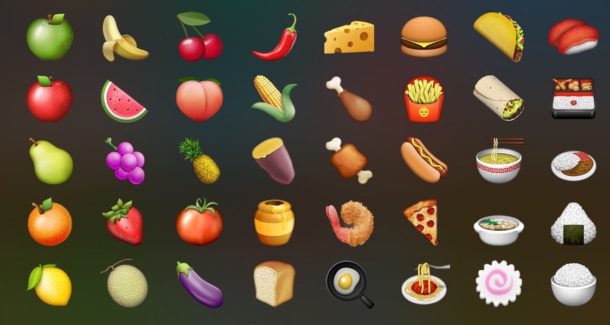
iOS 10 is probably going to include 72 new emoji characters as part of the Unicode 9.0 standard, but you don’t have to wait for the next generation operating system if you want to start having fun with the new emojis right now.
An iPhone contains huge amounts of detailed personal information about the owner, including emails, contact lists, banking information, personal notes, pictures, and much more, all of which most users want to keep private and secure. Fortunately the iPhone makes having a secured device pretty user friendly, and even novice users can take a few fairly simple precautions to make sure their devices are secure and locked down.
The approaches we’ll cover here will help keep prying eyes away from your personal data, even if someone was to gain access to your iPhone by theft or otherwise.
Procreate is easily one of the best painting, drawing, and illustration apps available for iOS, with an amazing array of brushes, features, layers support, and so much more. If you’re even slightly artistically minded or just like to sketch a bit, it blows the iOS Notes drawing tools out of the water by a bazillion orders of magnitude. It’s well worth buying, but right now it’s available free from Apple for a limited time, so iPhone users can grab Procreate Pocket right now.
Polyglots, learners, and the bilingual often want to change their Mac system language for obvious reasons, but another less obvious situation can occur if you’re troubleshooting a Mac that either originates in another country, had the language changed at some point, or is just set to a different language.
Since it can be pretty challenging to navigate around in a language you don’t know at all or barely understand, it may be difficult to add and change the language in Mac OS X through System Preferences, and sometimes that easy approach is just downright impossible or inaccessible, perhaps because you’re reinstalling system software, or booted into Single User Mode for troubleshooting purposes.
But not to panic, you can also change the system language used on a Mac from the command line, handled entirely from the Terminal. This means you can either change the language directly from an active Terminal app, or even through ssh remotely if need be. Read more »
The fourth beta versions of iOS 9.3.3, OS X El Capitan 10.11.6, and tvOS 9.2.2 have been released to users participating in both the developer beta program and the public beta testing programs.