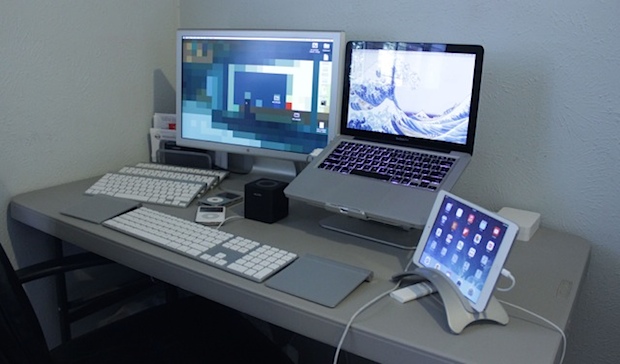
This weeks featured Mac setup comes to us from Jonathan G., a film professional who also happens to be an industrious and effective Craigslist deal hunter… not sure what that means? Well, read on to find out!
Apple has released iTunes 11.2.1, an update that, curiously, resolves the issue where some users encountered their /Users folder gone missing along with changed permissions to the same directory. Initially thought to be a bug with the OS X 10.9.3 update, apparently the problem was actually related to the accompanying update to iTunes.
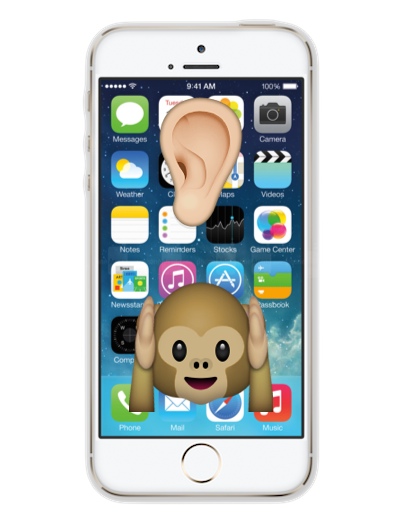
A feature called “Phone Noise Cancellation” is available on iPhone which aims to reduce background ambient noise when on a phone call, but for some users it can sound strange and make their phone calls sound weird, or worse. This may be due to the ambient audio stream created by the feature. Apple describes the option as follows, “Noise cancelation reduces ambient noise on phone calls when you are holding the receiver to your ear.” In other words, because the feature only works the iPhone is held up to your head, you won’t notice it all if you tend to make iPhone calls through Bluetooth in a car, headset, speakerphone, or earbuds.
If you think your iPhone calls sound off but you can’t quite pinpoint why, or you feel a little weird when holding the phone to your head while on a call, try turning off the ambient noise reduction feature and see if that helps.
Apple has released OS X 10.9.3 for Mac users running Mavericks. The software update includes a variety of bug fixes, security enhancements, and feature improvements to OS X, making it recommended for all Mac users running OS X Mavericks. Additionally, iTunes 11.2.1 has been made available as a separate update.
Specifically, OS X 10.9.3 includes improved support for 4K displays attached to Mac Pro and MacBook Pro Retina Macs, improvements to the stability of VPN connections using IPSec, a Safari update, and the ability to locally sync some data with iOS devices via USB. Read more »
If you send a lot of photos and video from an iPhone or iPad to friends and family, you’ve probably noticed that sending a movie brings up a curious looking pixelated black and white “Compressing Video” screen where the video is being squeezed down to a smaller size. If the video you’re trying to email is fairly large, this compression process can take a very long time staring at that curious looking screen, rendering some users to think their device has crashed – that is not the case. Aside from that, the resulting compression can be so strong that the video quality is dramatically reduced to the point of being generally undesirable. Fortunately you don’t have to get stuck waiting for the compression task to complete, and you can cancel the process easily, quickly returning to your normal iOS device usage.
Being able to quickly access recent work files on a Mac is an obvious productivity booster, but what if you need to find files created or modified on a very specific date? There are a few ways to do this, but one of the fastest tricks is using date search operators in the Spotlight search menu of MacOS.
For the unfamiliar, search operators are additional signals you can provide to Spotlight to help narrow down a search beyond just looking for a file or folder name. In this case, we’ll use date operators to find files based on the day when they were created or modified. Read more »
App Nap is an energy feature introduced to the Mac in OS X Mavericks that causes inactive applications to go into a paused state, helping to reduce power usage. The feature can help to prolong battery life for the MacBook line, and it can also make an impact on overall energy usage from the computer. Though App Nap has it’s perks, some advanced users may find it to be a nuisance in some situations, and thus disabling the App Nap functionality could be desirable. We’ll show you how to quickly disable the App Nap feature everywhere in Mac OS X in one fell swoop, without having to disable it on an individual app basis.
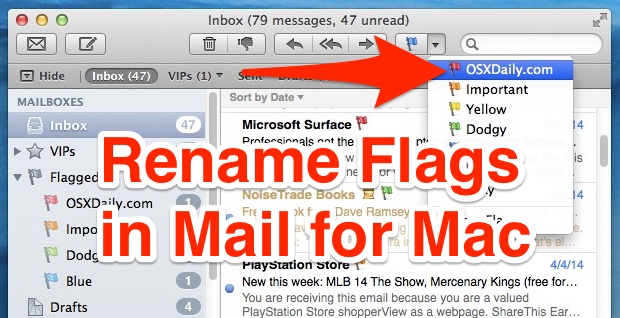
The Mac Mail app defaults to naming the email flags as colors; Red, Orange, Yellow, Green, Blue, Purple, and Gray. Those default flag names aren’t too descriptive, so a much better choice is to rename those mail flags to better accommodate your emailing habits, perhaps naming them as things like “To-Do”, “Family”, “Work”, “Important”, or whatever else. Renaming the email flags in OS X isn’t the most obvious thing in the world however, so let’s quickly walk through how to perform this task.
This works to rename the flags in all modern versions of OS X that support Mail flags, from Lion, Mountain Lion, to Mavericks.
The iWork suite of productivity apps include Pages, Numbers, and Keynote, and each of them allow users to password protect individual documents. In practice, this means that a document created within iWork in iOS, Mac OS X, or iCloud, can be safely locked with built-in encryption, and the document can not be opened or viewed without entering the defined password on any other device. For example, you can set a password to a Pages document on your iPad or iPhone, then open it again on the Mac from iCloud or the native Mac OS X app, and it will require a password, and of course this works the vice versa as well.
Here’s how to use this great feature on any platform offered by Apple, whether you’re using Pages, Numbers, or Keynote in iOS, iCloud, or on a Mac.
The Mail app on our iPhones and iPads downloads and stores emails and attachments into iOS, which makes for easy searching and retrieval of past emails. For most users this is no big deal and the convenience overrides any potential issues, but some users who send and receive a lot of attachments or tons of email may find during general maintenance that their Mail storage space is taking up huge amounts of space on an iOS device. This is easily identified by going to the Settings app, to “General”, then to “Usage”, where you can select “Mail” and read the MB (or GB) alongside “Mail and Attachments” section. But that’s where the Settings panels functionality ends… despite showing the size of the Mail and Attachments stored on the iOS device, the settings panel is otherwise left without actions to delete or remove the cache.
For now, there are two possible solutions to wrangle and recover the Mail Attachment storage. Read more »
Whether you love it or hate it, there’s no denying the new system font of iOS is slimmer, lighter, and more modern looking. If you’re a graphic artist, developer, or designer looking to make your own designs or mockups that fit into Apple’s new design language, using the proper font is a good place to start, and that new font is Helvetica Neue. It’s bundled by default with every version of OS X so you don’t need to download or add any fonts to use the look.
This weeks featured Mac desk setup comes from cloud solutions provider and small business owner John H., let’s learn a bit more about the hardware and apps that make up the workstation.
Boot Camp allows you to dual-boot between a Windows partition and Mac OS X on a Mac. Dual booting multiple OS’s is incredibly useful and has plenty of purposes, but if you decide you no longer need to run Windows on a Mac you’ll probably want to remove the Windows Boot Camp partition so that you can recover the drive space. Some users wind up formatting the Mac drive and restoring from a Time Machine backup, but that’s not necessary, instead you can choose to remove only the Windows Boot Camp partition while preserving Mac OS X untouched.
Want a fun way to kill some time on Friday? Get your best “Sorry boss, can’t do it, just too busy right now!” ready and try out Corporate Avoidance, an amusingly named Mac app that draws fake rendering progress bars across fake renditions of popular film, video, and audio production apps, giving the illusion that you and your computer are just oh-so ultra super busy waiting for some app to complete a lengthy task or render.
Spring is well under way, which means it’s high time to do some essential maintenance for your iOS hardware. Yes, we know that cleaning isn’t the most fun thing in the world, but these are all simple tasks, and really it’s the type of regular maintenance that every iPhone, iPad, and iPod touch user should develop into regular habits… but just in case you haven’t gotten there yet, we’re here to help.
So get out that iPhone, iPad, iPod touch and follow along to keep things running smoothly. Let’s get going!
Duplicating the iPhone backup files may be desirable or necessary for a variety of reasons, whether it’s to make a manual backup of your iOS backups, or even if it’s just to move it onto another drive so that you can clear out some disk space. There are a few ways to go about doing this, but we’ll show you the quickest way to quickly make a copy of any locally stored iPhone, iPad, or iPod touch backup file.
You’ll definitely want to do this if you have any plans on editing the backups made through iTunes, particularly if you’re going to manually extract photos, text messages, or other items from the stored SQL databases. Read more »
The iPhone’s bundled Compass app can be both fun and useful, adding to the devices multi-tool and digital swiss army knife functions. For those who want to use the built-in iOS compass for navigation, you’ll be pleased to find that you can lock the needles directional position at a set point, greatly improving the ability to use the app for navigating around.
With the needle locked into a position, straying from the set (locked) direction will cause the compass to turn red, indicating the degree of sway and helping to course correct. Whether you’re directionally challenged or not, this is helpful for navigation for many reasons. Read more »

 Apple has released iTunes 11.2.1, an update that, curiously, resolves the issue where some users encountered their

 Being able to quickly access
 The Mail app on our iPhones and iPads downloads and stores emails and attachments into iOS, which makes for easy searching and retrieval of past emails. For most users this is no big deal and the convenience overrides any potential issues, but some users who send and receive a lot of attachments or tons of email may find during

 Boot Camp allows you to dual-boot between a Windows partition and Mac OS X on a Mac. Dual booting multiple OS’s is incredibly useful and has plenty of purposes, but if you decide you no longer need to run Windows on a Mac you’ll probably want to remove the Windows Boot Camp partition so that you can recover the drive space. Some users wind up formatting the Mac drive and restoring from a Time Machine backup, but that’s not necessary, instead you can choose to remove only the Windows Boot Camp partition while preserving Mac OS X untouched.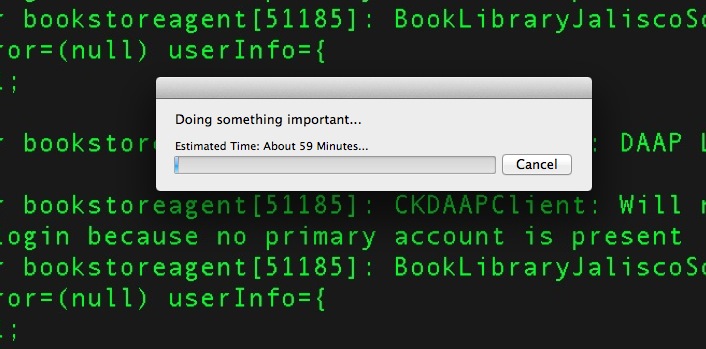
 The iPhone’s bundled Compass app can be both fun and useful, adding to the



