How to Hide the Menu Bar on External Secondary Displays in Mac OS X
Oct 27, 2013 - 11 Comments
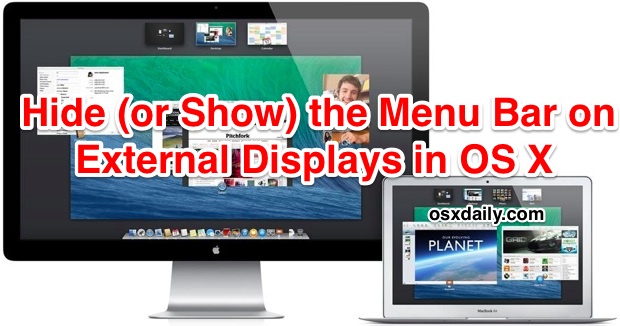
For Mac users who use external screens, multi-display support has been greatly improved in new versions of OS X, but one feature that is either loved or hated is the addition of the secondary menu bar that is visible on the external display(s). The secondary menu bar serves the obvious purpose of providing easy access to menu items, but it also functions as an active focus indicator, letting you know which of the multiple displays has the currently active focus for windows and the mouse cursor. When one screen is active, the menu bar on that display will be shown at normal brightness, whereas the display that does not have focus will show a dimly faded translucent menu bar, as shown in this screen shot:
By Paul Horowitz - Mac OS, Tips & Tricks - 11 Comments


 Apple has released iOS 7.0.3 for iPhone, iPad, and IPod touch users. The update includes iCloud Keychain support, which syncs your login and password data between iOS and OS X devices, fixes problems with iMessage, and also includes many bug fixes, feature enhancements, and security updates. iPhone 5S users will find an update to the accelerometer which allows it to calibrate accurately as well. Full release notes are at the bottom of this article.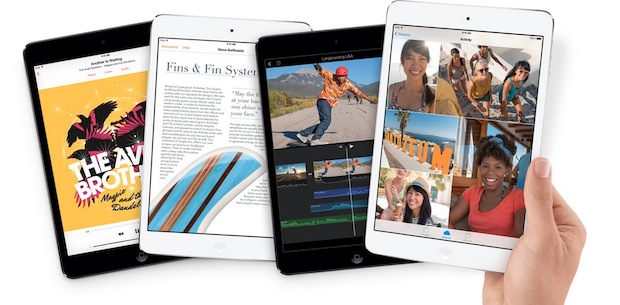
 You can show the precise last time a specific file was opened, an app was launched, or folder was accessed on a Mac, and the information is visible directly in the OS X Finder. There are actually two simple ways to see this file access information, and both are equally useful though as you’ll see they’re best used for slightly different purposes.