Mac Setups: Project Manager’s iMac
Nov 9, 2013 - 28 Comments

Yes, back by popular demand are Mac Setups posts! After a lengthy multi-month hiatus, we are going to start covering weekly Mac and Apple setup posts again, so get your desks ready, cameras out, answer a few questions about what you do, and send us your submissions!
To kick things off again, we’re starting with the nice and clean desk setup of Jason B., an ICT Projects Manager who relies on his iMac to get the job done. Hardware shown on this desk includes:
Read more »
By OSXDaily - Mac Setups - 28 Comments
 Need to quickly toggle a system setting on your iPhone or iPad like Bluetooth or Wi-Fi on or off? Want to turn down the brightness of your iPhone without touching it? Now you can just summon Siri and ask your very own iOS personal assistant to change some of the most frequently accessed system settings within iOS for you.
  When opening a new page in Safari for iOS, the first thing seen is the “Favorites” page, which is basically a collection of website recommendations and bookmarks. That Favorites page is what you see when you have no active pages open in both normal and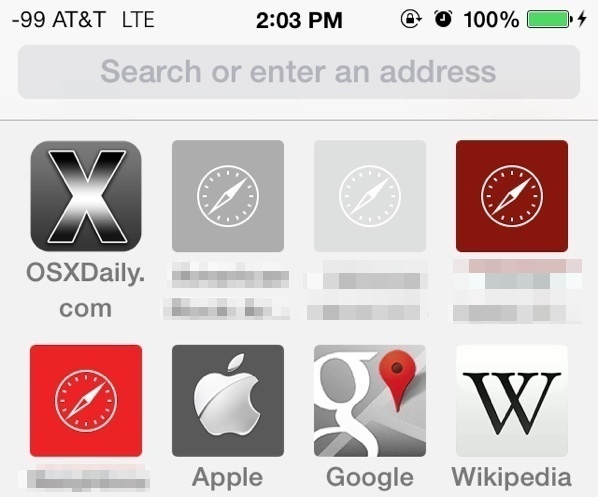
 Gatekeeper is an application level security feature on the Mac that aims to prevent unauthorized and unidentified apps from being launched in Mac OS X, thereby preventing potential security problems like exploits or trojans from running on a Mac. The feature is most often encountered when an app has been downloaded from the web, and upon attempting to launch the app a warning dialog will prompt the user with a message saying something along the lines of “This app
 With FaceTime Audio, the iPhone can now make free VOIP (Voice Over Internet Protocol) calls directly from the built-in phone or FaceTime app, without the need for any third party services or applications. This basically means you make phone calls to anywhere in the world for free, so long as the recipient of the call is also using an iPhone, iPad, Mac, or iPod touch, and are running a modern version of iOS that supports FaceTime Audio.



 Dictation is the new speech-to-text engine that lets your Mac type out what you are saying as you talk, and it’s one of the many excellent features included with modern versions of Mac OS X. Now from Mavericks onward, you can improve Dictation considerably by enabling an option called “Enhanced Dictation”, this will provide two significant advancements; continuous dictation with live feedback as you talk, and full offline support – meaning you won’t need a Mac to be connected to the internet in order to use the feature.
 Already installed OS X Mavericks, but now you want to
  Java has plenty of real-world applications and uses, but because it has been used as an attack vector in the past, Apple has made OS X reasonably aggressive in limiting Java on Macs. As a result, Mavericks does not come with Java preinstalled, and upgraded Macs will remove Java in Mavericks installation process. For most users this is a very good thing, it further reduces the unlikely event of a trojan or something nefarious being installed on Macs, and many Mac users won’t notice Java missing at all. On the other hand, many of us do need Java installed in OS X.