Use your iPhone as a USB flash drive
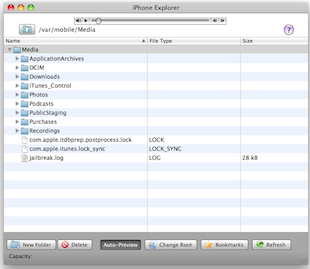 You can use your iPhone as an external USB flash drive using this (currently) free software from myPodApps. Called iPhone Explorer, it’s a simple and lightweight program that lets you browse through your iPhone through it’s interface which works pretty well as a file manager. You can rename, create, delete, drag and drop, both files and folders on the iPhone using this app.
iPhoneExplorer developer home
Download iPhoneExplorer now
At the time of this writing, iPhone Explorer was a free download for Mac OS X and Windows, but based on our past experience covering software by the authoring company, myPod Apps, this could change at any time. So if you want to use your iPhone as a flash drive and want to do it for free, I suggest downloading this now or it might go the same pay model as PodToMac when we discussed getting music off your ipod.
 Would you prefer to use the keyboard to speed up navigation around your Mac? That’s what the Full Keyboard Access setting allows for. Using a Keyboard option, you can have the Tab Key able to switch between dialog buttons, fields, screen items, controls, and anything else in a dialog box within Mac OS X. This can greatly enhance the speed at which you use your Mac, but it’s a feature that Apple has never chosen to enable by default. Additionally, tab key navigation can be a very helpful setting for accessibility purposes, since it’s often easier to leave your hands on the keyboard than move around a mouse or trackpad.
 While everyone continues to wait for an official Hulu app for the iPhone/iPod Touch/iPad/whatever, you can beat them to the punch and get Hulu content on your iPhone now for free, using Snow Leopard!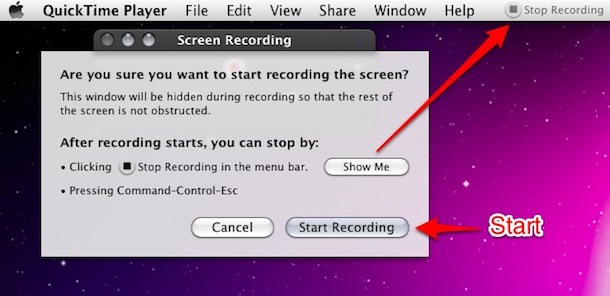



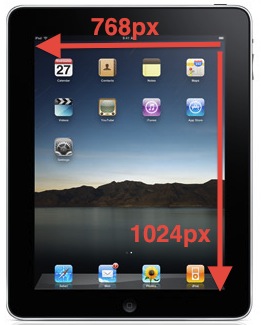 The iPad sure is getting a lot of attention. If you’re pondering developing for the device, or you’re just curious in general, here are some specs on the iPad’s display:
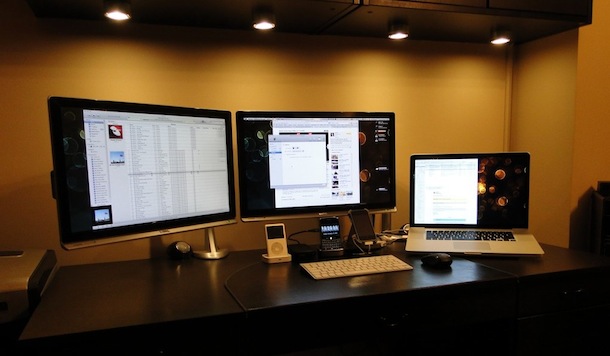
 Mac OS X simplified the font smoothing settings (anti-aliasing) for Mac OS and all apps running within it, but for some the change is unwelcome. If you feel like your screen looks different, or that fonts look a little unusual and text looks different too, it probably does, and the change can be very profound on certain LCD displays.