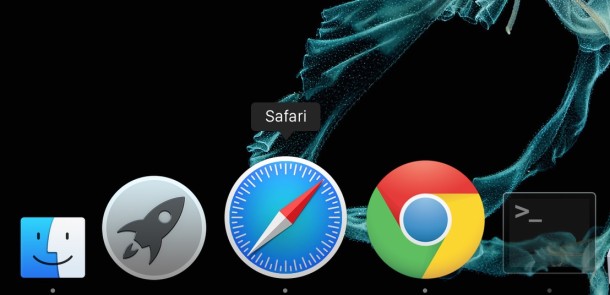
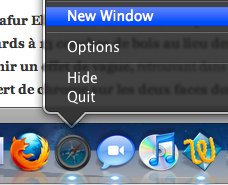
Right-click Dock App icons for extra launching features right from the Dock!
Nov 11, 2009 - 3 Comments
 This works in many versions of Mac OS X
 I’m pretty sure this only works in Snow Leopard, you can right-click/control-click on many App icons in the Dock to do things like:
* Create a New Window in Safari
* Create a New TextEdit Document
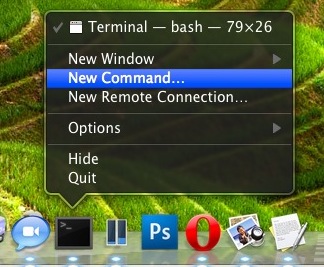
* Launch a New Remote Connection in Terminal
* Shuffle iTunes Songs
* Open a new Chat in iChat
* Set your Away Message in iChat
and so much more, right from the Dock! This is a very handy feature that I find myself using more and more, try it out with other apps and see what you get. Some of this may work in Leopard but I no longer have a Leopard machine to test this on, perhaps one of our other writers or readers can double check. Thank you readers for confirming this works in many versions of Mac OS X!
By Paul Horowitz - Mac OS, Tips & Tricks - 3 Comments

 Deleting cookies on the Mac depends on the specific web browser in use, thus if you want to delete all cookies, you’ll want to accomplish this for every browser app. Considering the web browsers most commonly used in Mac OS X are Safari, Chrome, and Firefox, we will show how to delete cookies in each of these browsers.
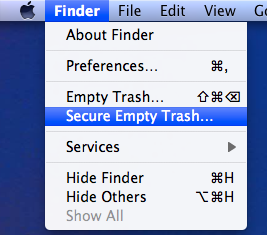 You can securely delete files from Mac OS X right from the Finder. This is by far the simplest method to securely delete something on the Mac, and the process is pretty straight forward, very similar to the normal procedure of deleting a file except that you will access a separate option to enable the ‘secure’ layer:
 When you’re viewing an image on the iPhone (or iPod Touch) you can tap and hold the image to prevent it from rotating, regardless of the devices orientation. Handy for showing off photos to friends!


 Fortune Magazine has named Steve Jobs the CEO of the decade, and it’s a pretty fitting title really, the guy is a powerhouse. Nearly 10 years ago Apple was struggling to find their place in the technology world, there were rumors of collapse and impending bankruptcy or buyouts, the first release of Mac OS X (10.0) was a slow cumbersome dud, and they had just entered an extremely crowded MP3 player market with a seemingly overpriced product with a weird name, the iPod. Apple stock at the time was right around $7. Now fast forward to today, where the iPod is the only MP3 player people talk about, the iPhone is taking over the cellular world, and
  It’s baaaaaack! Like a relentless zombie in a bad horror flick that just can’t be killed, the Intel Atom chip is now supported again in the latest developer build of 10.6.2, 10C53. This doesn’t mean much since it’s just a developer build, but for now Hackintosh Netbook users can feel a bit better about their uncertain future.