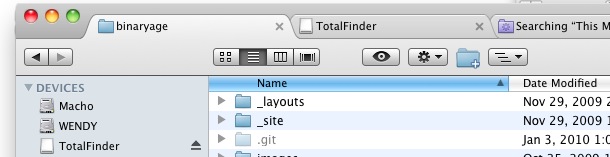
I love tabbed windows and I use them everywhere I can, whether instant messaging in iChat to hoarding sites in Safari. Now you can get tabbed windows in Mac OS X’s Finder! TotalFinder is a really cool app that brings full tab functionality to the Mac desktop, allowing you to not only create tabs of Finder windows, but also the ability to drag and drop files into the tabs (and thus, the folder), and you can create a new tab by just dragging a directory to the tab bar!
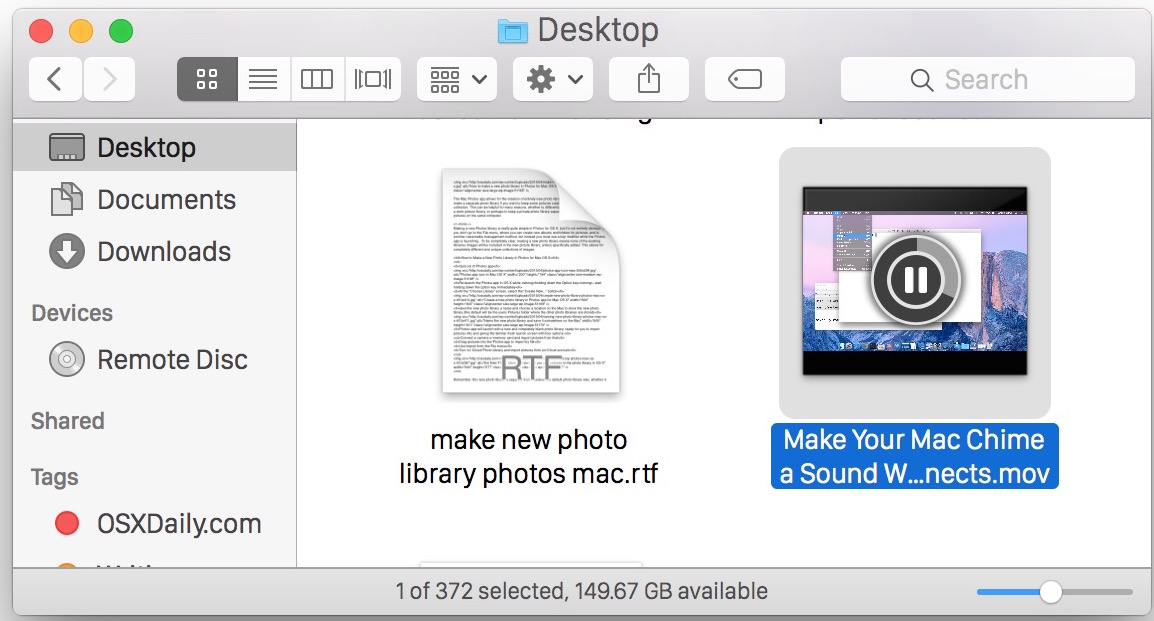
Do you have a large directory of movies? Not sure what each video file actually is? If you’re in thumbnail view at a large enough resolution (looks like 68×68 is the threshold for me) or you’re viewing the folder in Cover Flow view, you can play movie files directly within the Finder of Mac OS X! Actually, the video will play in the icon, making the icon itself a movie playback.
The built in Mac speakers aren’t really adequate for playing rich loud music or media, so you’ll want to get a better set. What kind of speakers to will want depend on your needs, but I’d recommend getting a quality set for your home workstation and then if you’re a road warrior get a separate set of portable speakers. I’ll go over a few options that I have direct experience with here.
The best speakers for your MacBook, MacBook Pro, or iMac
Audioengine A5 Powered Multimedia Speaker System – $325 – The sound quality on the AudioEngine A5’s is nothing short of absolutely amazing, with some great features to boot. The speakers include easy line-in to hookup your iPod/iPhone, a USB port to charge your iPod, a power outlet for hooking up an Airport Express, a built-in amplifier, and did I mention seriously amazing sound? I heard these at a friends house and knew I had to get a set myself. If you’re a music lover, audiophile, or a musician and you want truly amazing sound on a budget, just stop reading and get these speakers, your ears will thank you. No more 128kbps audio files with these, you’ll want to play 256kbps or better. My only complaint is that they don’t include a remote control. The AudioEngine A5’s come in black, white, and a snazzy bamboo.
I have to rave about the AudioEngine’s because they are without a doubt the best speakers I’ve heard at anything even close to the price range. For a Mac (or iPod or any PC really) they produce the highest quality sound possible without spending a ton of money.
Ok now I realize not everyone wants to spend $325 for near studio quality sound on their Mac, or they just want something smaller, so here’s some decent options that are significantly cheaper:
Cheap but good speakers for your MacBook, MacBook Pro, or iMac
Altec Lansing BXR1220 2.0 Speakers – $15 – these are small speakers with surprisingly decent sound for their size. Don’t expect deep rich bass or anything though, it’s just not really possible with something this compact and without a subwoofer.
Logitech S220 2.1 Speakers with Subwoofer – $24 – Now if you’re less concerned about space and portability, for about $25 these speakers produce some great bass thanks to the included subwoofer. A friend of mine has these hooked up his MacBook and plays them quite loud at BBQ’s and I’m always impressed that for the sound quality they’re so cheap.
Altec Lansing VS4121 Audio System – $60 – I had a pair of Altec Lansings just like these on my Mac before I got some AudioEngine A5’s, and I was always happy with their sound quality. The subwoofer helps produce rich bass and the speakers provide loud and quality sound for music, movies, and gaming.
Ultra portable speakers for your MacBook and MacBook Pro
Altec Lansing iML237USB Ultra Portable Speakers – $49 – This thing is small and ultra portable, the main downside is that it draws from USB to take power so you’ll be losing a USB port. If you’re a serious roadwarrior though and you’re more concerned with bag space than overall sound richness and just need something loud for teleconferencing, entertainment, or presentations, this is a good choice. I first saw one of these when a someone brought it out of his bag during a presentation, it looked like a chubby YoYo.
B-Flex 2 Stereo USB Speaker – $39 – These are a fascinating speaker, it plugs into your USB port and then has a flexible arm to aim in any which direction. I admit I haven’t heard these myself but they were recommended by a friend for their portability and sound quality, and I trust his opinion so Ill include them. For maximum portability and cord-free speakers these look like a great bet.
What about speakers for the Mac Pro and Mac Mini?
My suggestions for the Mac Mini would be the same as the other Mac’s, but since the Mini is so tiny and stylish I figure Mini owners will be more particular about the appearance of their speakers. In regards to the Mac Pro, since it’s more of a professionals machine I would imagine a Mac Pro user would want professional grade speakers, while the AudioEngine A5’s certainly meet that requirement on a budget, there are other options geared specifically towards audio professionals, but I have no personal experience with that kind of high-end sound equipment.
Obviously there are many other options out there for Mac speakers, but these are just the ones I have come across relatively recently. Feel free to share your own speaker suggestions or experiences in the comments.
Want to get a quick glance at a font style or a preview of the appearance of a font face before you install the font on a Mac? There are multiple ways to do this, and we’re going to show you two methods to see previews of fonts using the Finder of OS X. The first trick uses the Cover Flow view of the Finder to get a look at a font, and the second trick uses Quick Look to view a preview of a font.
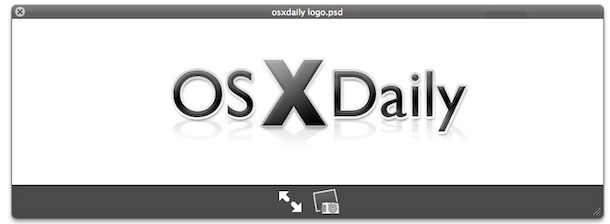
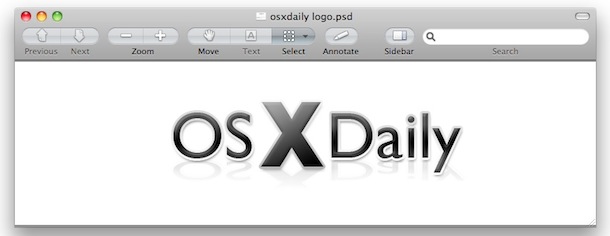
You can view .PSD Adobe Photoshop files directly in Mac OS X with no additional software, thanks to Quick Look and Preview.
To get a fast preview of a PSD file, simply select the document within the Finder and hit the Spacebar to launch the PSD file rendered in Mac OS X’s very own Quick Look. If you want a bit more control over viewing the PSD file (zoom, resize, whatever), you can take it a step further by opening the PSD document within the Preview app, just drag and drop it onto the application icon and away you go (note some versions of Mac OS X will automatically open PSD files within Preview if you just double-click on them, assuming Photoshop is not installed on the Mac).
If you want to edit a PSD file with the same type of capabilities as Photoshop without paying for it, you could try using Gimp, a free open source Photoshop clone. It’s not perfect but works pretty well for image editing, and if you’re not trying to do anything overly complex, it’ll save you a few hundred bucks.
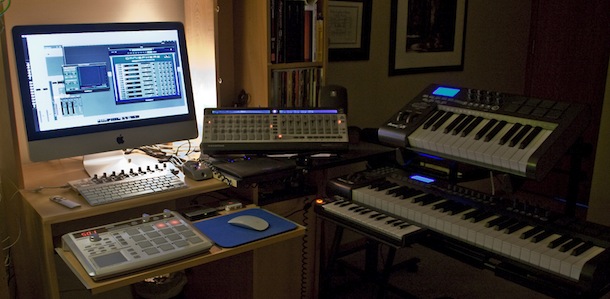
I came across this barebones Mac setup while browsing around Flickr and found the simplicity appealing. MacBook Pro, some notes, headphones, keyboard, and a guitar. What else do you need?
Why is Apple so successful? Look at what, and how, they sell.
* You walk into a beautiful Apple Store
* You’re presented with amazingly attractive machines
* The packaging is clean, minimal, and enticing
* The operating system is simple to use yet amazingly powerful
I came across a post simplifying this on MinimalMac and found myself completely agreeing. Buying an Apple product, especially a Mac, is an experience from the start to the finish.
It’s an experience I’ve never been able to replicate when buying a PC, which typically comes from a loud and generic electronics store with product overload, and that sensory overload never ends: open the PC box and you have stacks of paper warranties and user manuals, various driver disks, promotional offers for this and that, a ton of cables and cords haphazardly thrown in a box. Then you finally boot the thing up just to be overwhelmed with a Windows install that has been bloated up a storm with OEM garbageware and 20 icons on your desktop… there is just no comparison, you don’t get that from Apple and you never will.
This is exactly why they’re so successful, Apple just gets it.
Now, MinimalMac does a more elegant job of telling the story than I do via fewer words and a few pictures, so be sure to scroll through them, it’ll only take a second and for four pictures, it does a good job of capturing the Apple buying experience.
Did you know you can pause any application download or update on the iPhone, iPad, and iPod Touch? This is great when you’re in a bandwidth bind or have low bars of reception and want to pause an app download so that you can resume it again later.
This pausing app download trick is also helpful if you want to prioritize another app download or update coming from the App Store, since you can pause multiple apps from updating which then will prioritize whatever app(s) are not paused – that’s a nice trick for concurrent downloads in limited bandwidth situations. This pausing App Store updates trick works on all versions of iOS for all iPhone, iPad, and iPod touch devices.
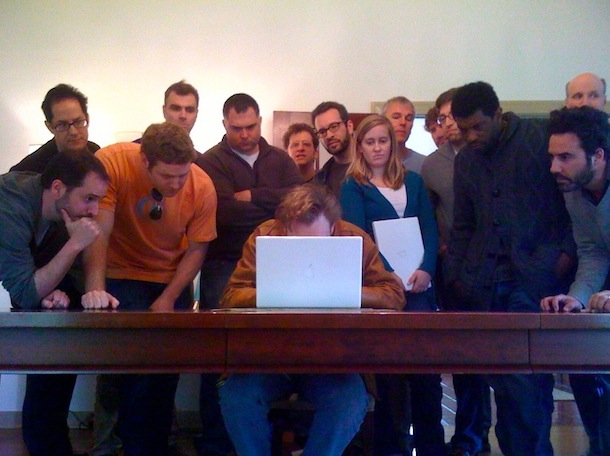
It’s fun to see Mac’s in the media, and it looks like Conan O’Brien uses a MacBook… at least when he’s making jokes about his writers. Posted on Twitter was the following quote and a link to the above picture of Conan on a MacBook surrounded by a team of people.
‘This is how many people it took to write today’s tweet: “Jumbo” shrimp? WTF!!’
FileMerge lets you select any two files and it will compare the two, pointing out any differences between the files. If you’re a developer you already know why this is wildly useful, as it makes tracking down major and minor code changes remarkably easy. Apparently FileMerge is a survivor from the days of NeXTStep, and once you see how useful it is, you’ll see why it was saved and bundled with XCode. If you’re a developer and you haven’t found out about FileMerge yet, you are missing out on one of the more useful apps included within Apple’s XCode installation.
This tutorial will show you how to compare two files with FileMerge in Mac OS.
Want to quickly setup a free proxy server? This article and walkthrough video brought to us by Labnol shows how to do so, and it’s about as easy as it gets, and it doesn’t involve using an SSH proxy or tunnel which makes it more user friendly for many.
Apple’s Mac OS X operating system is continuing to grow in popularity, with a recent survey showing that Apple’s Mac OS X now accounts for nearly 11% of web usage, vs 86.8% with Windows and 1.3% for mobile based browsers.
What’s even more interesting though is that Apple’s share has grown 29.4% over the past year, while Microsoft’s Windows share actually shrunk 3.8%!
If you’re tired of having your Mac Dock full of thumbnailed versions of minimized windows, you can change the Dock’s minimize behavior with a simple Terminal command that will minimize windows into the parent applications Dock icon. You can then tell which windows are minimized by looking for the diamond next to the window name (see the attached screenshot below for an example).
This is very helpful in particular if you’re working with a limited screen resolution, or if you have a Dock that is loaded to the brim with applications and folders.
To enable this feature yourself through the defaults string, launch the Terminal and enter the following command: Read more »
Converting various filetypes can be a total pain, especially when you don’t know how. But converting file formats is often a necessary task, required for many reasons from preference, to increased compatibility with another Mac, to working with an iOS device or PC, to compatibility with another app, even another operating system entirely. Fortunately, OS X Daily has covered a lot of file format conversions in the past, so here’s a helpful list to get you started.
We’ve got conversions of music and audio files to new formats, image files to new image formats, movie files to different video formats and file types, changing disk images, and much more. Read more »
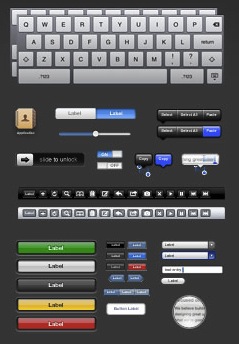
If you plan on developing or designing for the iPad this could be very valuable to you, the folks over at teehan+lax have created a fantastic PSD file of the iPad’s GUI elements, all arranged quite well.
The elements are created using vectors so they’re completely scalable, and the files resolution and design is set to the iPad’s screen resolution of 768×1024. It doesn’t get much more convenient than this! Developers efforts for the iPad are already underway but it is really set to take off as the device is going to ship to consumers soon, and I for one can’t wait.
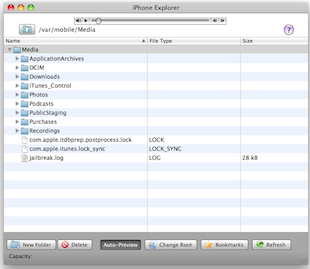
You can use your iPhone as an external USB flash drive using this (currently) free software from myPodApps. Called iPhone Explorer, it’s a simple and lightweight program that lets you browse through your iPhone through it’s interface which works pretty well as a file manager. You can rename, create, delete, drag and drop, both files and folders on the iPhone using this app.
At the time of this writing, iPhone Explorer was a free download for Mac OS X and Windows, but based on our past experience covering software by the authoring company, myPod Apps, this could change at any time. So if you want to use your iPhone as a flash drive and want to do it for free, I suggest downloading this now or it might go the same pay model as PodToMac when we discussed getting music off your ipod.
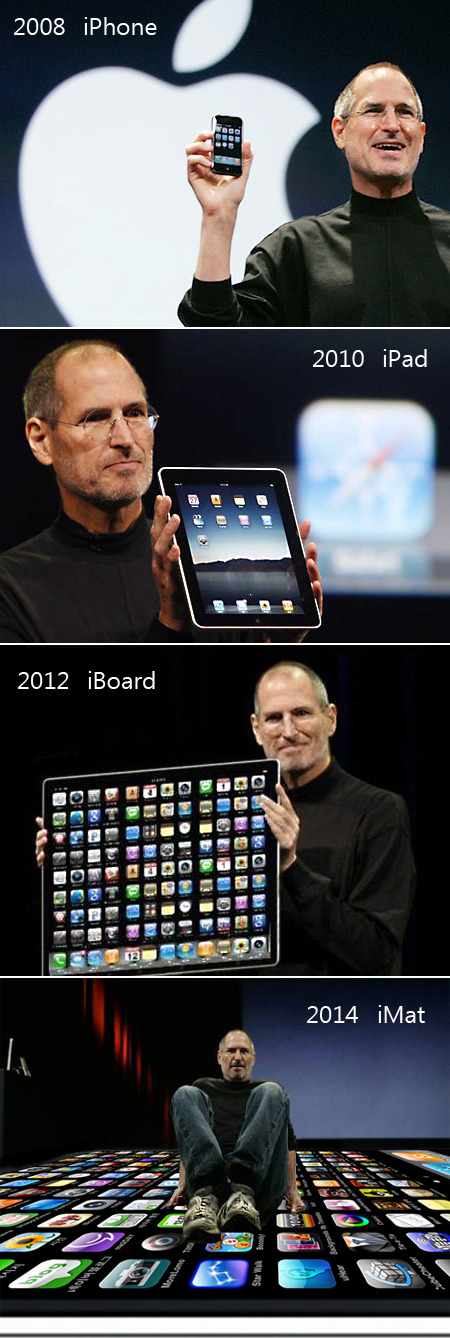
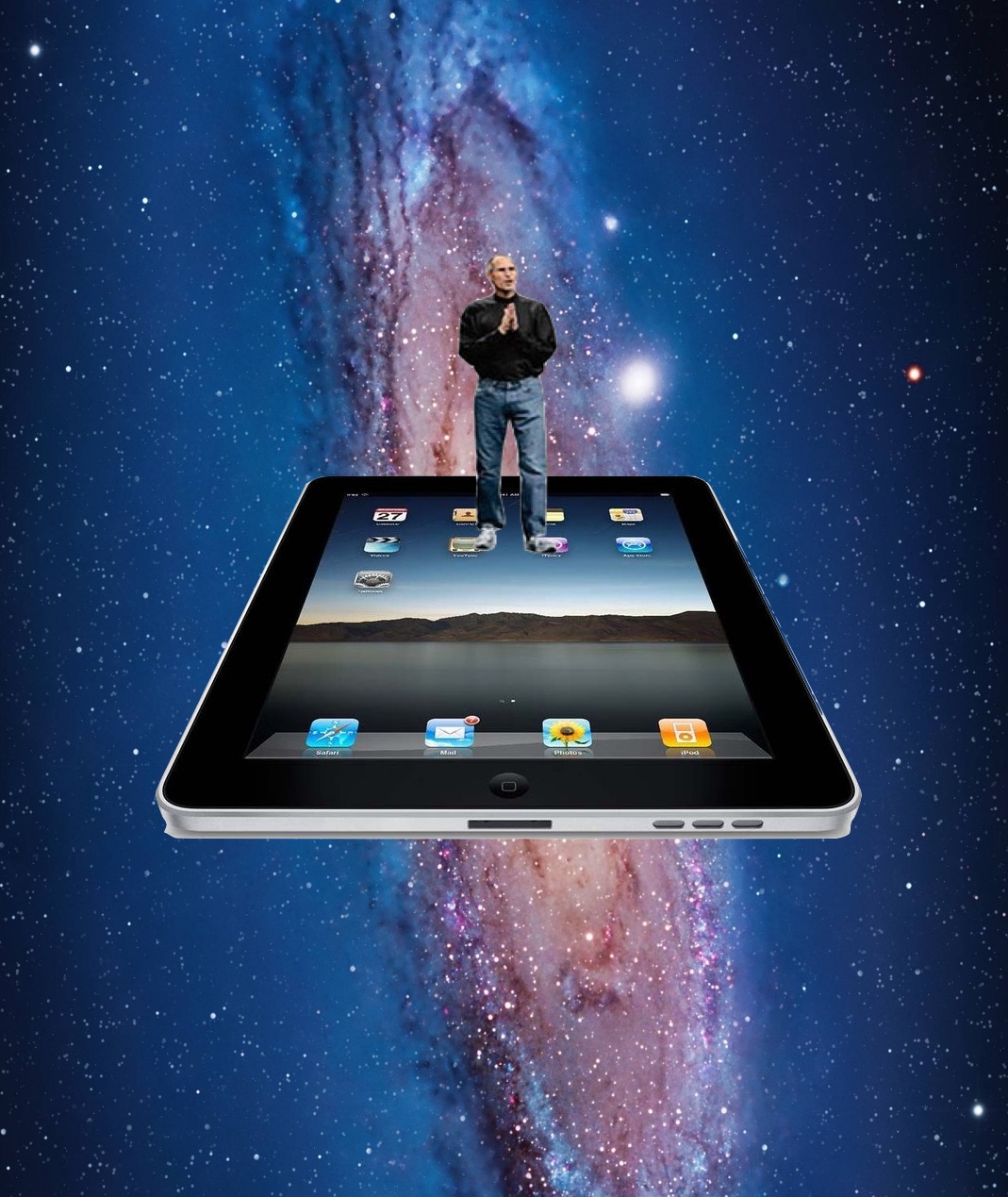
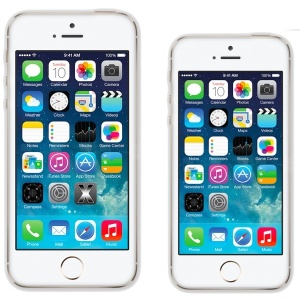
How about a little light-hearted Apple fun? Have you ever thought about what would happen if Apple kept up on the trajectory of making device screen sizes bigger and bigger? What if evolution takes over and each additional device has a bigger screen? First came the iPhone. Then came the iPad…. what would be next?
First there was the iPhone, then the iPad… then in some imaginary parallel universe there comes The iBoard… then the iMat! At that growth rate, what would be available in 2017 or 2020 or 2024? The iFloor? The iRoof? The iRoad? iWorld? The USS iSpaceship iEnterprise? The mind boggles at the possibilities of 5000″ inch screen iDevices!
And what happens by 2044? Is there a giant iSpaceship? Let’s hope so!
This is obviously just goofy photoshop work, showing Steve Jobs interacting with increasingly large sized iOS devices, and yes it is stupid but it is goofy enough that I had to post it, a little Apple fun and humor for your day!
This silly image was passed around to me through text messages earlier but it appears to originate from the French website BeGeek. Whoever made it obviously had a sense of humor, a bit like the joke prototype of an iPad which is just a bunch of iPhones taped together… in all seriousness I love iPad and iPhone but I also enjoy a good laugh at our favorite technology.

 The built in Mac speakers aren’t really adequate for playing rich loud music or media, so you’ll want to get a better set. What kind of speakers to will want depend on your needs, but I’d recommend getting a quality set for your home workstation and then if you’re a road warrior get a separate set of portable speakers. I’ll go over a few options that I have direct experience with here.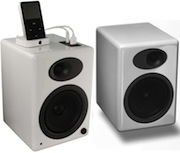
 – $325 – The sound quality on the AudioEngine A5’s is nothing short of absolutely amazing, with some great features to boot. The speakers include easy line-in to hookup your iPod/iPhone, a USB port to charge your iPod, a power outlet for hooking up an Airport Express, a built-in amplifier, and did I mention seriously amazing sound? I heard these at a friends house and knew I had to get a set myself. If you’re a music lover, audiophile, or a musician and you want truly amazing sound on a budget, just stop reading and get these speakers, your ears will thank you. No more 128kbps audio files with these, you’ll want to play 256kbps or better. My only complaint is that they don’t include a remote control. The AudioEngine A5’s come in
  , and a
  .
.  – $15 – these are small speakers with surprisingly decent sound for their size. Don’t expect deep rich bass or anything though, it’s just not really possible with something this compact and without a subwoofer.
 – $24 – Now if you’re less concerned about space and portability, for about $25 these speakers produce some great bass thanks to the included subwoofer. A friend of mine has these hooked up his MacBook and plays them quite loud at BBQ’s and I’m always impressed that for the sound quality they’re so cheap.
 – $60 – I had a pair of Altec Lansings just like these on my Mac before I got some AudioEngine A5’s, and I was always happy with their sound quality. The subwoofer helps produce rich bass and the speakers provide loud and quality sound for music, movies, and gaming.
 – $49 – This thing is small and ultra portable, the main downside is that it draws from USB to take power so you’ll be losing a USB port. If you’re a serious roadwarrior though and you’re more concerned with bag space than overall sound richness and just need something loud for teleconferencing, entertainment, or presentations, this is a good choice. I first saw one of these when a someone brought it out of his bag during a presentation, it looked like a chubby YoYo.
  – $39 – These are a fascinating speaker, it plugs into your USB port and then has a flexible arm to aim in any which direction. I admit I haven’t heard these myself but they were recommended by a friend for their portability and sound quality, and I trust his opinion so Ill include them. For maximum portability and cord-free speakers these look like a great bet.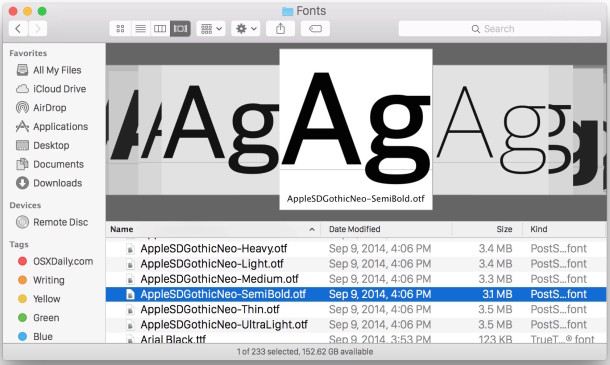


 FileMerge lets you select any two files and it will compare the two, pointing out any differences between the files. If you’re a developer you already know why this is wildly useful, as it makes tracking down major and minor code changes remarkably easy. Apparently FileMerge is a survivor from the days of NeXTStep, and once you see how useful it is, you’ll see why it was saved and bundled with XCode. If you’re a developer and you haven’t found out about FileMerge yet, you are missing out on one of the more useful apps included within Apple’s XCode installation.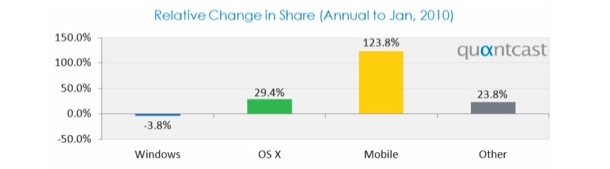

 Converting various filetypes can be a total pain, especially when you don’t know how. But converting file formats is often a necessary task, required for many reasons from preference, to increased compatibility with another Mac, to working with an iOS device or PC, to compatibility with another app, even another operating system entirely. Fortunately, OS X Daily has covered a lot of file format conversions in the past, so here’s a helpful list to get you started.
  If you plan on developing or designing for the iPad this could be very valuable to you, the folks over at teehan+lax have created a fantastic PSD file of the iPad’s GUI elements, all arranged quite well.
  You can use your iPhone as an external USB flash drive using this (currently) free software from myPodApps. Called iPhone Explorer, it’s a simple and lightweight program that lets you browse through your iPhone through it’s interface which works pretty well as a file manager. You can rename, create, delete, drag and drop, both files and folders on the iPhone using this app.