iOS 13 & iPadOS 13 Public Beta Download Available Now
Apple has released the first public beta of iOS 13 and iPadOS 13 for users to download. The public beta can be installed on any iOS 13 compatible iPhone and iPadOS 13 compatible iPad.
Rarely, an iPad may get stuck on an Apple logo screen when the device is booting or restarting. Getting stuck on the Apple logo usually happens during a failed software update, whether it was interrupted or incomplete, but it can sometimes happen during restores and during other operations as well. If an iPad, iPad Pro, … Read More
Sometimes, an iPad Pro must be placed into DFU mode as a troubleshooting step before being able to restore the iPad Pro. DFU stands for Device Firmware Update and DFU mode is basically a lower-level device restore state than regular Recovery Mode for iPad Pro. Placing an iPad Pro into DFU mode is for advanced … Read More
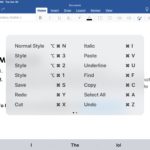
If you use Microsoft Word for iPad, you can improve your typing experience and workflow by mastering and memorizing a wide variety of keyboard shortcuts to perform many frequently used tasks, from applying styles to modifying text, or navigating within the Word document itself. In order to use these Word for iPad keyboard shortcuts you … Read More
Apple has released iOS 13 beta 2 along with iPadOS 13 beta 2 for users enrolled in the developer beta testing programs for iPhone, iPad and iPod touch. The latest iOS 13 beta downloads require a configuration profile to be installed before the update becomes available on whatever device is currently running iOS 13 beta … Read More
Sometimes an iPad must be placed into Recovery Mode before it can be restored or updated successfully with a computer. For example, if an iPad gets stuck on a black screen with an Apple logo for a very long time, Recovery Mode can usually remedy that. Typically Recovery Mode is used for a troubleshooting endeavor, … Read More
Want to downgrade from iOS 13 beta back to iOS 12 stable builds? If you installed iOS 13 beta or iPadOS 13 beta onto a compatible iPhone or iPad and now want to revert back to a prior iOS 12 release, you can do so with the assistance of iTunes and a computer. And yes … Read More
Installing iPadOS 13 beta or iOS 13 beta is easy to do, and though most users should not install it right now, this tutorial will walk through the process for those who are interested in doing so and with access to the developer betas of iOS 13 and iPadOS.
If you have an iPhone or iPad with Face ID you may want to toggle the devices Attention Aware Features setting to be enabled or disabled. The Attention Aware Features uses the iPhone or iPad camera to check if you are looking at the device before dimming the display, or lowering the volume of alerts … Read More
iCloud backup restores can be stopped at any time on newer iOS devices. This means that if you have chosen to restore an iPhone, iPad, or iPod touch from an iCloud backup, either when setting up a device with a prior iOS backup, or to restore a problematic device as a troubleshooting method, you can … Read More
Now that iOS 13 beta 1 and iPadOS beta 1 are in the wild for developers to test, an increasing number of curious users are seeking out ways to download and install the latest beta system software onto their iPhones and iPads to try out all the fancy new features. Technically, anyone can install the … Read More
Apple has announced iOS 13 for iPhone and iPod touch, and iPadOS 13 for iPad. Like all system software releases, not all devices will be compatible with versions of iOS and iPadOS software however. Listed below are all devices compatible with the new iOS 13 and iPadOS versions, including all iPhone models that will support … Read More
Apple has announced iOS 13 for iPhone and iPod touch, along with iPadOS 13 for iPad models. iOS 13 includes the snazzy new dark appearance options, performance improvements, and many new features and updates to the mobile operating system. Some of the most noteworthy iOS 13 features and improvements include the following, complete with screenshots … Read More
If you have recently setup a new iPad Pro, iPad mini, or iPad and discovered the battery is draining unusually fast leading to subpar battery life on the device, don’t fret, there’s probably a good reason for it. In fact, if during your recent setup or restore of the iPad you decided to restore from … Read More
Don’t want iPhone or iPad apps to update or transmit data in the background when not in use? You can turn that feature off easily in iOS. If you’re concerned about iPhone and iPad apps tracking you or transmitting data when they’re not in use, as discussed in a recently popularized Washington Post article, an … Read More
Have you ever wanted to know if a particular iOS feature is supported in your country, or perhaps a country you are traveling to with an iPhone or iPad? As you may know, some iPhone and iPad features are limited to specific countries. This can be for varying reasons, perhaps due to initial feature availability, … Read More
Apple has released iOS 12.3.1 as a bug fix software update for iPhone and iPad, with no major features or changes to be expected. The iOS 12.3.1 software update does include a few helpful bug fixes, specifically aimed at resolving an issue with making and receiving VoLTE phone calls on iPhone, fixing a problem where … Read More
Want to transfer photos from a digital camera to iPhone? You can easily import photos and video from a digital camera or SD card to an iPhone with the help of an appropriate adapter and the super simple iOS Photos import procedure. This tutorial will walk through the steps to copy images and media from … Read More