MacOS 10.14.1 Beta 1 Released for Testing
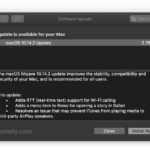
Apple has released the first beta version of macOS Mojave 10.14.1 for testing, just a few days after the final version of macOS Mojave 10.14 became available for the general public.
MacOS Mojave is one of the more exciting MacOS system software releases in quite some time, with many new interesting features and capabilities tucked throughout the new release. Some of those new features are more interesting and or useful than others however, so we’re going to focus on a handful of new features in macOS … Read More
If you’re running a beta version of MacOS Mojave you certainly will want to update to macOS Mojave final version, but you may have noticed that visiting the Software Update preference panel shows no available update despite the final version of macOS Mojave being available to download now. Does that mean you’re stuck running the … Read More
Now that MacOS Mojave is available to download for all Mac users, you may be interested in updating to the latest and greatest Mac system software release. But before diving in with the installation, it’s often a good idea to prepare a Mac for a major system software update. This article will go through a … Read More
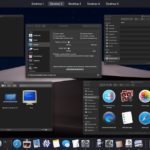
Apple has released macOS Mojave (versioned as MacOS 10.14) for all Mac users with a Mojave compatible Mac. MacOS Mojave includes an all new Dark Mode theme for the general interface, desktop Stacks to help declutter a desktop, new screenshot tools and capabilities, a variety of improvements to Finder, the inclusion of several new apps … Read More
Apple has released Safari 12 for Mac users running macOS High Sierra and macOS Sierra. The same Safari 12 web browser ships bundled with macOS Mojave by default, so macOS Mojave users will not find the same software update available to any computer running Mojave.
The latest versions of Google Chrome web browser default to not showing the full URL of a website, stripping away any subdomains, including the “www” subdomain prefix, and URL schemes, which are labeled as ‘trivial’ by Chrome. This is controversial given that many websites use subdomains and “www” to host completely different websites, but nonetheless … Read More
If you have updated Google Chrome web browser recently you likely noticed there is a new themed visual overhaul called Material Design that comes along for the ride. The new themed Chrome appears to come as the default in Chrome version 69 or later. While some users may be pleased with the new theme look … Read More
Have you ever wanted a little digital globe you could interact with, spinning the Earth around to see the continents, oceans, and features of our planet? If so, you’ll be happy to discover that the Maps app on the Mac has a hidden globe view that allows you to interact with and spin planet Earth … Read More
The latest MacBook Pro models include True Tone capable displays which automatically adjust the screen colors to resemble external ambient lighting conditions. This feature can make the screen appearance more pleasing to the eye in some lighting situations, but if you require color accuracy for your work, you may find the True Tone feature to … Read More
Command line users are likely familiar with using chmod to set file permissions in numerical or octal format, for example running a command like ‘chmod 755 filename’, but have you ever wondered how you can get file permissions in octal format? If you want to see or view the octal numerical value of permissions of … Read More
If you have a Mac equipped with Touch ID, like one of the Touch Bar MacBook Pro models, you probably already know how to add fingerprints to Touch ID on the Mac thereby allowing your finger print to unlock the computer and make purchases. But what if you want to delete a fingerprint from the … Read More
Microsoft Word defaults to automatically capitalizing the first letter of a word in a sentence when it is typed. This can be convenient, or very annoying, depending on how you type, and thus first letter auto-capitalization is one of those Word features that is either loved or hated. If you fall into the latter camp … Read More
Some versions of Mac OS support the ability to login any user account directly to the command line right from the traditional login screen, thereby bypassing the familiar Mac user interface. Instead you’re essentially signing a user directly into the Terminal (a bit like using the ssh client to connect to an SSH server), without … Read More
Safe Mode on the Mac is typically accessed intentionally and on a per-boot basis by holding down the Shift key during system restart or boot, then whenever the troubleshooting action is complete that required Safe Mode, the next reboot should be normal again. But sometimes a Mac can seemingly get stuck in Safe Mode regardless … Read More
The Touch Bar on MacBook Pro is arguably the most controversial component of the current generation MacBook Pro (aside from the keyboard itself anyway), and if you’re a MacBook Pro user who does not like the Touch Bar experience for any reason, whether it’s poking around to find and use the touch ESC key, or … Read More
You can easily install and run macOS Mojave beta in a virtual machine right now on a Mac, and the process is surprisingly easy, plus it’s free! This tutorial will walk you through the steps required to install macOS Mojave beta into a virtual machine environment using freely available software. It’s quite easy, so even … Read More
Have you ever wanted to know what’s going on when you startup a modern Mac? You press the power button, you see an Apple logo, and the Mac boots up into MacOS… from the average user perspective it’s about that simple, right? But what is actually happening behind the scenes after you press that power … Read More