macOS

Search macOS

Uninstall Mac Applications

Jun 20, 2011 - 58 Comments
Uninstall a Mac App

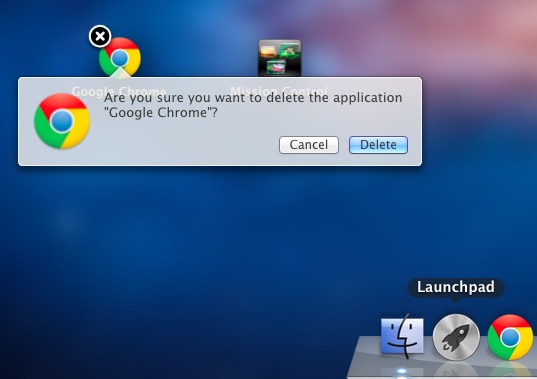
Uninstalling applications from Mac OS X is probably the easiest method of removing apps from any operating system, and it’s far easier on a Mac than anything you’ll encounter in the Windows world. Deleting apps is so simple that some new Mac users are left wondering what else they’re supposed to do, I have received … Read More


Disable Automatic Downloading of Malware Definitions List in Mac OS X

Jun 1, 2011 - 3 Comments

A recent anti-malware Mac OS X security update was released that defaults to automatically downloading and maintaining an active definitions list of known Mac OS X malware threats. This list comes from Apple and is likely a very small file that is transmitted to your Mac, imposing minimal bandwidth usage. For 99.99% of users, you … Read More

Enable and Disable AirPort Wireless from the Command Line in Mac OS X

May 31, 2011 - 12 Comments
AirPort Wireless icon

Sometimes the easiest fix when troubleshooting an AirPort wireless connection problem is to just turn AirPort on and off. Instead of using the menu item or System Preferences, we can enable and disable AirPort very quickly directly from the Mac OS X Terminal.

Enable “Right-Click” on a Mac Laptop

May 24, 2011 - 29 Comments
Right-Click Mac Trackpad

If you or someone you know is coming to the Mac from the world of Windows and are accustomed to the concept of right-clicking, as in literally clicking on the right hand side of a trackpad or mouse, you’ll be relieved to find out this feature can be enabled in Mac OS X. This will … Read More

Boot into Mac OS X Verbose Mode

Mar 31, 2011 - 4 Comments

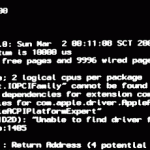
Booting a Mac with Verbose Mode can be a helpful troubleshooting trick for some obscure situations where users are trying to determine what is going wrong with a Mac during the system boot process. Just as it sounds, verbose mode is verbose, meaning it lists everything going on behind the scenes, and you’ll watch as … Read More

Check and Install Mac OS X Software Updates from Terminal

Jan 13, 2011 - 19 Comments

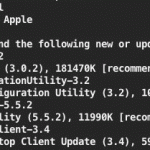
Want to update Mac OS software from the Terminal? You can check for available updates, ignore packages, and install any or all Mac OS X Software Updates directly from the command line. To see what updates are available for a Mac, or to install a software update from the Terminal of Mac OS X, amongst … Read More

IPSW File Location for Mac and Windows

Dec 8, 2010 - 12 Comments

Anytime you update your iPhone, iPod touch, or iPad, via a Mac or PC and using Finder or iTunes, you will get a new IPSW file that is downloaded to an iOS or iPadOS updates folder. Knowing where these IPSW firmware files are located can be helpful when troubleshooting, and when accessing an IPSW for … Read More

Access Mac Special Characters with the Character Viewer

Sep 10, 2010 - 13 Comments

Special characters can be accessed easily in Mac OS X through a special floating window called the “Character Viewer”. From within this characters menu, you’ll find a list of various dingbats, arrows, parenthesis, foreign currency symbols, pictographs, bullets and stars, math symbols, letterlike symbols, Emoji, and latin characters, plus a helpful “Recently Used” option which … Read More

How to Adjust Display Brightness on Mac Precisely

Jul 1, 2010 - 8 Comments

If you need to adjust the brightness of a Mac display precisely, you can turn to two different tricks that offer precision control on just how bright a Macs screen is.

How to Change a Mac Displays Contrast with Keystrokes & Software

Jun 17, 2010 - 9 Comments

It’s possible to adjust the display contrast at a software level in Mac OS X, which can have very dramatic effects, either good or bad, depending on your needs. Most Mac users don’t know this and many may not find it helpful, but used appropriately it can be a helpful Accessibility adjustment for many with … Read More

Open a Containing Folder in Spotlight on Mac by Hold Down Command Key

Jun 10, 2010 - 4 Comments

Spotlight is amazing at finding files buried deep within your Mac, but what if you found the file you wanted, and you don’t know what folder it’s contained within on the Mac, or if it’s buried deep somewhere in Mac OS X? The answer is as easy as a keystroke, because with a simple key … Read More

Enable Single Application Mode in Mac OS X

Jun 7, 2010 - 1 Comment
Single Application Mode in Mac OS X

Single Application Mode is an interesting feature of MacOS and Mac OS X that is often misunderstood, we’ll discuss what the feature is, how it works, and how to enable it on your Mac running nearly any version of Mac OS still in use, whether that’s macOS 12, 11, 10.6, 10.7, 10.8, or newer.

Broadcast Notification Style Messages in Messages & iChat on Mac

Jun 2, 2010 - 4 Comments

Did you know you can broadcast IRC-style notification commands in Messages for Mac? Indeed you can, even with Messages in modern MacOS releases. This fun trick was originally discovered with iChat (back when Messages was known as iChat, remember that?) and it’s fair to say that many people never knew about the uses of an … Read More

How to Use a MacBook or MacBook Pro with Lid Closed & External Monitor

Apr 15, 2010 - 25 Comments

Updated 11/27/2018: You can easily use the MacBook, MacBook Air, or MacBook Pro in what’s commonly called clamshell mode. Clamshell mode is when the laptop lid is closed but the machine is hooked up to an external monitor, keyboard, and mouse, effectively turning your portable Mac into a desktop. Doing this is easy, we’ll cover … Read More

How to Make a Mac Talk: Text to Speech

Mar 28, 2010 - 22 Comments

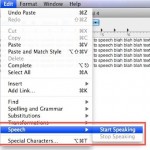
Want to have a Mac read text in a document or webpage to you? Text To Speech is an excellent feature which allows Mac users to have words on screen spoken aloud. You can make your Mac talk to you in various different ways, at different speeds, and even speaking with different voices, all by … Read More

Time Machine Backup Delayed? Here’s Why & How to Fix on Mac

Feb 25, 2010 - 2 Comments
Time Machine in Mac OS X

If you haven’t backed up with Time Machine in a while, the latest backup status will change to ‘Delayed’ and the menubar icon will have an exclamation mark in it reminding you to backup soon. There can be a variety of reasons the backups become delayed, and if you’re curious why this happens we’ll go … Read More

How to Disable Access to System Preferences on Mac

Feb 11, 2010 - 9 Comments
System Preferences in Mac OS X

In some situations, you may wish to disable access to the System Preferences on a Mac. Often this is for lab environments or public use workstations, or perhaps for locking down a particular workstation for various reasons. While a common approach is to create a new user account that has limited access to system features … Read More

How to Set a Manual IP Address in Mac OS X

Jan 26, 2010 - 11 Comments

There are times when a user will need to to manually set an IP address in Mac OS X to one which will be compatible with a joined network, either wi-fi or ethernet. Here will cover how to change a Mac IP address to a manual setting, and also how to pick an IP address … Read More

Subscribe to OSXDaily

Subscribe to RSS Subscribe to Twitter Feed Follow on Facebook Subscribe to eMail Updates

Tips & Tricks

News

iPhone / iPad

Mac

Troubleshooting

Shop on Amazon to help support this site