Developers Can Download Beta 1 of iOS 10, MacOS Sierra, WatchOS 3, tvOS
The first beta versions of iOS 10, macOS Sierra, tvOS, and watchOS 3 are available to download for users participating in the registered developer programs.
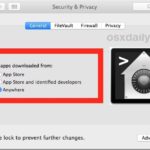
Though most Mac users will want to keep Gatekeeper enabled for security purposes, some advanced users find that Gatekeeper is overly zealous in preventing third party apps from being used in macOS and Mac OS X. While it’s easy to turn off Gatekeeper through the System Preferences on a Mac, another option is to disable … Read More
Safari iCloud Tabs are a great feature that allow you to visit and access any actively opened web page in Safari on one device on another iPhone, iPad, or Mac. This is really handy if you found something interesting on your iPhone but you’d rather read it on your iPad or Mac, or vice versa, … Read More
Many Mac users check the About This Mac Storage tab to get a quick overview of their disk space usage, and many will see a rather large “Other” storage space taking up disk capacity on their drives. If this sounds familiar, it’s probably because iOS often has a rather large Other storage space, but that’s … Read More
The Mac Preview app has long included the ability to digitally sign documents with a signature, but up until the most recent versions of Mac OS X, users had to basically sign a piece of paper and then use the Macs front-facing camera to ‘scan’ and digitize the signature. That has changed with modern releases … Read More
Want to see a Preview panel in Mac Finder windows so that you can get a glance at what images and files look like before opening them? Modern versions of MacOS allow for this handy Preview feature in the Finder. Longtime Mac users may be aware that the Column view of the Mac OS X … Read More
The revised interface in modern MacOS versions including macOS Monterey, macOS Big Sur, MacOS Catalina, macOS Mojave, High Sierra, Sierra, OS X El Capitan, and OS X Yosemite makes heavy use of transparencies, flatness, white space, smaller and narrow fonts, and a dramatic lack of contrast with neutral shades of grey used for most text … Read More
“Why are my iPhone calls ringing on on my Mac?” Perhaps you have asked yourself this question after noticing that since updating your Mac to a modern version of MacOS or Mac (including MacOS Mojave, High Sierra, Sierra, OS X El Capitan, Yosemite), that when your iPhone gets an incoming phone call, so does your … Read More
Saving a file or document as a PDF is easily done from almost anywhere in Mac OS by using the print to PDF feature, which is part of the Mac Printer service, but to trigger it you have to go to the Print menu and then specifically select to ‘print’ the file as a PDF … Read More
The tap-to-click ability is enabled by default on most PC laptops, while on the Mac side of things it’s usually disabled by default. For the unfamiliar, tap-to-click means that a single tap or touch on the MacBook trackpad or Magic Trackpad is registered as a click, thereby preventing the need to actually press down the … Read More
Each file type has a default application that is associated with it on the Mac. This means that when you double-click a file from the Finder it will open a specific application, for example on a fresh Mac OS installation, all image files (png, jpg, gif, pdf, etc) will default to opening in Preview, and … Read More
Many Mac users have noticed that the good old Invert Display keyboard shortcut disappeared from Mac OS some time ago. Well, it didn’t disappear completely, but Invert Display is now tucked into a submenu of Accessibility options via a keystroke on the Mac. The change to the Invert Display keyboard shortcut first happened with Mac … Read More
Retrieving a list of preferred wireless networks can be helpful when troubleshooting wi-fi problems, amongst other reasons too. If you’re looking to print out a list of wi-fi networks the Mac has used as preferred and connected to before, the following trick will do just that!
If you accidentally permitted a Mac app to gain access to things like your personal contacts list or location, or you’d just like to start over again and have granular control over which applications can access certain data, you can use the command line tool tccutil to change this and reset Mac app access to … Read More
You can set unique names for how your Macs computer name appears locally, from file sharing and networking, and even Bonjour services, with the help of the scutil command. This allows you to have a custom hostname for Terminal and SSH, another friendlier name for what’s visible to others on local networks, and yet another … Read More
Want to initiate Text to Speech with a keyboard shortcut on the Mac? The excellent Mac OS text to speech function can be activated with a simple keystroke, but first you have to enable the feature. This is a great trick because it allows you to quickly speak what is in on the Mac screen … Read More
Looking for some temporary peace and quiet from alerts and notifications but don’t want to completely disable Notification Center on your Mac? There are two quick ways to temporarily hush all notifications in Mac OS X, silencing and stopping both the pop-up alerts and sound effects with the notifications, these two methods last until the … Read More
Most Mac users are best served by using the easy Migration Assistant tool to copy all files, folders, preferences, and login data from one computer to another. This isn’t always an option though, perhaps because a hard drive is failing, or maybe you just prefer to manually migrate only very specific data from an old … Read More