tips

Search tips

Restore Items From the Trash to Their Previous Location on your Mac

Dec 29, 2009 - 12 Comments

You can restore the original location of a file that has been sent to the Trash very easily. This quite literally sends a file that is within the Trash back to where it was originally stored on the Mac OS X file system. Using the “Restore to Previous Location” feature is really easy, you’ll need … Read More

How to Recover Deleted Pictures from Digital Camera Memory Cards from Mac

Dec 28, 2009 - 2 Comments

If you’ve ever accidentally deleted pictures from your digital cameras memory card, you’re not alone. That feeling of dread when you forever lose photographic evidence of memories and experiences in digital form can sometimes be resolved though – so don’t freak out quite yet! Using an excellent free tool called Exif UnTrasher, Mac OS X … Read More

Type Foreign Currency Symbols in Mac OS X

Dec 20, 2009 - 8 Comments
Foreign currency symbols in Mac OS X

You can access and type foreign currency symbols in Mac OS X in much the same way that other special characters are typed out. That means you’ll use a keystroke combined with the “Option” key to type the respective character. A few common currency symbols are available on default keyboard layouts, including the $ dollar, … Read More

How to Schedule Sleep and Wake Events from Terminal in Mac OS X

Dec 18, 2009 - 6 Comments
Mac Terminal icon

Like many of us, I’m often busy and out of the home, leaving my Mac on a desk. I regularly use my home machine as a local fileserver though and other people in the household are dependent on it being up and running. Now here’s the situation I’m presented with: I leave town earlier than … Read More

Batch Resize Images on Mac with Preview

Dec 16, 2009 - 47 Comments

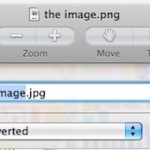
You can easily batch resize groups of images within Mac OS X by using the included Preview app, that is, taking a group of pictures set at one or various resolutions, and collectively resize them all together in a group to a new resolution, outputting either as the same file or as a new file … Read More

Opening Finder Windows from the Terminal

Dec 15, 2009 - 8 Comments

Finder, the Mac OS X file system browser, is ultimately just a nice looking GUI application, and it can be interacted with fluidly from the command line. This means you can jump to directories and open literally any Mac Finder window directly from the terminal by using a simple command string based upon the ‘open’ … Read More

iPhone Tip: Set an “If Found” Note as Your iPhone’s Background Picture

Dec 13, 2009 - 7 Comments
Find a lost iPhone easily

This is a fantastic tip from Apple regarding your iPhone, particularly if you’re prone to losing your device… set a custom background image on your iPhone with some contact information and an “If Found” note. What does that mean exactly? Basically just create an image with some contact details on it and a message to … Read More

How to Type Degree Temperature Symbol in Mac OS X

Dec 12, 2009 - 32 Comments
Mac keyboard

Ever wondered how to type the temperature / degree symbol in Mac OS? Typing the degrees symbol on a Mac, or any computer, may seem like a giant mystery since it’s not immediately visible on any keyboard, but it’s really quite easy if you know the proper keyboard shortcut. There are actually two keyboard shortcuts … Read More

Add 24 Hidden Visual Effects to Photo Booth & iChat in Mac OS X

Dec 7, 2009 - 8 Comments

With a little bit of hacking and modification, you can add up to 24 additional visual effects to iChat video conferencing and Photo Booth! A reader pointed out this very cool Mac OS X mod and if you like to play around with Photo Booth or iChat effects it’s worth the effort, since it gives … Read More

Schedule Sleep and Wake on Mac

Dec 5, 2009 - 4 Comments

You can schedule your Mac to sleep, wake, shutdown, or boot up at any time or any regular interval using the Mac System Preference ‘Energy Saver’ schedule settings. This provides for an excellent option for work Macs that you want to be awake or boot when you arrive in the morning, and to sleep or … Read More

How to Flip & Rotate Pictures in Mac OS X with Preview

Dec 4, 2009 - 9 Comments

The Mac OS X Preview application has a a few little known image adjustment features for rapid image orientation flipping or rotation that are quite powerful, and if you’re looking to make quick adjustments to rotate a picture or mirror vertically or horizontally the general orientation of any image file, a great Mac app to … Read More

Convert m4a to mp3 with iTunes

Dec 3, 2009 - 116 Comments

You can convert m4a music files to mp3 format very easily by using the same program that creates m4a files… iTunes! Yes that’s right, iTunes can double as a music file conversion program, and in this case it’s one of the easiest ways known to convert m4a to mp3 that doesn’t require any additional software … Read More

List All Mounted Drives and their Partitions from the Terminal

Dec 1, 2009 - 7 Comments

To list all mounted drives and their accompanying partitions from the Terminal on Mac OS X, you can use the diskutil command with the list flag. This approach will display all disks, drives, volumes, and containers on any drive connected to the Mac, including boot volumes, hidden volumes (like the Recovery partition), empty volumes, unformatted … Read More

Move the iTunes Library to a Different Location

Nov 30, 2009 - 6 Comments

Moving your iTunes music library to another location or machine is really easy to do because Apple has made iTunes store and maintain all of your music in one central location. Thus, that directory is fairly transportable, and if need be it can be relocated to a different location with relative ease. Unless you have … Read More

Open Current Folder in Finder from Terminal of Mac OS X

Nov 30, 2009 - 14 Comments

Want to open a Finder window from the current directory location in Terminal? Mac OS makes this easy! From the Mac Terminal, you can immediately open whatever folder or directory you are working within into the Finder of MacOS and Mac OS X by simply typing the a short command string and executing it. To … Read More

Schedule a Mac to Startup via Command Line with pmset

Nov 28, 2009 - 5 Comments
Terminal in macOS

Most Mac users who want to schedule a Mac to startup at a specific time will use the Energy Saver schedule tool in System Preferences, but for the more technically savvy, another option is to schedule the boot time of a Mac through the command line. We’ll show you how to use the pmset command … Read More

Enable & Access Chinese Character Input in Mac OS X

Nov 27, 2009 - 9 Comments

With modern versions of Mac OS X you can input Chinese Characters directly into the trackpad! This is an extremely cool feature but requires a newer Mac with a multitouch trackpad as well, so it’s best for Mac laptops and the Magic Trackpad surface.

Copy a File or Folder Path to the Terminal by Dragging and Dropping

Nov 23, 2009 - 2 Comments
Terminal in Mac OS X

Did you know you can quickly copy a files path to the Terminal just by dragging and dropping the folder or file into the Terminal window? Try it out, open any terminal window then take something from the Finder and drop it into that Terminal, it’ll instantly print out the full path to the file, … Read More

Subscribe to OSXDaily

Subscribe to RSS Subscribe to Twitter Feed Follow on Facebook Subscribe to eMail Updates

Tips & Tricks

News

iPhone / iPad

Mac

Troubleshooting

Shop on Amazon to help support this site